homebridge-bravia-tvos: Unable to set up 4.1 using new UI
The new setup UI looks great! But it’s not working for me, I get stuck on this screen, the gear just turns and turns.
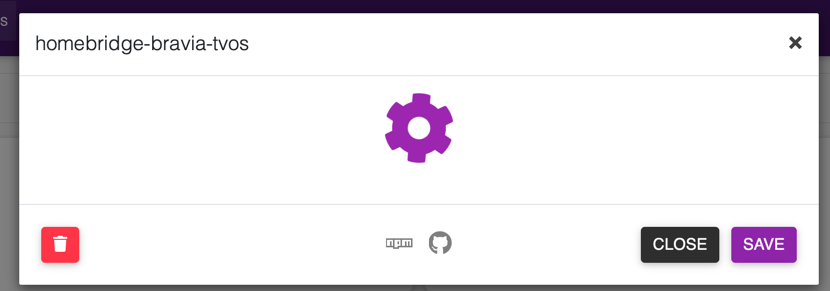
I am running Homebridge 1.1.6, Node.js v14.15.1, and Npm v6.14.8. I have 11 other plug-ins installed, all working fine.
The error in my homebridge logs says this:
 [21/11/2020, 22:11:02] [Homebridge UI] [homebridge-bravia-tvos] internal/modules/cjs/loader.js:883
  throw err;
  ^Error: Cannot find module '@homebridge/plugin-ui-utils'
Require stack:
- /usr/local/lib/node_modules/homebridge-bravia-tvos/homebridge-ui/server.js
    at Function.Module._resolveFilename (internal/modules/cjs/loader.js:880:15)
    at Function.Module._load (internal/modules/cjs/loader.js:725:27)
    at Module.require (internal/modules/cjs/loader.js:952:19)
    at require (internal/modules/cjs/helpers.js:88:18)
    at Object.<anonymous> (/usr/local/lib/node_modules/homebridge-bravia-tvos/homebridge-ui/server.js:1:38)
    at Module._compile (internal/modules/cjs/loader.js:1063:30)
    at Object.Module._extensions..js (internal/modules/cjs/loader.js:1092:10)
    at Module.load (internal/modules/cjs/loader.js:928:32)
    at Function.Module._load (internal/modules/cjs/loader.js:769:14)
    at Function.executeUserEntryPoint [as runMain] (internal/modules/run_main.js:72:12) {
  code: 'MODULE_NOT_FOUND',
  requireStack: [
    '/usr/local/lib/node_modules/homebridge-bravia-tvos/homebridge-ui/server.js'
  ]
}
Any pointers appreciated!
About this issue
- Original URL
- State: closed
- Created 4 years ago
- Comments: 15 (7 by maintainers)
Hi, this has been addressed in homebridge-config-ui-x v4.35.0
“Plugins: Custom plugin user interfaces now work correctly in older browsers that do not support the EventTarget constructor.”