serverless: Missing required key 'Bucket' in params
This is a Bug Report
Description
I am getting following error when run serverless deploy -v
 Serverless Error ---------------------------------------

     Missing required key 'Bucket' in params

  Get Support --------------------------------------------
     Docs:          docs.serverless.com
     Bugs:          github.com/serverless/serverless/issues

  Your Environment Infomation -----------------------------
     OS:                 win32
     Node Version:       6.3.0
     Serverless Version: 1.0.0
Current serverless.yml
service: api

provider:
  name: aws
  runtime: nodejs4.3
  stage: prod
  region: us-west-2
  credentials:
      accessKeyId: accessKeyIdhere
      secretAccessKey: secretAccessKeyhere
functions:
  hello:
    handler: handler.hello
    events:
    - http:
             path: hello/test
             method: get
I am not using anything related bucket than why i need to setup bucket key ?
About this issue
- Original URL
- State: closed
- Created 8 years ago
- Reactions: 13
- Comments: 44 (17 by maintainers)
I was able to resolve this by deleting the stack in the AWS console and re-deploying with Serverless.
The issue was that my IAM profile didn’t have some necessary permissions when I did the initial deploy, causing stack creation/rollback to fail. So the stack was left in a broken state on AWS.
I reproduced this issue. It occurred because of a stack failure. The stack log in reverse chronological order follows. I will follow the listing with a description of how I got into the state.
The
CREATE_FAILEDmessage occurred because I ran into a bucket limit. This left the stack in the state ofROLLBACK_COMPLETEand notably, the bucketServerlessDeploymentBucketin the state ofDELETE_COMPLETE. That is, it exists despite having failed. This means that when SLS asks if the stack exists, it finds that it does but then it attempts to query for the bucket and gets back:Notably, this is missing the attribute
$.StackResourceDetail.PhysicalResourceIdand that means thatgetServerlessDeploymentBucketNamereturnsundefinedfrom here: https://github.com/serverless/serverless/blob/master/lib/plugins/aws/provider/awsProvider.js#L190This means that
this.bucketNameis set to undefined here: https://github.com/serverless/serverless/blob/master/lib/plugins/aws/lib/setBucketName.js#L17And finally, the
paramsattributeBucketis set to undefined here: https://github.com/serverless/serverless/blob/master/lib/plugins/aws/deploy/lib/cleanupS3Bucket.js#L18This should occur any time the bucket is in an invalid state. I don’t have the time to fix it right now but I debugged through and thought I’d share that work to save someone some time (or read later if this ever boosts in the priority stack).
@pmuens @michaelchiche not sure this would help but;
I encountered this error today and it took me almost the entire second half of the day to figure it out.
So apparently, my AWS account is already at capacity of 101 buckets in S3! I got
An error occurred: ServerlessDeploymentBucket - You have attempted to create more buckets than allowed.the first timesls deployfailed.Without looking into it much - I ran
sls deployagain and I gotMissing required key 'Bucket' in params.It seems that the CF stack exist (but failed) in AWS but the deployment bucket had failed to be created hence it wasn’t able to retrieve the bucket name (I think).
I had to delete the stack manually on CF and delete a couple buckets in S3, before running
sls deployagain.And voila - it worked.
@pmuens nvm. My new AWS account defaulted to
Global. Took me a while to realize. When I switched toN. VirginiaI saw the failed stack and deleted it. I was then able tosls deployagain without issues.The issue was no permission to
s3:createBucketwhen I initially ran deploy.@erikerikson This might be a stupid question but how do you “delete the stack” and “resolve the bucket limiting issue”. I have a similar issue but even running
sls removegives the same error and I’m not aware of any bucket limit for my s3 account.Hi @Daniela010 These sorts of questions might be better asked in the community gitter channel: https://gitter.im/serverless/serverless - there is a strong community of people helping each other with this tool (which helps make it even better) and you’ll find them there. That said, you’ll find the docs for S3 events at https://serverless.com/framework/docs/providers/aws/events/s3/ - basically you can remove
Properties, lower caseBucket, and deleteType: s3. You clearly put a lot of effort into your question so thank you for that (it made it easy to give a thorough answer). The docs are pretty good and cover the majority of uses. You might find adding “serverless framework” to your search queries will help narrow down your results and if you prefer chat (some of us do 😄) there is always the gitter channel. Since you are discovering the tool, it might be worth your time to check out https://serverless.com/framework/docs/providers/aws/guide/variables/ - you’re already using some but those end up being particularly valuable and the answer to solving many challenges. Welcome to the serverless community and enjoy your system building!@briananderson1222
RE: “bucket limit” > there are soft limits on the number of buckets you can have in an account. Your technical account manager (TAM) can help you get that raised if you’re hitting a limit. Similarly you can delete buckets to get under the limit. Either of these resolving the “bucket limit” issue. You can also manually specify an existing bucket in your service in order to avoid proliferating buckets for each of your projects.
RE: “delete stack” > When I deleted the stack I did so from the console manually. If/when you get errors about things you cannot delete as part of deleting the stack, I noted what those things were, deleted the stack again, and clicked yes to continue deletion despite those resources. I then manually cleaned them up (i.e. for me, deleted the bucket from the S3 UI of the AWS console).
Thanks for the comment @Malvineous 👍
Reopening…
TY @erikerikson 👍 Have a nice day!
Hi again @erikerikson . With what you mentioned, I was able to find what I needed in terms of connecting my Serverless architecture to my S3 bucket, so… THANK YOU SO MUCH!
Now I need the Lambda function I created to get the bucket as an asocciated event triggering source… Do you happen to know if there is a way of doing so?
I’ve read about AWS SAM and I’ve found: “To specify an S3 bucket as an event source for a Lambda function, both resources have to be declared in the same template. AWS SAM does not support specifying an existing bucket as an event source.” Source : https://github.com/awslabs/serverless-application-model/blob/master/versions/2016-10-31.md#event-source-types
*NOTE: Among other places in the web, I’ve found the same answer but I think that one is the most worth-mentioning. I have also been experimenting with different Resources declaration for my IamRoleStatement and for the function events Resources, but still I haven’t been able to make it work.
Function: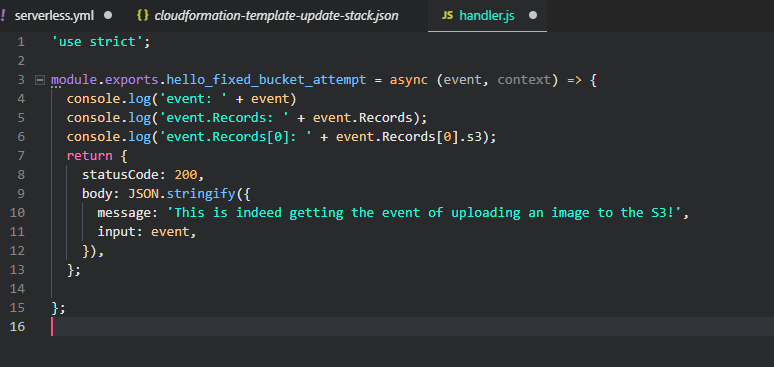
Serverless.yml:
Bucket (And Serverless folder was created through Serverless Framework when running ‘sls deploy’):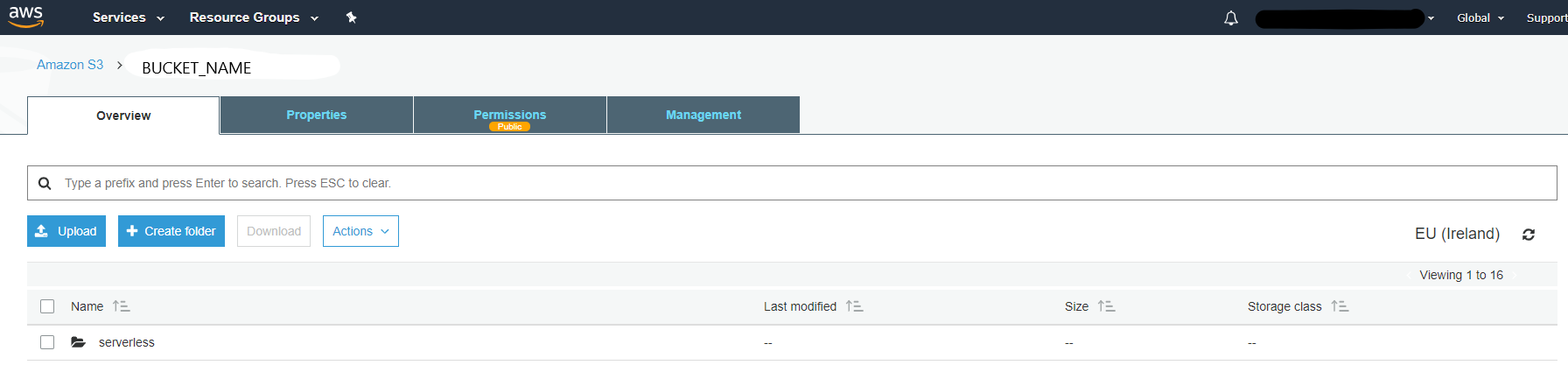
Lambda function does get deployed. But no event gets associated with it. (I don’t want to declare manually the S3 as an event trigger, I would prefer doing so using Serverless Framework):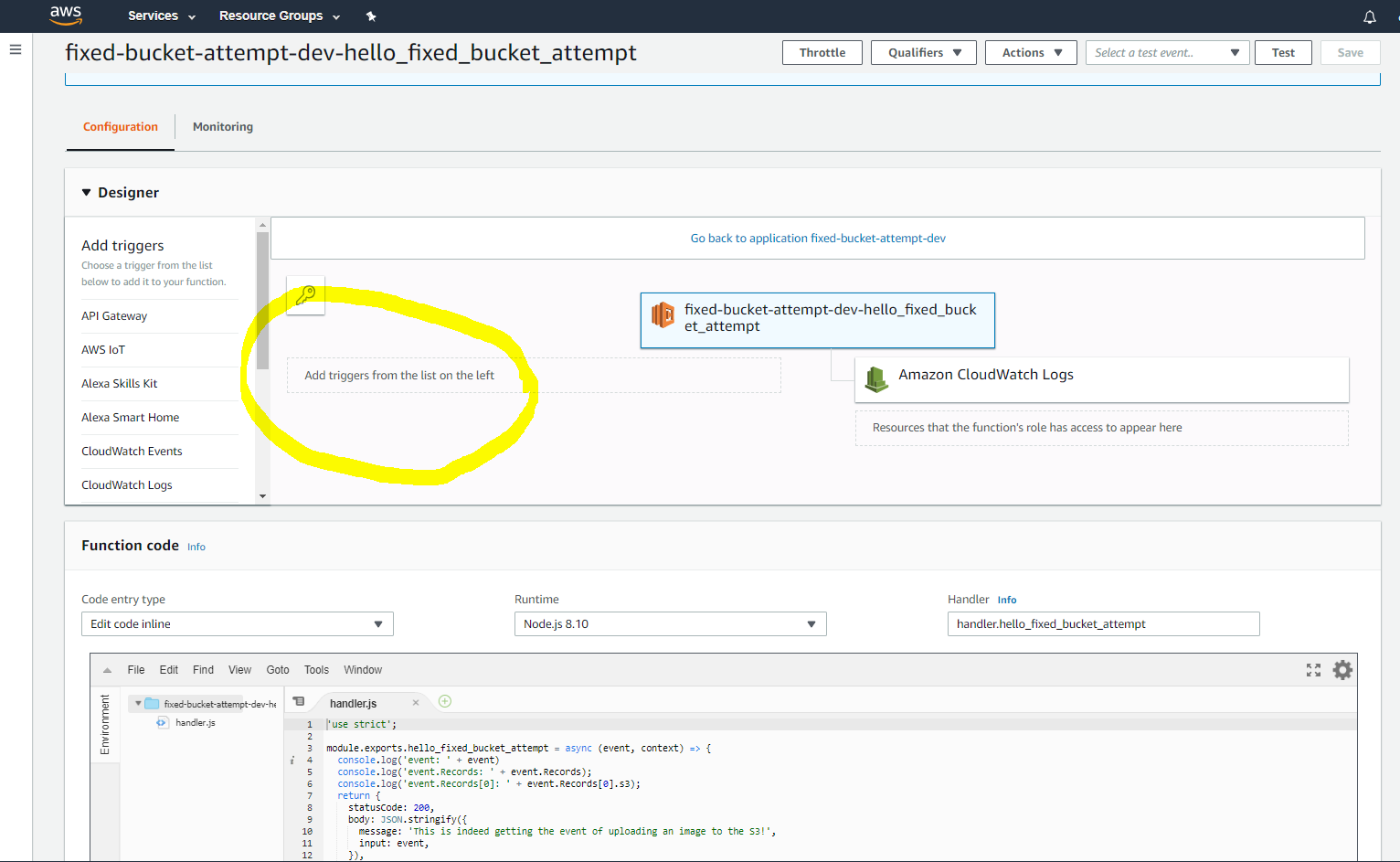
Please, in case you know and can help me, let me know!
Cheers!
still seeing this error. the CF template doesn’t have a parameter that i can even see to override
I got issue,i can replicate issue now.
Don’t give
AdministratorAccessrights beforeserverless deploy -vNote : I know that we needAdministratorAccessbut i want to give minimal permission so i was checking than give rightsAdministratorAccessafter that you can replicate issue after runserverless deploy -v