saleor-dashboard: Everything but dashboard works: "No such file or directory"
I’ve done the entire installation process up until docker-compose up. When I run that, the storefront and core work properly, but I keep getting the following console for the dashboard:
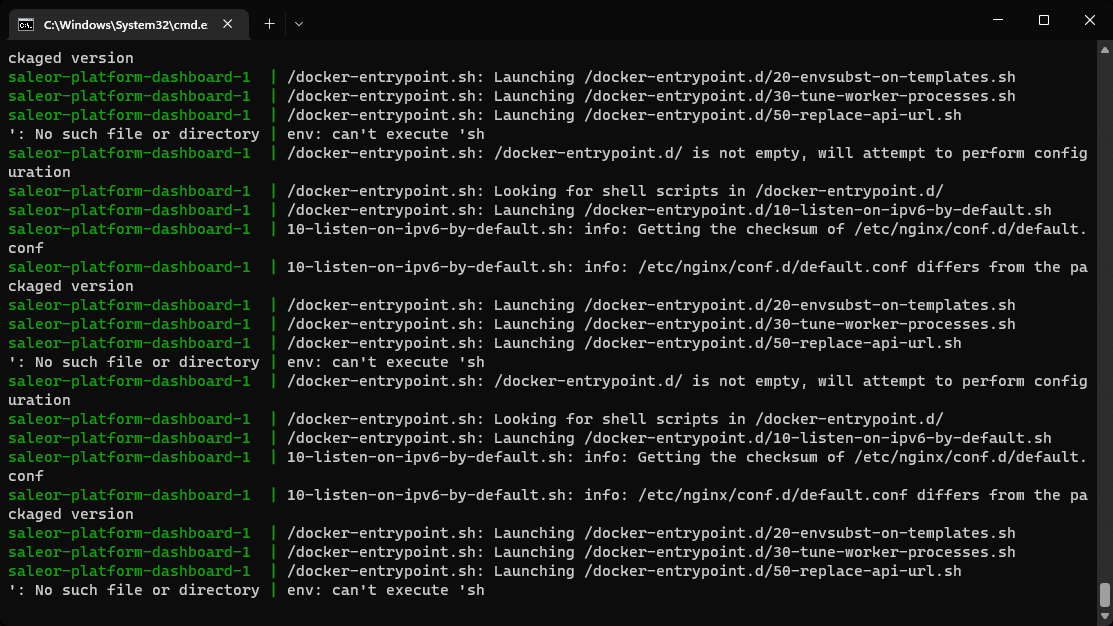
Any ideas?
About this issue
- Original URL
- State: closed
- Created 2 years ago
- Comments: 18 (6 by maintainers)
After investigation, it turns out that problem is in line endings -
50-replace-api-url.shshould have anLFline ending (as it will be executed inside Docker) and by default, git will convert line endings toCRLFfor windows.Quick fix: Edit
saleor-platform/saleor-dashboard/nginx/replace-api-url.shto haveLFending - see screenshot how to do this in VSCode:https://user-images.githubusercontent.com/9116238/203757571-2b902de7-3c12-48eb-bf24-f10eb49bf0b6.mp4
I will prepare a proper fix in PR but you will have to clone the repository one more time in order for the fixes to work.
@NikunjPansuriya please check the latest changes from https://github.com/saleor/saleor-platform - I’ve just fixed bug with docker-compose volumes 😄
Thank you for you immediately response and solution! It worked! Regards @krzysztofzuraw
Hi @AlexisHeap and thank you for the comment 👋🏻
Can you try the latest version of https://github.com/saleor/saleor-platform? We just merged changes from the dashboard. You will need to clone the repository one more time - please check if e.g VSCode shows a proper tag (
3.8.7) for the dashboard. See the screenshot for more info:Thanks @krzysztofzuraw Its working now 😀