saleor: Bug: Blocked by CORS policy on local development
What are you trying to achieve?
I want to set API and Dashboard locally, so I can deal with data through Dashboard
Steps to reproduce the problem
- Run API with docker compose
- Change env file in Dashboard folder
API_URI=http://localhost:8000/graphql/ - Run Dashboard
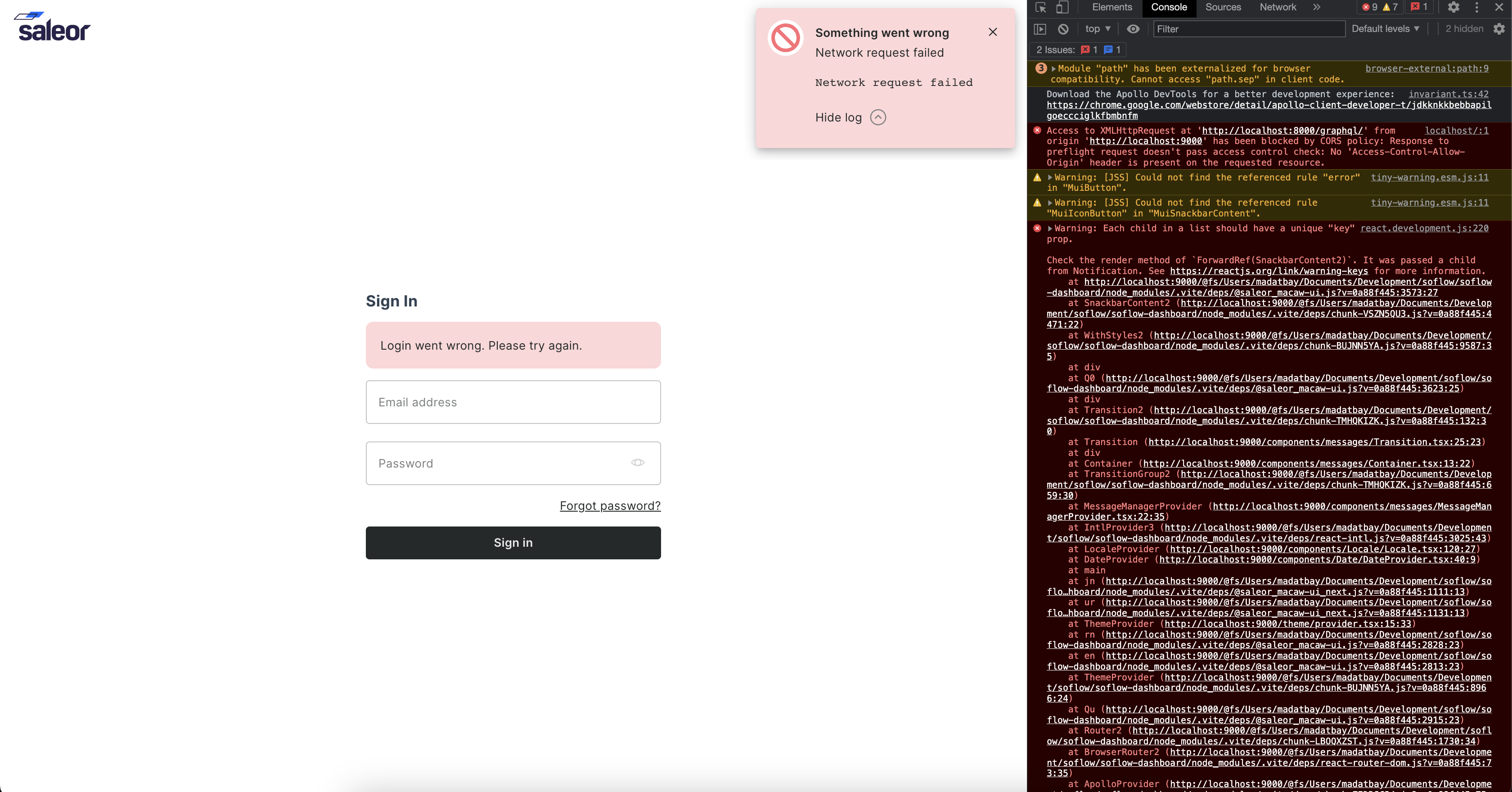
- See Network Error
What did you expect to happen?
Connect dashboard to API
Logs
Access to XMLHttpRequest at 'http://localhost:8000/graphql/' from origin 'http://localhost:9000' has been blocked by CORS policy: Response to preflight request doesn't pass access control check: No 'Access-Control-Allow-Origin' header is present on the requested resource.
Environment
Saleor version: API “3.13.0-a”, Dashboard “3.13.0-dev” OS and version: macOS, 13.3, 22E252
About this issue
- Original URL
- State: closed
- Created a year ago
- Comments: 15 (3 by maintainers)
Default settings using django-cors-headers are not enough. After all, it raises different preflight errors the “auhtorization-bearer” header is missing, and the cors credential error. For a complete solution it required to add:
Folks, you definitely don’t need to install any third-party libraries. For local development, make sure you’re starting Saleor using
uvicorn saleor.asgi:application --reloadand not usingpython manage.py runserveras Saleor requires ASGI to function. If it still does not work, please provide more details on how to reproduce your problem.Saleor doesn’t need
django-cors-headers; we have thecors_handlerfunction implemented in the repo, but it’s an async one. Django’s defaultrunserverwon’t handle it for local development. You can run it using:or
I think it’s missing in the docs - we will fix it. See https://github.com/saleor/saleor/pull/11415.
@JPaulMora devcontainers are not supposed to start any services. It’s impossible to restart them, and if the default command crashes, the entire container disappears. The main command being
sleepis the industry standard.@madatbay thanks for your answer, this issue was getting me crazy 💯