setup-ruby: Library not loaded libgmp.10.dylib on self-hosted macos M1
using: self-hosted macOS (M1 chip)
- name: Install ruby
  uses: ruby/setup-ruby@v1
  env:
    ImageOS: macos1015
1st libgmp.10.dylib error:
The installation failed on “Print Ruby version” step with the error below:
Reason: tried: '/usr/local/opt/gmp/lib/libgmp.10.dylib' (no such file), '/usr/local/lib/libgmp.10.dylib' (no such file), '/usr/lib/libgmp.10.dylib' (no such file)
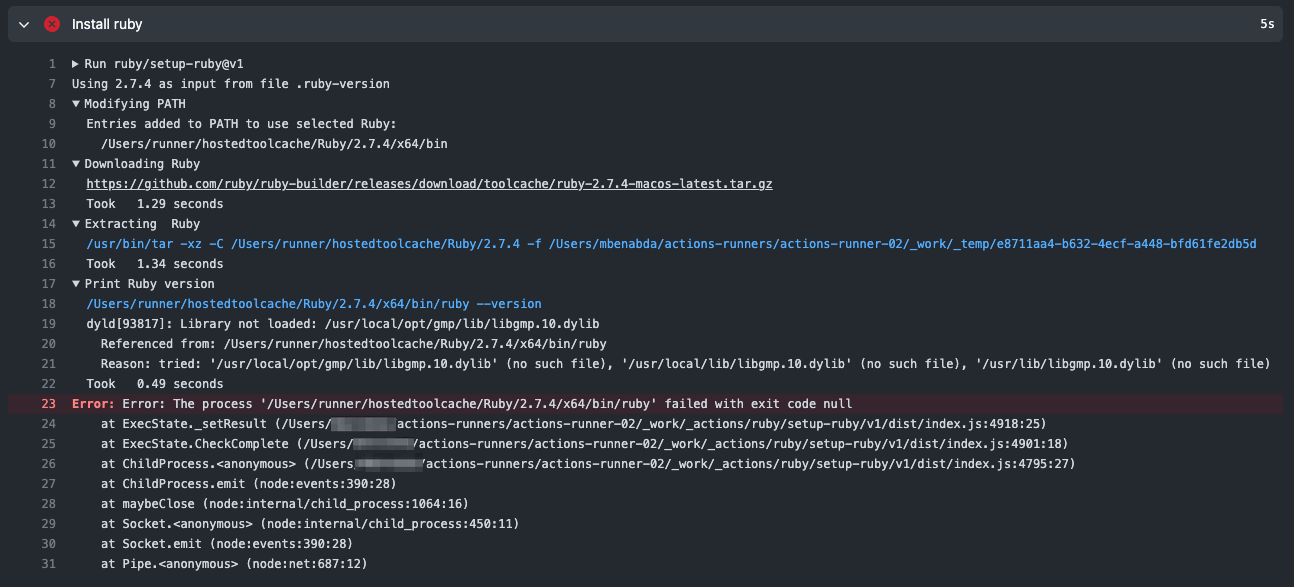
I have gmp installed with homebrew and hence the libgmp.10.dylib is located under /opt/homebrew/Cellar/gmp/6.2.1_1/lib/libgmp.10.dylib
2nd libgmp.10.dylib error
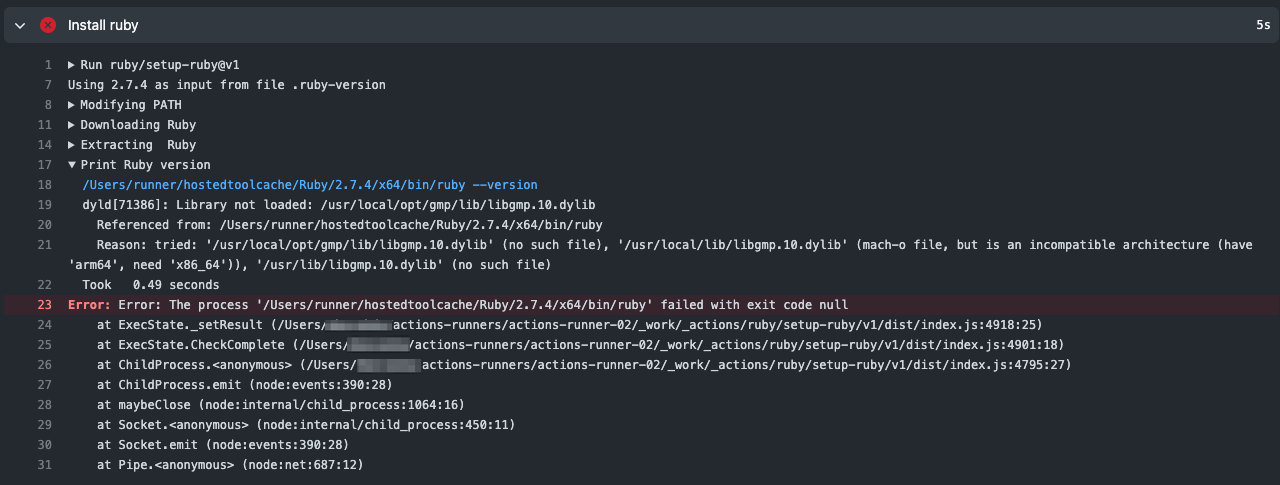
I manually installed gmp to ensure /usr/local/lib/libgmp.10.dylib will be available
but then, got a new error:
'/usr/local/lib/libgmp.10.dylib' (mach-o file, but is an incompatible architecture (have 'arm64', need 'x86_64')),
About this issue
- Original URL
- State: closed
- Created 2 years ago
- Reactions: 4
- Comments: 20 (7 by maintainers)
It won’t. The tool checks the
.../actions-runner/_work/_tool/Ruby/{version}/{os_architecture}for existing cache and if it doesn’t exist this action will download a new on into thehostedtoolcachefolder and overwrite whatever is there.Since Github Actions supports M1 self hosted runners it would be nice for this action to have the MacOS arm builds. However automating that is obviously hard since Github doesn’t have any MacOS arm runners.
After some more headache with this problem I don’t think @Shahaed python script will solve the issue for me. I already have an arm64 built binary of Ruby installed on the machine via
rbenv. The python script only seem to care about homebrew installs.So my solution was to create a symlinks in
/Users/runner/hostedtoolcacheto therbenvinstall of Ruby similar to how @Shahaed python script does for homebrew installed Cellars.Then I have a script that is run before runner jobs that will execute
ln -fs /Users/runner/hostedtoolcache/Ruby /Users/runner/actions-runner/_work/_toolSo in short
This can be a temporary solution for those with
rbenvruby until this action,setup-ruby, have solved arm64 macos builds that are pulled down by the action.This is no exactly correct. There are 3 different homebrew folders:
/usr/local/opt- x86 on x86 devices/usr/local/homebrew/opt- x86 on arm64 devices/opt/homebrew- arm65 on arm64 devicesAnyways, I now have the action working on M1. You can follow https://medium.com/mkdir-awesome/how-to-install-x86-64-homebrew-packages-on-apple-m1-macbook-54ba295230f to install brew for x86 and enable Rosetta.
Afterwards use the new brew to install the required packages
arch -x86_64 /usr/local/homebrew/bin/brew install gmp libyaml rvm(or use your alias). These are installed into/usr/local/homebrew/opt. But this folder is not checked when ruby is looking for the libraries. So just create a symbolic linksudo ln -s /usr/local/homebrew/opt /usr/local/optand you are done.