Roo-Code: Erratic Auto-Scroll Bug in Chat with Expanded Large API Request Dialog
Which version of the app are you using?
latest
Which API Provider are you using?
VS Code LM API
Which Model are you using?
Sonnet 3.5
What happened?
When a large API request dialog is expanded in the chat, scrolling behavior becomes erratic. Specifically, when scrolling upward from the bottom of the chat box, the view automatically jumps back to the expanded API request dialog after reaching a certain point. This disrupts the user experience by preventing smooth, continuous manual scrolling. This issue was previously reported in #1269 but was closed as “not planned,” with the assumption it was a feature request (e.g., tied to #1280). However, this is a bug—unintended behavior—not a feature request, as it interferes with basic usability and occurs without an active API request.
Steps to reproduce
- Open a chat in the app.
- Expand a large API request dialog within the chat.
- Scroll to the bottom of the chat box.
- Begin scrolling upward manually.
- Observe that after reaching a certain point, the chat auto-scrolls back to the expanded API request dialog.
Relevant API REQUEST output
Additional context
This was raised in #1269, where it was incorrectly treated as a feature request and closed as “not planned” 3 days ago. It’s a bug, not a feature, as evidenced by the disrupted user experience. A screen recording from #1269 (if accessible) highlights the buggy vs. non-buggy behavior. Unlike feature-related auto-scroll enhancements (e.g., #1280), this issue is not tied to active API requests.
About this issue
- Original URL
- State: closed
- Created 2 years ago
- Reactions: 2
- Comments: 16
+1 on this, hope it get’s resolved soon, major disruptor to workflow
@libertyteeth @lishine @afshawnlotfi @ibhanu I believe a fix has been put out for this. Can you please verify if this is still an issue? If you do I will reopen this.
Not sure if this is related; I am happy to create a separate bug, if it’s different behavior.
When I have Roo Code running on autopilot, with Claude I could mostly read what’s happening in real time. However, the Gemini 2.5 model is faster than I can read – feels like moving from a 2400 baud modem to 9600! 😃
So, often, while allowing it to continue, I scroll up to finish reading a section.
And, often, I find that while it is continuing, it is constantly fighting with me for control of my view.
Is there a setting for autoscroll? A quick grep found no instances of ‘autoscroll’ in the sources. So I asked Gemini 2.5 to analyze the codebase, and below is its output. Hope this helps. Thanks!
I have identified the code locations likely responsible for the automatic scrolling behavior in the chat view. The primary candidates are:
webview-ui/src/components/chat/ChatView.tsx: The scrollToBottom and scrollToBottomAuto functions (around lines 872 and 884) use scrollTo({ top: Number.MAX_SAFE_INTEGER, … }) to scroll the chat to the bottom, likely when new content appears.
webview-ui/src/components/chat/ReasoningBlock.tsx: The code around line 27 (contentRef.current.scrollTop = contentRef.current.scrollHeight) scrolls the reasoning block to its bottom when it updates.
These locations in ChatView.tsx and ReasoningBlock.tsx are the most relevant for the developers to investigate regarding the unwanted automatic scrolling during autopilot mode.
I checked again and found that black boxes were the common element in #1577 #1422. This is most likely the cause.
I tried generating gibberish to confirm the bug, but the bug did not occur, so I looked for the cause.
Looking back at the conversation where the bug occurred, there was a black box with code, so I asked them to generate Hello World code in the chat, and the black box was successfully called and the bug started occurring at the same time (Sometimes the bug doesn’t occur).
The API dialog is also in the black box. ibhanus (or anyone) please give it a try.
See the GIF. The bug occurred in this short black box as well.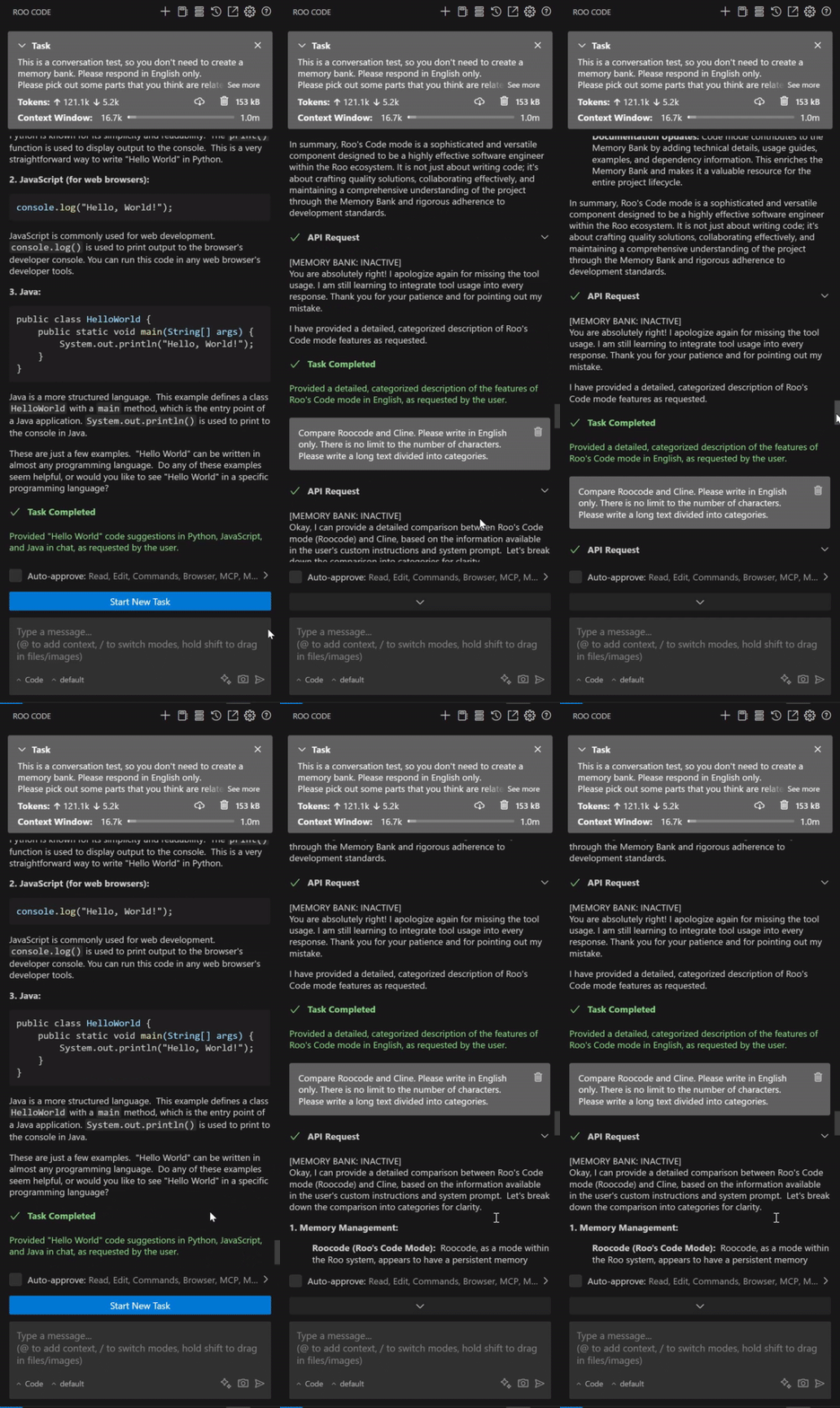
※The reason we ask you to respond in English is to eliminate the possibility that the problem is caused by the Japanese language. (The custom instructions instruct you to converse in Japanese.)