maps: MarkerView, PointAnnotation & Callout doesn't render points on Android, works fine on iOS.
Describe the bug I am using Mapbox to display Point on the map and using Callout to show additional information. It’s working fine in iOS but I’m not able to see the same in android. I can see the points and Callout is working fine but didn’t render anything on the Android device.
To Reproduce Example:
import React from 'react';
import {
  View,
  Image,
} from 'react-native';
import MapboxGL from '@react-native-mapbox-gl/maps';

const currentLatLng = [
    [-74.00597, 40.71427]
  ];

class BugReportExample extends React.Component {
  render() {
    return (
    View style={{flex: 1}}>
        <MapboxGL.MapView
          ref={c => (this._map = c)}
          logoEnabled={false}
          style={{flex: 1}}>
          <MapboxGL.Camera
            ref={c => (this.camera = c)}
            zoomLevel={14}
            centerCoordinate={currentLatLng}
          />
          {/* User location */}
          <MapboxGL.PointAnnotation
            key={'9090'}
            ref={ref => (this.userAnnotationRef = ref)}
            id={'9090'}
            coordinate={currentLatLng}
            title="">
            <View style={{ width: 45,height: 45,alignItems: 'center',justifyContent: 'center',overflow: 'hidden',}}>
              <Image
                source={{uri:'https://reactnative.dev/img/tiny_logo.png'}}
                resizeMode={'contain'}
                style={{height: wp('10%'), width: wp('10%')}}
               onLoad={() => this.userAnnotationRef.refresh()}
              />
            </View>
            <MapboxGL.Callout title={'You'} />
          </MapboxGL.PointAnnotation>
        </MapboxGL.MapView>
      </View>
    );
  }
}
Expected behavior It should work the same on Android devices as well.
Screenshots
iOS working example -
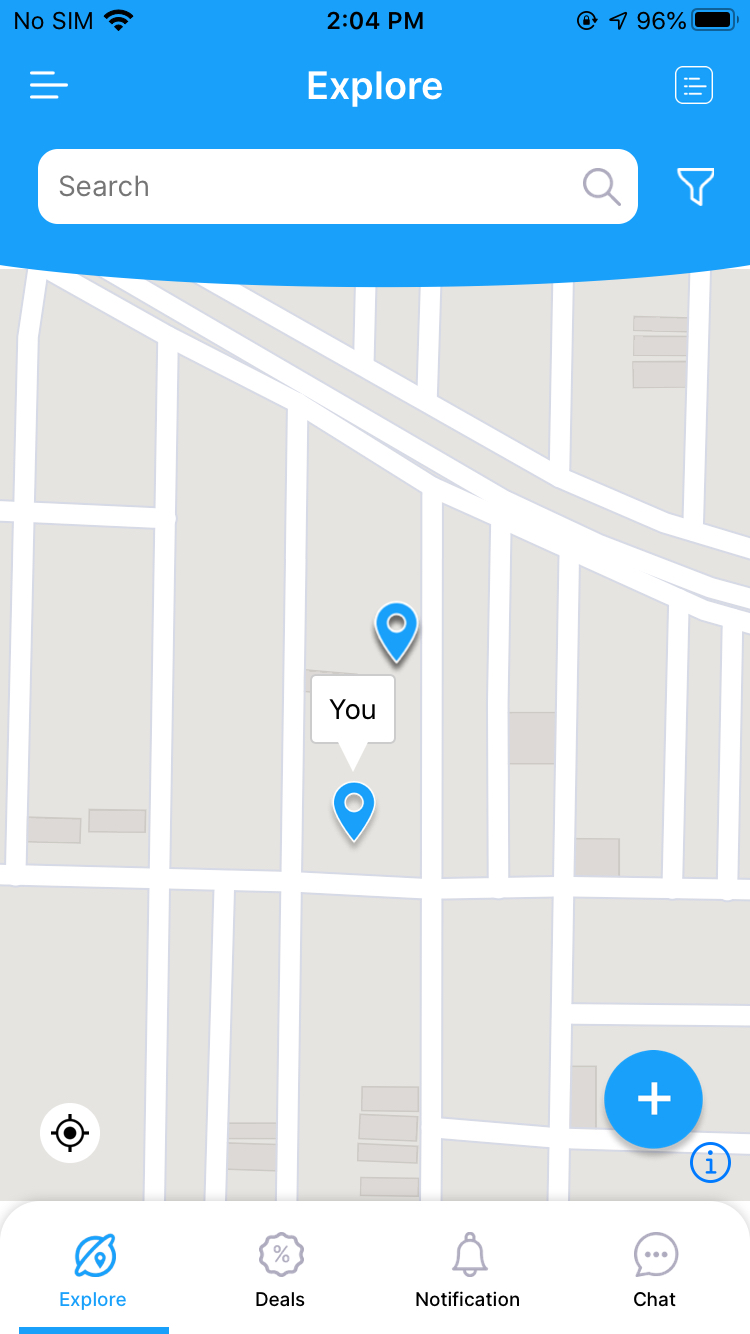
Versions:
- Platform: Android
- Device: Redmi 7s
- Emulator/ Simulator: no
- OS: Android 9 Pie
- react-native-mapbox-gl Version ^8.1.0-rc.2
- React Native Version 0.62.2
Edit: Updated code with onLoad/Refresh
About this issue
- Original URL
- State: closed
- Created 4 years ago
- Reactions: 2
- Comments: 34 (10 by maintainers)
Hi guys, this issue still happening on
8.5.0, is there any outlook when this will be fixed or even will it be fixed at all ? I’ve usedreact-native-svgbut that also seems to have problems sometimes and doesn’t render correctly all the time.No, Still same issue, not able to change pin icon, using the default one. Also, no image is rendering on custom callouts in android only.
Hi @raazatul7, I am also facing the same issue. If the resolve the issue can you please help me.
Thanks in advance.
How can I change the Callout image, since the custom Image is not loading? @ferdicus Also, custom View in Callout is not showing images and are not touchable! All these issues are in Android, iOS is working fine.
@raazatul7, you probably saw the issue template - please edit the description and fill out all mandatory points. You expect voluntary devs to look at your issue, please take the time to fill out the required info.
Thanks 🙇