redwood: Layout shift (broken layout) on deployed site after prerender
I just upgrade a project from redwoodjs 0.41.0 to 0.42.0. The upgrade breaks the layout:
The layout is supposed to look like this:
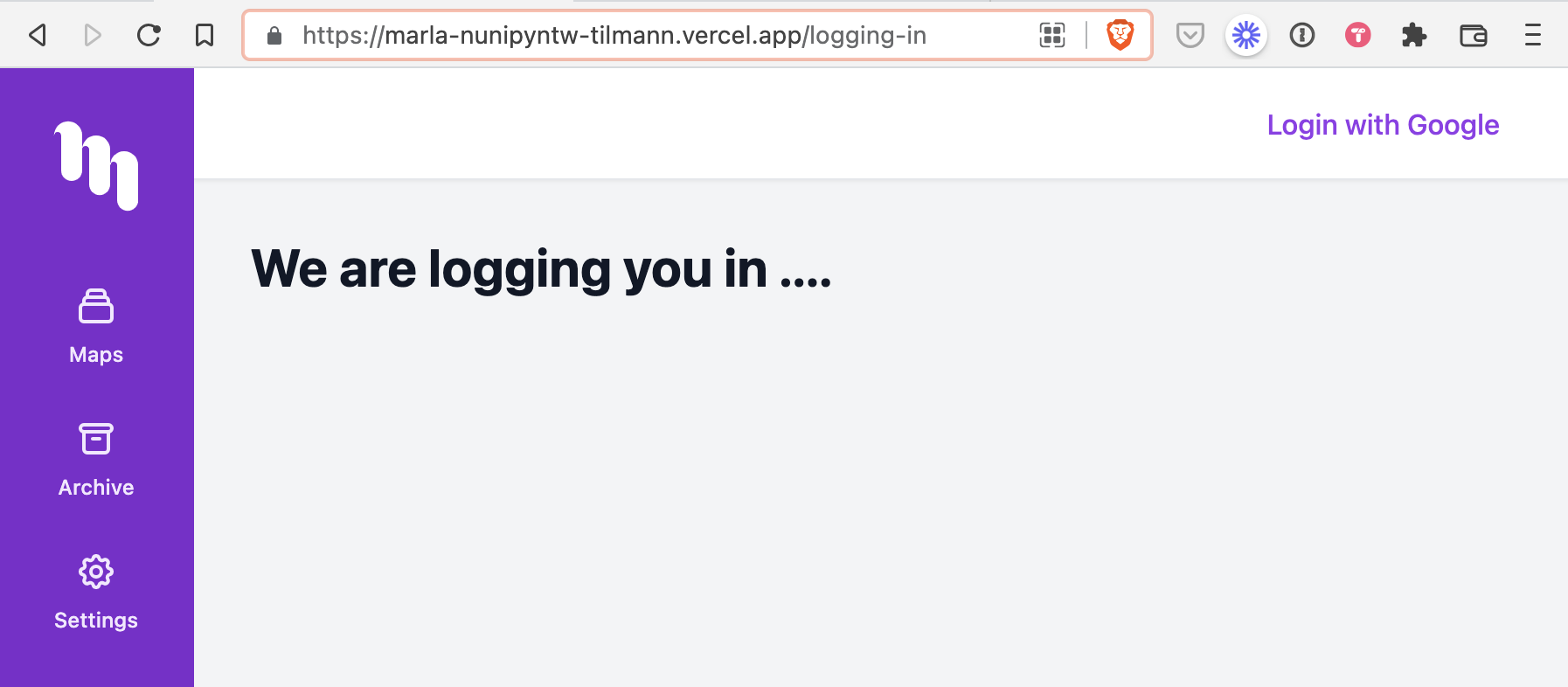 Deployment: https://marla-nunipyntw-tilmann.vercel.app/logging-in
but after the upgrade it looks like this:
 Deployment: https://marla-oh8935c3y-tilmann.vercel.app/logging-in
Only difference was the upgrade. Going back to 0.41.0 solves the problem. Any ideas what could be the reason?
My package.json in /web
{
  "name": "web",
  "version": "0.0.0",
  "private": true,
  "browserslist": {
    "development": [
      "last 1 version"
    ],
    "production": [
      "defaults",
      "not IE 11",
      "not IE_Mob 11"
    ]
  },
  "dependencies": {
    "@headlessui/react": "^1.4.1",
    "@heroicons/react": "^1.0.4",
    "@redwoodjs/auth": "^0.42.0",
    "@redwoodjs/forms": "^0.42.0",
    "@redwoodjs/router": "^0.42.0",
    "@redwoodjs/web": "^0.42.0",
    "@supabase/supabase-js": "^1.22.6",
    "@tailwindcss/aspect-ratio": "^0.3.0",
    "@tailwindcss/forms": "^0.4.0-alpha.2",
    "@tailwindcss/typography": "^0.5.0-alpha.3",
    "buffer": "^6.0.3",
    "lodash": "^4.17.21",
    "luxon": "^2.0.2",
    "markdown-to-jsx": "^7.1.3",
    "pino": "^7.5.1",
    "pino-logflare": "^0.3.12",
    "pixi.js": "^6.2.0",
    "process": "^0.11.10",
    "prop-types": "15.7.2",
    "react": "17.0.2",
    "react-colorful": "^5.5.0",
    "react-dom": "17.0.2",
    "react-select": "^5.1.0",
    "stream-browserify": "^3.0.0"
  },
  "devDependencies": {
    "autoprefixer": "^10.3.4",
    "faker": "^5.5.3",
    "postcss": "^8.3.6",
    "postcss-loader": "^6.1.1",
    "tailwindcss": "^3.0.0-alpha.2"
  }
}
About this issue
- Original URL
- State: closed
- Created 2 years ago
- Comments: 29 (22 by maintainers)
Hey @dac09, I missed the notifications for that one. Thanks for providing so much helpful insights and suggesting the two solutions.
❌ Solution A
Prerender the logging-in pagedid not work. I prerendered both pages and the layout for /logging-in was still broken.🎉 Solution B
redirect in your project's ./vercel.jsonsolved the problem for me.I found this all very interesting and I learned a lot and I will try to get a deeper understanding why it happened. Prerendering was working before 0.42. and the glitch was introduced with 0.42.
Thanks to everyone who was super helpful (@thedavidprice @simoncrypta)
Super annoying bug indeed! One more for me to investigate 😃
I don’t have access to the repo @tilmann, could I just get a snippet of your routes please? There was one change related to prerender that went in few weeks ago I think… will double check
FYI new Tailwindcss patch that’s work trying out:
Thanks for the answers.
@simoncrypta I am pretty sure that the change is not coming from a template but from upgrading to 0.42.x and the build for production. It works in my local dev environment.
Here are three deployments I did one after the other to make sure there are no side effects apart from the upgrade.
1. Redwood 0.41.0 | This is the build after the commit @thedavidprice recommended: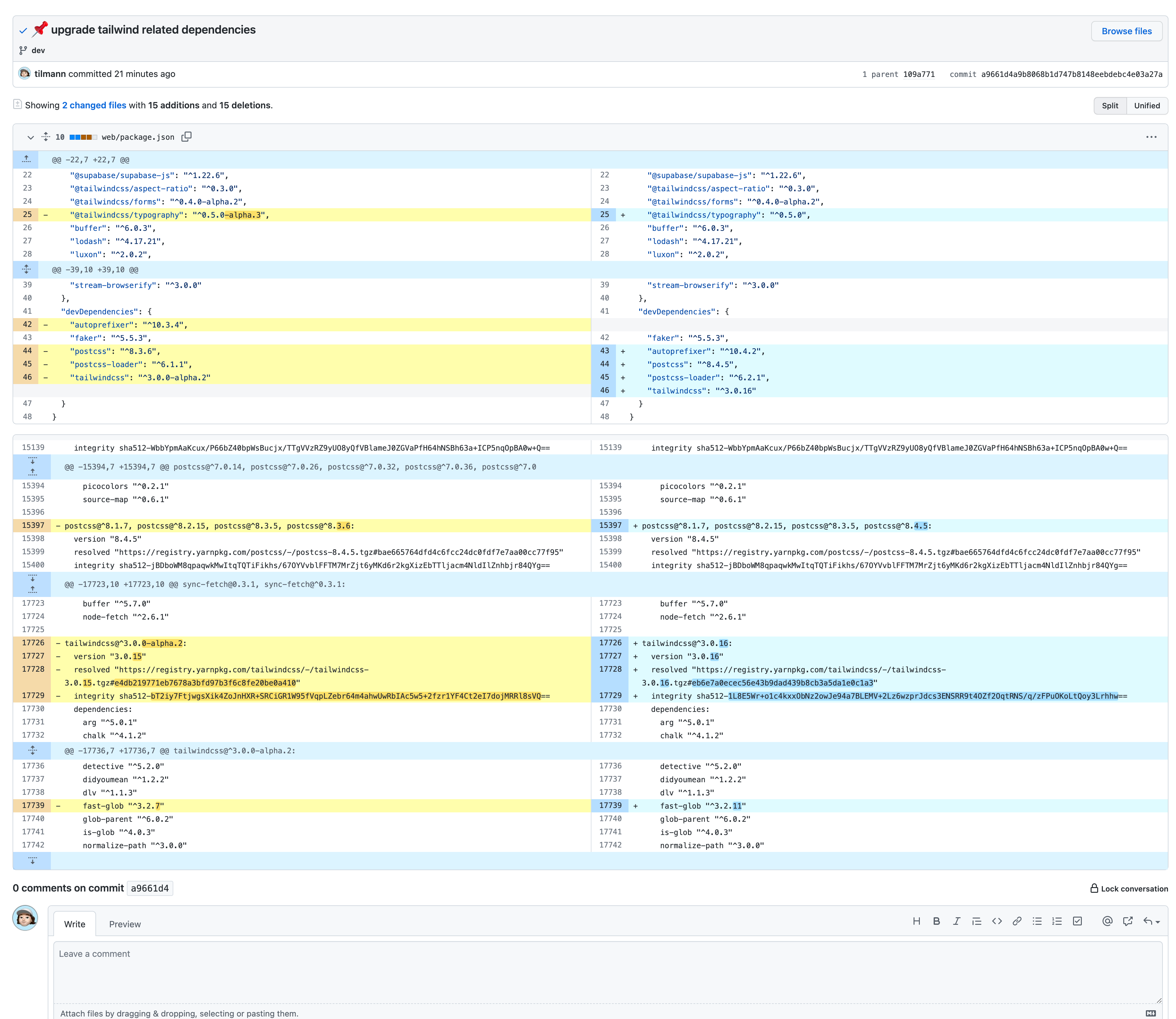
✅ https://marla-r9u3pz3wa-tilmann.vercel.app/logging-in
2. Redwood 0.41.0 | Rebuild on Vercel without using the build cache that already existed making sure everything is rebuild. ✅ https://marla-czgalrkl1-tilmann.vercel.app/logging-in
3. Redwood 0.42.1 | Build after the following commit (Vercel does not use build cache if you upgrade redwood)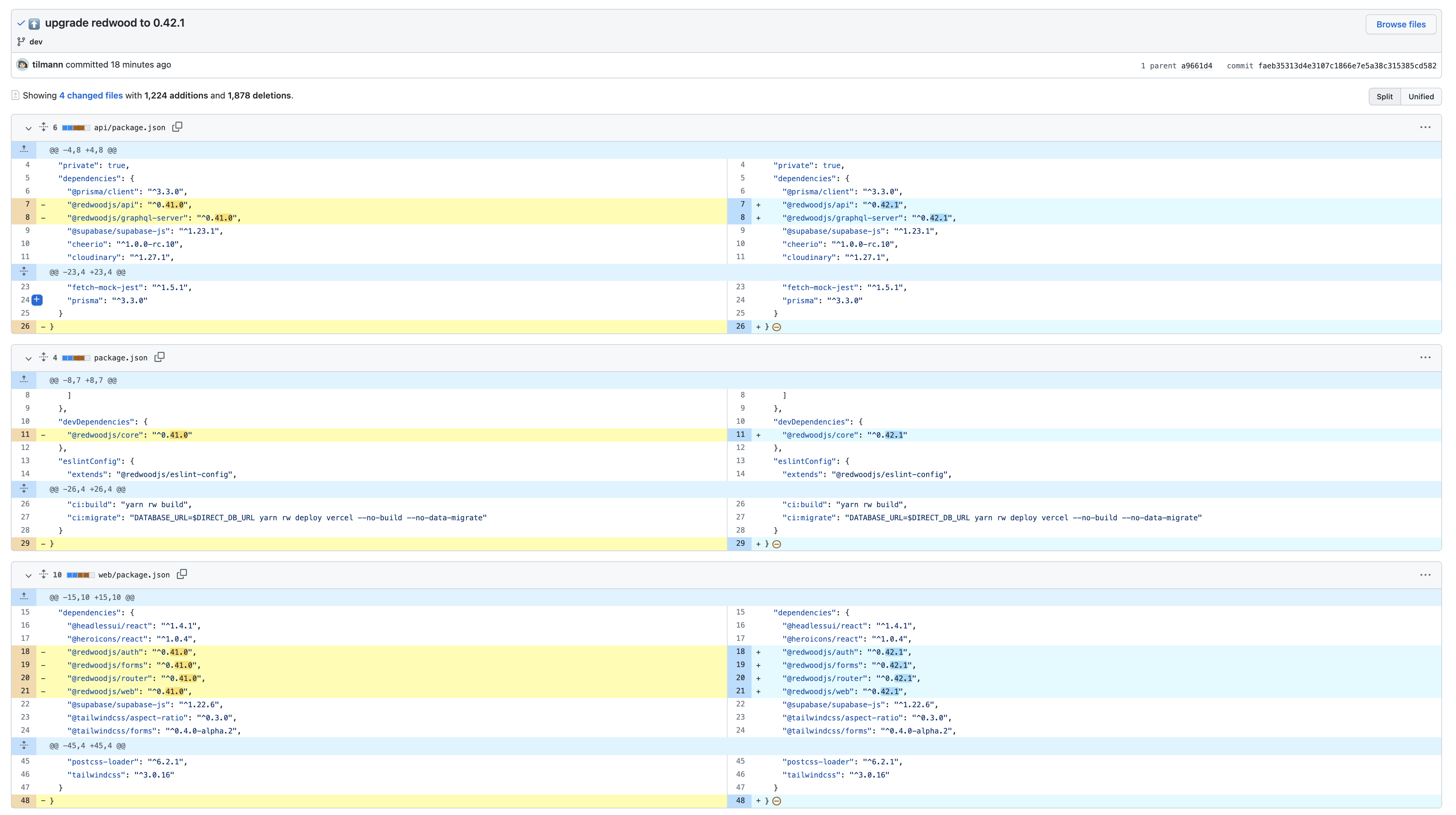
❌ https://marla-kp5wm1fcz-tilmann.vercel.app/logging-in
@thedavidprice @simoncrypta I will add you to the repo so you can have a look at the code.
I’m fairly confident “bg-white” would be coming from Tailwind. Looking at your OP @tilmann you’re still running on the Tailwind v3-alpha. You might need to try upgrading Tailwind and the related dependencies. Here’s what the versions would be for a fresh install:
Could you update the versions in your app, run
yarn install, and try again on both v0.41 and v0.42?@jtoar @simoncrypta I have a quick idea about this — Webpack is in charge of how css is loaded (compressed/ordered), and there were updates to css-minify (I believe). So perhaps something happened that actually resolved this old issue #549 and/or had some kind of similar effect.
@tilmann could you inspect things like import order for you app and see if it’s related?