realm-swift: Xcode12 beta5 Carthage build fail
Goals
Carthage version:0.35.0 build Realm
Expected Results
Carthage version:0.35.0 build Realm Success
Actual Results
/Users/PathToProject/Carthage/Checkouts/realm-cocoa/Realm/ObjectStore/src/object_changeset.hpp:24:10: fatal error: 'realm/keys.hpp' file not found
#include <realm/keys.hpp>
         ^~~~~~~~~~~~~~~~
/Users/PathToProject/Carthage/Checkouts/realm-cocoa/Realm/ObjectStore/src/object_changeset.hpp:24:10: note: did not find header 'keys.hpp' in framework 'realm' (loaded from '/Users/UserName/Library/Caches/org.carthage.CarthageKit/DerivedData/12.0_12A8189h/realm-cocoa/v5.3.5/Build/Products/Release-iphonesimulator')
1 error generated.

** BUILD FAILED **


The following build commands failed:
	CompileC /Users
Steps for others to Reproduce
carthage update --platform iOS --cache-builds --no-use-binaries
Version of Realm and Tooling
Realm framework version: v 5.3.5
Realm Object Server version: N/A
Xcode version: 12 beta 5
iOS/OSX version: 14
Dependency manager + version: Carthage with Xcode 11.6
About this issue
- Original URL
- State: closed
- Created 4 years ago
- Reactions: 7
- Comments: 18 (7 by maintainers)
https://github.com/realm/realm-cocoa/pull/6787 adds a better workaround that should make
carthage update --no-use-binarieswork.i moved to cocoapods, carthage is dead
So far it appears to be a combination of Xcode 12’s xcframework logic being incorrect when more than one target in a project depends on the same xcframework and carthage building a scheme that it shouldn’t be building, which causes it to hit the xcode problem. I’m currently experimenting with workarounds.
Not working, Realm version: v5.4.2, Carthage: 0.35.1
I have the same problem on with Xcode12 beta 6, realm 5.4.0, carthage 0.35.0
– Upd: I have the same error in Release configuration for RealmSwift project, but everything is ok in the debug configuration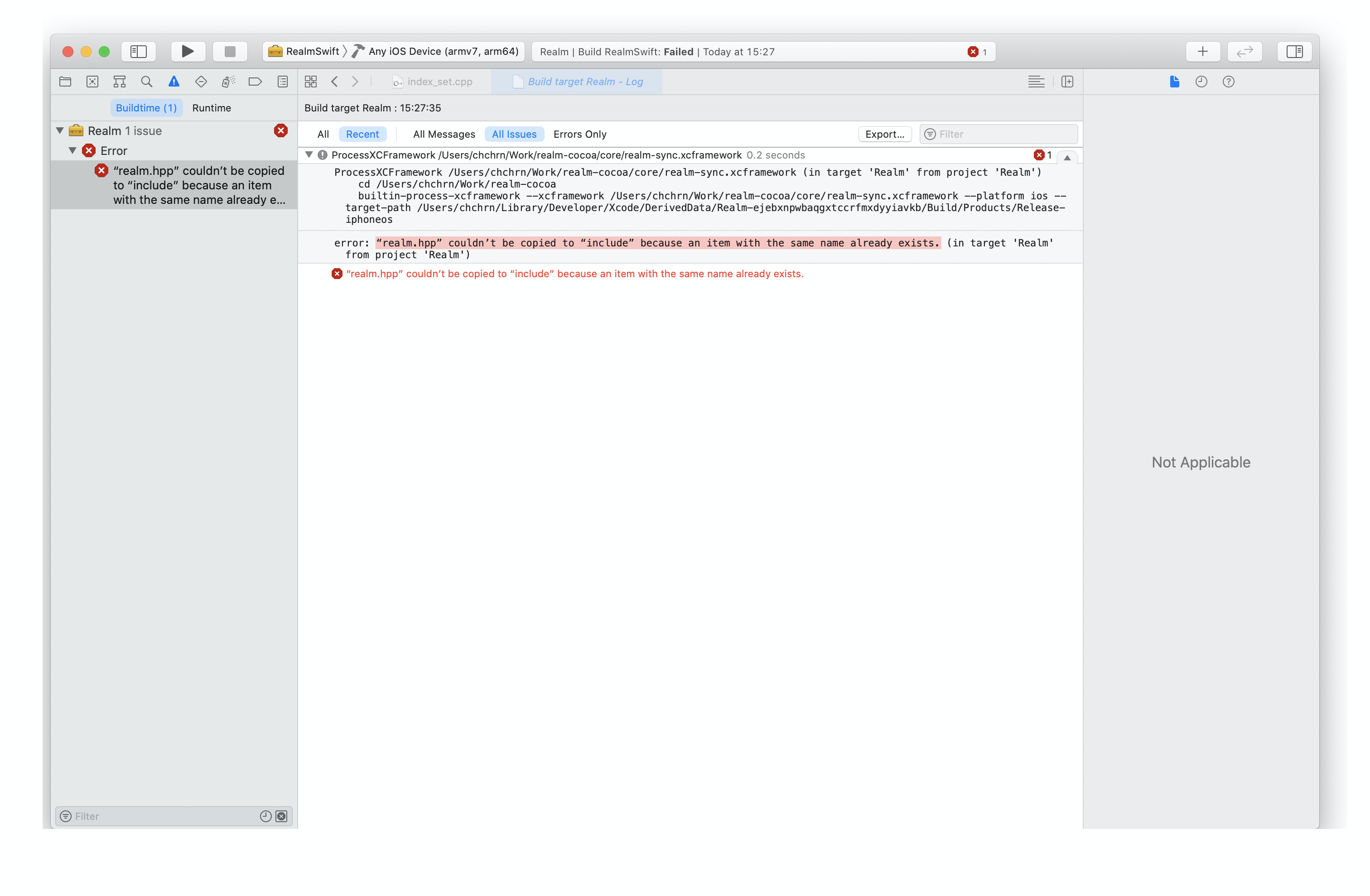
I also have the problem when using Xcode 12 Beta6 even though after I cleared all derived data of Xcode and cache files of carthage.