realm-js: npm install command failed - prebuild-install warn install certificate has expired - 'cmake-js' is not recognized as an internal or external command
How frequently does the bug occur?
Always
Description
I am having trouble installing Realm on Windows 11 with npm install realm. I have never had this problem and typically install Realm every few weeks. It looks like a certificate issue?

I have seen other reports of this in the past here:
https://github.com/realm/realm-js/issues/4618 https://github.com/realm/realm-js/issues/4619 https://github.com/realm/realm-js/issues/4677 https://github.com/realm/realm-js/issues/4828 https://github.com/realm/realm-js/issues/5227
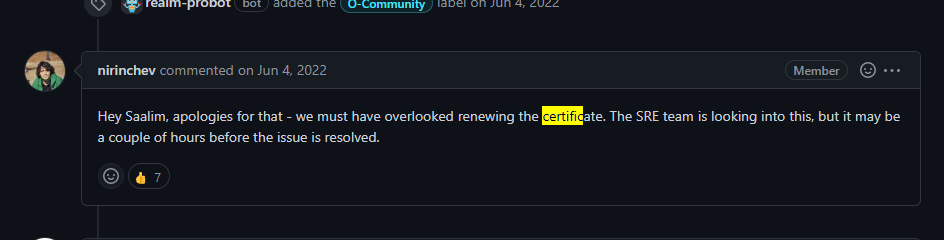
Specifically I saw this response from Realm team in the past: https://github.com/realm/realm-js/issues/4619#issuecomment-1146604129
Stacktrace & log output
No response
Can you reproduce the bug?
Always
Reproduction Steps
No response
Version
Current and 10.22
What services are you using?
Local Database only
Are you using encryption?
No
Platform OS and version(s)
Windows 11
Build environment
Which debugger for React Native: …
Cocoapods version
No response
About this issue
- Original URL
- State: closed
- Created a year ago
- Reactions: 21
- Comments: 28 (6 by maintainers)
Very sorry about this - it shouldn’t happen of course. We are looking into this.
Downloading of binaries from static.realm.io has been fixed. Please accept our apologies for the inconvenience.
@MrFuentastic It’s being addressed with high priority and should be fixed soon. Will update here when it’s completed. Sincerely apologize for the inconvenience.
Same here our whole CI is stuck this is the second time again.
VERY annoying considering we’re paying for realm and have those outtakes.
yarn<— its workingpod install<— failed as error message belowFor the future, if this happens again, below is a one liner solution for Windows users using PowerShell to get around the certificate error as a TEMPORARY workaround as it is not good practice to ignore
NODE_TLS_REJECT_UNAUTHORIZED. Based off suggestions above here (https://github.com/realm/realm-js/issues/5228#issuecomment-1375191886) and here (https://github.com/realm/realm-js/issues/5228#issuecomment-1375222840).I know it is verbose (I am not the greatest at PS) but also posting here for documentation purposes for myself for the future 😃 This errors on the side of caution printing out whether you currently have a value set for
NODE_TLS_REJECT_UNAUTHORIZEDand then resets it to that original value after the Realm install or sets it back to$nullif it wasn’t set in the first place.Note that this is using
npm ciwhich requires apackage-lock.jsonfile to be present. Hope this helps others in the future!$envVarName = "NODE_TLS_REJECT_UNAUTHORIZED"; $envVarNewValue = "0"; if((Get-Item "env:$envVarName" -ErrorAction Ignore)){$envVarOrigValue = (Get-Item "env:$envVarName").Value}else{$envVarOrigValue = $null}; Write-Host "$envVarName originally set to: $envVarOrigValue"; Set-Item "env:$envVarName" $envVarNewValue; Write-Host "$envVarName has been CHANGED to: " (Get-Item "env:$envVarName").Value; npm ci; Set-Item "env:$envVarName" $envVarOrigValue; Write-Host "$envVarName has been SET BACK to original value: " (Get-Item "env:$envVarName" -ErrorAction Ignore).Value;oh yes now i see it is just another node script which should download archive
https://github.com/realm/realm-js/blob/v10.1.4/scripts/xcode-download-realm.sh#L32then you can try something likeexport NODE_TLS_REJECT_UNAUTHORIZED=0but don’t forget return it back when issue will be fixed, I hope everything works out for youI’m facing the same issue in Appcenter Today.