react-native-webview: Android Emulator HTTPS with Trusted Certificate "SSL Error: The Certificate Authority Is Not Trusted"
Bug description:
Trying to connect to a locally hosted webpage using https with a self-generated (but fully trusted) SSL certificate in the Android emulator gives the error: SSL Error: The Certificate Authority Is Not Trusted.
Appears to be related to/duplicate of: https://github.com/react-native-webview/react-native-webview/issues/1887
To Reproduce:
-
Generate a certificate with
mkcertfor the local domain you want to use (your.custom.domain.com) and use it when running a locally hosted page (in this specific case acreate-react-appgenerated React app). -
Upload the certificate to an emulated Android device, and add it to trusted certificates.
(See https://support.n4l.co.nz/s/article/Installing-an-SSL-Certificate-on-an-Android-Device-Manually for more comprehensive steps on adding trusted certificates.)
-
Update the hosts file on the device so the domain of the certificate points to the devices loopback IP
10.0.2.2 your.custom.domain.com. -
Navigate to the domain in Chrome on the device, observe that the page opens without incident and appears fully trusted (e.g. no security warnings).
-
Open the app the hosts the
reacr-native-webview, observe that an error is displayed.
Expected behavior:
Should display the domain without issue.
Screenshots/Videos:
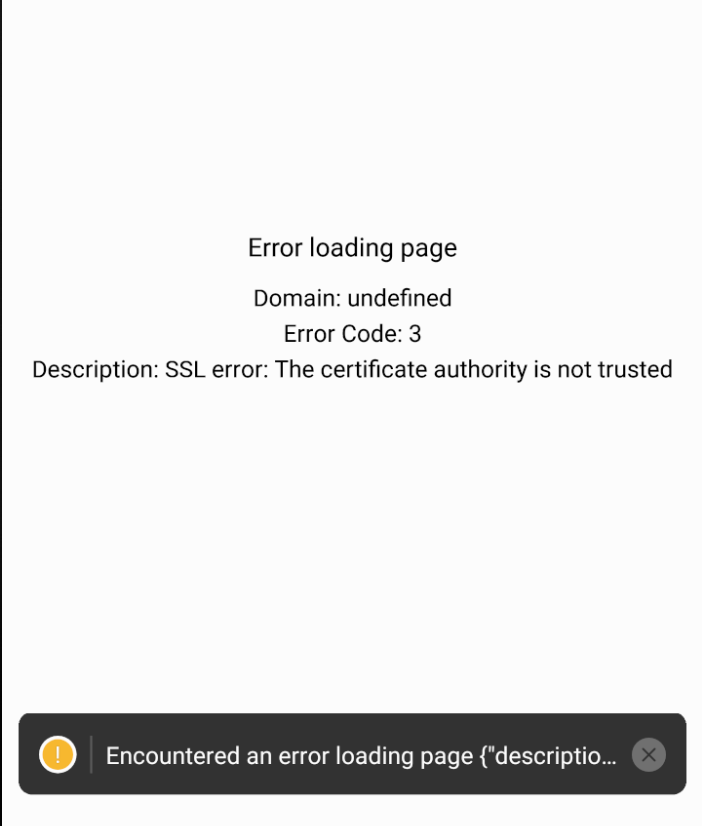
Environment:
- OS: MacOS
- OS version: 11.2.3
- react-native version: 0.64.4
- react-native-webview version: 11.4.3
About this issue
- Original URL
- State: closed
- Created 3 years ago
- Reactions: 8
- Comments: 15
The problem is in the emulator, not in WebView. I got it to work with older versions of Android using the method I pointed to in this issue, but it was pretty awkward. There are similar issues with host names and the “hosts” file.
You can safely close this issue and take it to Google/Android where it belongs.
@Garretming
Go to:
node_modules/react-native-webview/android/src/main/java/com/reactnativecommunity/RNCWebViewManager.javaThen look for the override methodonReceivedSslErrorAfter the line:int code = error.getPrimaryError();Add the following:boolean valid = code == SslError.SSL_UNTRUSTED && topWindowUrl.equals("https://<YOUR_TRUSTED_URL>");Then in the switch case, under:
case SslError.SSL_UNTRUSTED:Add the following before breaking:This should fix the problem, and because you only allow your trusted url to bypass the error, it should be fine when uploading to google store as far as I’m aware.
I have too added certificate but no luck.
Same here with a globalsign intranet SSL certificate. Added the CAs manually to the emulator and I can browse to the site in chrome just fine.