react-native-video: Video never play

I’m using version 0.9.0, because my proyect has a 0.39 react version.

This is my config.

import Video from 'react-native-video';

<Video
   source={{ uri: videoUrl }} -> i'm sure that this `url` is valid and mp4 format
   style={styles.videoSt}
   paused={false}/>
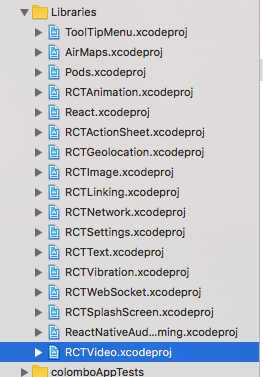

captura de pantalla 2017-06-15 a la s 2 29 21 p m captura de pantalla 2017-06-15 a la s 2 29 36 p m

Inside my app:

captura de pantalla 2017-06-15 a la s 2 30 30 p m

The red area is the <Video>, but only can see that… not show controls or some image

Please help

About this issue

  • Original URL
  • State: closed
  • Created 7 years ago
  • Reactions: 1
  • Comments: 16 (1 by maintainers)

Most upvoted comments

  • just give the style of the video fixed width and height and it will work

I am also facing the same issue on android. No video is getting loaded.

I am using react-native: 0.43.4 react-native-video: 1.0.0

My code is

     <Video source={{uri: "youtube-url"}}   // Can be a URL or a local file.
       ref={(ref) => {
         this.player = ref
       }}                                      // Store reference
       rate={1.0}                              // 0 is paused, 1 is normal.
       volume={1.0}                            // 0 is muted, 1 is normal.
       muted={false}                           // Mutes the audio entirely.
       paused={false}                          // Pauses playback entirely.
       resizeMode="cover"                      // Fill the whole screen at aspect ratio.*
       repeat={true}                           // Repeat forever.
       playInBackground={false}                // Audio continues to play when app entering background.
       playWhenInactive={false}                // [iOS] Video continues to play when control or notification center are shown.
       ignoreSilentSwitch={"ignore"}           // [iOS] ignore | obey - When 'ignore', audio will still play with the iOS hard silent switch set to silent. When 'obey', audio will toggle with the switch. When not specified, will inherit audio settings as usual.
       progressUpdateInterval={250.0}          // [iOS] Interval to fire onProgress (default to ~250ms)
       onLoadStart={(el)=>console.log("video is being loaded",el)}            // Callback when video starts to load
       onLoad={()=>console.log("video loading")}               // Callback when video loads
       onProgress={()=>console.log("video loading is in progress")}               // Callback every ~250ms with currentTime
       onEnd={()=>console.log("video is now loaded")}                      // Callback when playback finishes
       onError={()=>console.log("video can not be loaded")}               // Callback when video cannot be loaded
       onBuffer={()=>console.log("buffer stage")}                // Callback when remote video is buffering
       onTimedMetadata={()=>console.log("metadata received")}  // Callback when the stream receive some metadata
       style={()=>styles.videoPlayer} />

Only “onLoadStart” prop is getting triggered in console I am getting following error

 System.err: java.io.IOException: Prepare failed.: status=0x1
 System.err: 	at android.media.MediaPlayer._prepare(Native Method)
 System.err: 	at android.media.MediaPlayer.prepare(MediaPlayer.java:1163)
 System.err: 	at com.yqritc.scalablevideoview.ScalableVideoView.prepare(ScalableVideoView.java:171)
 System.err: 	at com.brentvatne.react.ReactVideoView.setSrc(ReactVideoView.java:300)
 System.err: 	at com.brentvatne.react.ReactVideoView.setSrc(ReactVideoView.java:202)
 System.err: 	at com.brentvatne.react.ReactVideoViewManager.setSrc(ReactVideoViewManager.java:92)
 System.err: 	at java.lang.reflect.Method.invoke(Native Method)
 System.err: 	at com.facebook.react.uimanager.ViewManagersPropertyCache$PropSetter.updateViewProp(ViewManagersPropertyCache.java:78)
 System.err: 	at com.facebook.react.uimanager.ViewManagerPropertyUpdater$FallbackViewManagerSetter.setProperty(ViewManagerPropertyUpdater.java:123)
 System.err: 	at com.facebook.react.uimanager.ViewManagerPropertyUpdater.updateProps(ViewManagerPropertyUpdater.java:42)
 System.err: 	at com.facebook.react.uimanager.ViewManager.updateProperties(ViewManager.java:36)
 System.err: 	at com.facebook.react.uimanager.NativeViewHierarchyManager.createView(NativeViewHierarchyManager.java:227)
 System.err: 	at com.facebook.react.uimanager.UIViewOperationQueue$CreateViewOperation.execute(UIViewOperationQueue.java:152)
 System.err: 	at com.facebook.react.uimanager.UIViewOperationQueue$DispatchUIFrameCallback.dispatchPendingNonBatchedOperations(UIViewOperationQueue.java:912)
 System.err: 	at com.facebook.react.uimanager.UIViewOperationQueue$DispatchUIFrameCallback.doFrameGuarded(UIViewOperationQueue.java:884)
 System.err: 	at com.facebook.react.uimanager.GuardedFrameCallback.doFrame(GuardedFrameCallback.java:31)
 System.err: 	at com.facebook.react.modules.core.ReactChoreographer$ReactChoreographerDispatcher.doFrame(ReactChoreographer.java:129)
 System.err: 	at com.facebook.react.modules.core.ChoreographerCompat$FrameCallback$1.doFrame(ChoreographerCompat.java:107)
 System.err: 	at android.view.Choreographer$CallbackRecord.run(Choreographer.java:856)
 System.err: 	at android.view.Choreographer.doCallbacks(Choreographer.java:670)
 System.err: 	at android.view.Choreographer.doFrame(Choreographer.java:603)
 System.err: 	at android.view.Choreographer$FrameDisplayEventReceiver.run(Choreographer.java:844)
 System.err: 	at android.os.Handler.handleCallback(Handler.java:746)
 System.err: 	at android.os.Handler.dispatchMessage(Handler.java:95)
 System.err: 	at android.os.Looper.loop(Looper.java:148)
 System.err: 	at android.app.ActivityThread.main(ActivityThread.java:5443)
 System.err: 	at java.lang.reflect.Method.invoke(Native Method)
 System.err: 	at com.android.internal.os.ZygoteInit$MethodAndArgsCaller.run(ZygoteInit.java:728)
 System.err: 	at com.android.internal.os.ZygoteInit.main(ZygoteInit.java:618)
 MediaPlayer: Couldn't open file on client side; trying server side: java.io.FileNotFoundException: No content provider: https://www.youtube.com/watch?v=gENjTs8VskQ     				

Please help.

hi @theBliz unfortunately this method could not be done. I had to resort to a webview with the source of the video embedded in the html.

let htmlString = `<!DOCTYPE html><html><style> #videoId { position: absolute; top: 0; left: 0; right: 0; margin: auto; width: 100%; height: 100%; } }</style><body> <video id=\"videoId\" webkit-playsinline=\"true\" playsinline=\"true\" autoplay> <source src=\"${videoUrl}\" type=\"video/mp4\" /> </video></body></html>`;

<WebView
                key={key}
                source={{ html: htmlString }}
                style={{ width: screen.width, flex: 1 }}
            />

@lsorin81 thanks man. your last comment worked for me.

I’m probably a rare user on iPod Touch and an iPad. No option for zoom on either.
No video playing on either of them.

<Video
  source={{ uri: videoUrl }}
  resizeMode="cover"
  repeat={true}
  muted={false}
/>

This is my code, and the video still not working