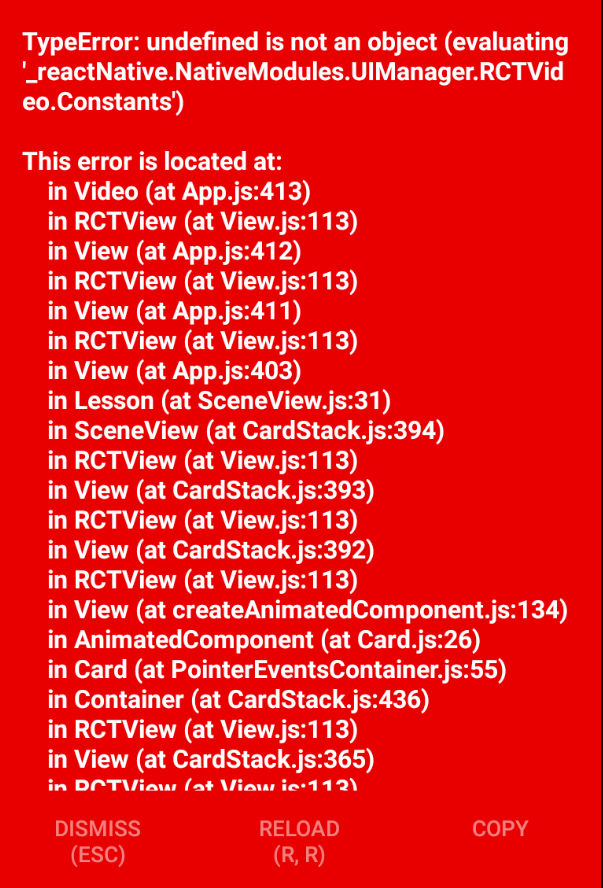
react-native-video: undefined is not an object (evaluating _reactNative.NativeModules.UIManager.RCTVideo.Constants)
I tried everything to solve this problem and still getting error (for a few days already):
import Video from 'react-native-video';
 <Video
       repeat
       resizeMode='cover'
       source={{uri: "http://clips.vorwaerts-gmbh.de/VfE_html5.mp4"}}
/>
my package.json
{
  "name": "courses",
  "version": "0.0.1",
  "private": true,
  "scripts": {
    "start": "node node_modules/react-native/local-cli/cli.js start",
    "test": "jest"
  },
  "dependencies": {
    "react": "16.0.0",
    "react-native": "0.50.4",
    "react-native-elements": "^0.18.4",
    "react-native-vector-icons": "^4.4.2",
    "react-native-video": "^2.0.0",
    "react-native-video-player": "^0.8.6",
    "react-navigation": "^1.0.0-beta.21",
    "react-virtualized-sectionlist": "0.0.4"
  },
  "devDependencies": {
    "babel-jest": "21.2.0",
    "babel-preset-react-native": "4.0.0",
    "jest": "21.2.1",
    "prettier": "^1.1.0",
    "react-test-renderer": "16.0.0"
  },
  "jest": {
    "preset": "react-native"
  }
}
About this issue
- Original URL
- State: closed
- Created 7 years ago
- Reactions: 14
- Comments: 39
in my way. I add the libRCTVideo.a to solve my problem. my project is a iOS
import { Video } from 'expo';it works for me!
Using Cocoapods works! Not a solution if you’re not using pods I know, but if you are, add
pod 'react-native-video', :path => '../node_modules/react-native-video'to your podfile (be sure to point it to your actual node modules location.
+1 The same error on android emulator
Just run
react-native link react-native-videofixed my issue!@zywu2 solution works for me – ditch
react-native-videoin favor of just using theVideocomponent withinExpohad the same issue. @guharakesh solution works for me Using Cocoapods works! Not a solution if you’re not using pods I know, but if you are, add
pod ‘react-native-video’, :path => ‘…/node_modules/react-native-video’
to your podfile (be sure to point it to your actual node modules location. then cd ios pod install and then recompile the project.
Re-linking may not fix the issue. For me I needed to clear out the Pods directory:
Then re-build the project.
Following these steps with this library fixed it for me: https://github.com/joltup/rn-fetch-blob/wiki/Manually-Link-Package#user-content-link-ios-package
Add files to "(project name)"node_modules/react-native-video/ios/RCTVideo.xcodeprojlibRCTVideo.aunder “Linked Frameworks and Libraries”