react-native-share: Can't upload image on Instagram Feed
Hi,
Can’t upload image on Instagram Feed, I tried with Instagram Story and Direct and it worked successfully, but Instagram Feed no.
I receive the following message: the image cannot be uploaded.
React native versión: 0.59.9 React native share: 1.2.1
I try with base64:
    const configOptions = {
      fileCache: true,
      path: fs.dirs.DownloadDir + `/$${file.name}`
    };

    config(configOptions).fetch('GET', image).then(resp => {
      filePath = resp.path();
      return resp.readFile('base64');
    }).then(async base64Data => {
      base64Data = `data:image/${file.extension};base64,` + base64Data;

      await Share.shareSingle({
        url: base64Data,
        social: Share.Social.INSTAGRAM,
        filename: `/${file.name}`
      });
    })
And try with file:
   const configOptions = {
      fileCache: true,
      path: fs.dirs.DownloadDir + `/$${file.name}`
    };

    config(configOptions).fetch('GET', image).then(resp => {
      filePath = resp.path();
      return resp.readFile('base64');
    }).then(async base64Data => {
      // base64Data = `data:image/${file.extension};base64,` + base64Data;

      await Share.shareSingle({
        url: `file://` + filePath,
        social: Share.Social.INSTAGRAM,
      });
    })
Please, I need help, very thanks.
I try adding type or filename and nothing.
About this issue
- Original URL
- State: closed
- Created 4 years ago
- Reactions: 1
- Comments: 21
I’m having the same issue as well, the follow opens up Instagram and shares my latest photo in my Photo Library, and NOT the url that I passed in.
This is an Instagram error with their last update. Android thread here with more info.
Temporary workaround: join Beta program and install latest Beta update, it should work!
Update, it works now with
136.0.0.34.124version@MateusAndrade I had a few hours this afternoon so I gave it a shot, however I could not get my Android Studio to run in debugger mode. Therefore had a hard time figuring out what was happening in the Native Java code.
I’m going to stop and let you take over. I hope this helps you to proceed with your debugging.
I will share the code snippets which will make it possible for you to see the
IG Feedsoption to appear.The below snippets of code are added to
example/App.jsThe Code
Share via IG Share SheetshareToInstagramViaShareSheetwith the options.Feedsoption.Screenshots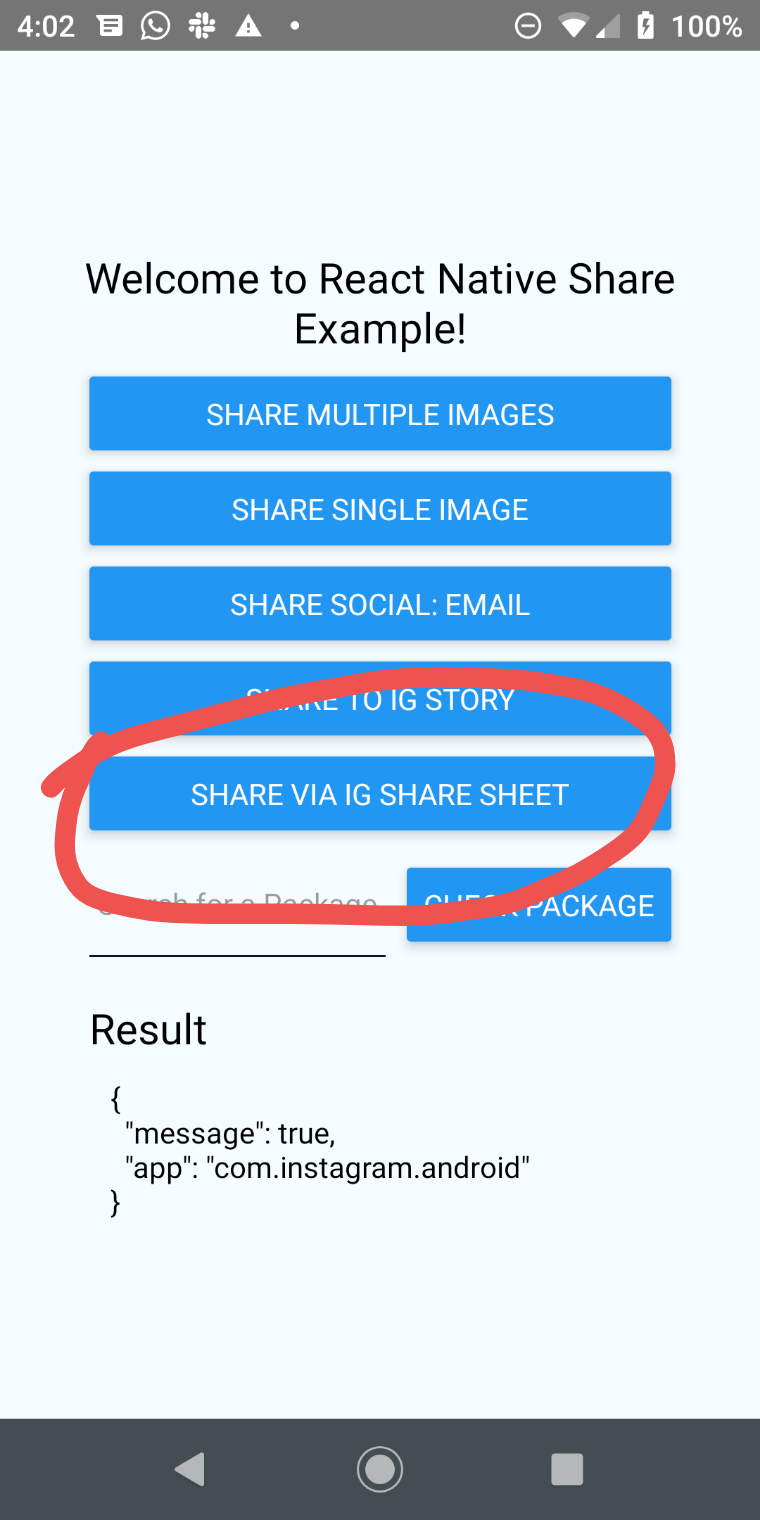
@MateusAndrade Sorry, that was my note from my previous comment. It does not work for Instagram Stories as well when using a file path. It only works fine when using the base64 string.
Sharing a file using the path to Instagram Stories fails and it does not work.