react-native-maps: Map pins are too large on build
Is this a bug report?
Yes
Have you read the Installation Instructions?
Yes
Environment
react-native: 0.51.0 react: 16.0.0 react-native-maps: 0.19.0
Target Platform: iOS - 11.2.5 iPhone X Device (Apple Maps)
NOTE: I am using the maps version that is bundled with Expo
Steps to Reproduce
Create a new map marker with the following code:
const INACTIVE_PIN = require('path-to-image');

<MapView.Marker
    key={key}
    title={title}
    coordinate={coords}
    image={INACTIVE_PIN}
>
    <MapView.Callout tooltip={false} onPress={() => {}>
        {... custom callout component }
    </MapView.Callout>
</MapView.Marker>
Expected Behavior
Map pins will render to the map
Actual Behavior
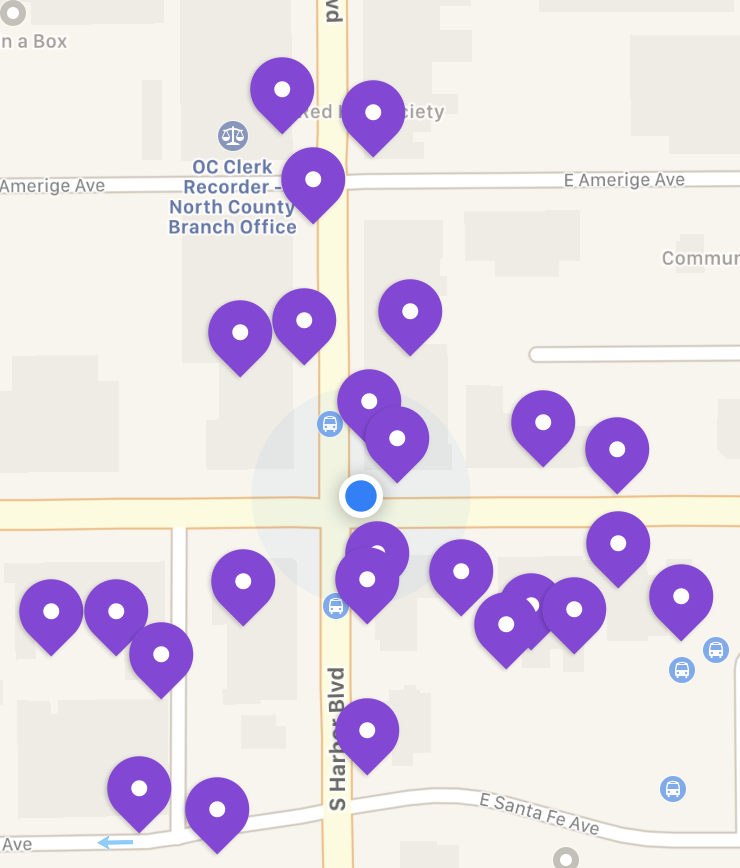
Map pins will display correctly on the simulator, but once they are built and published, the production build shows much larger pin sizes. See images below:
SIMULATOR:
PRODUCTION BUILD:
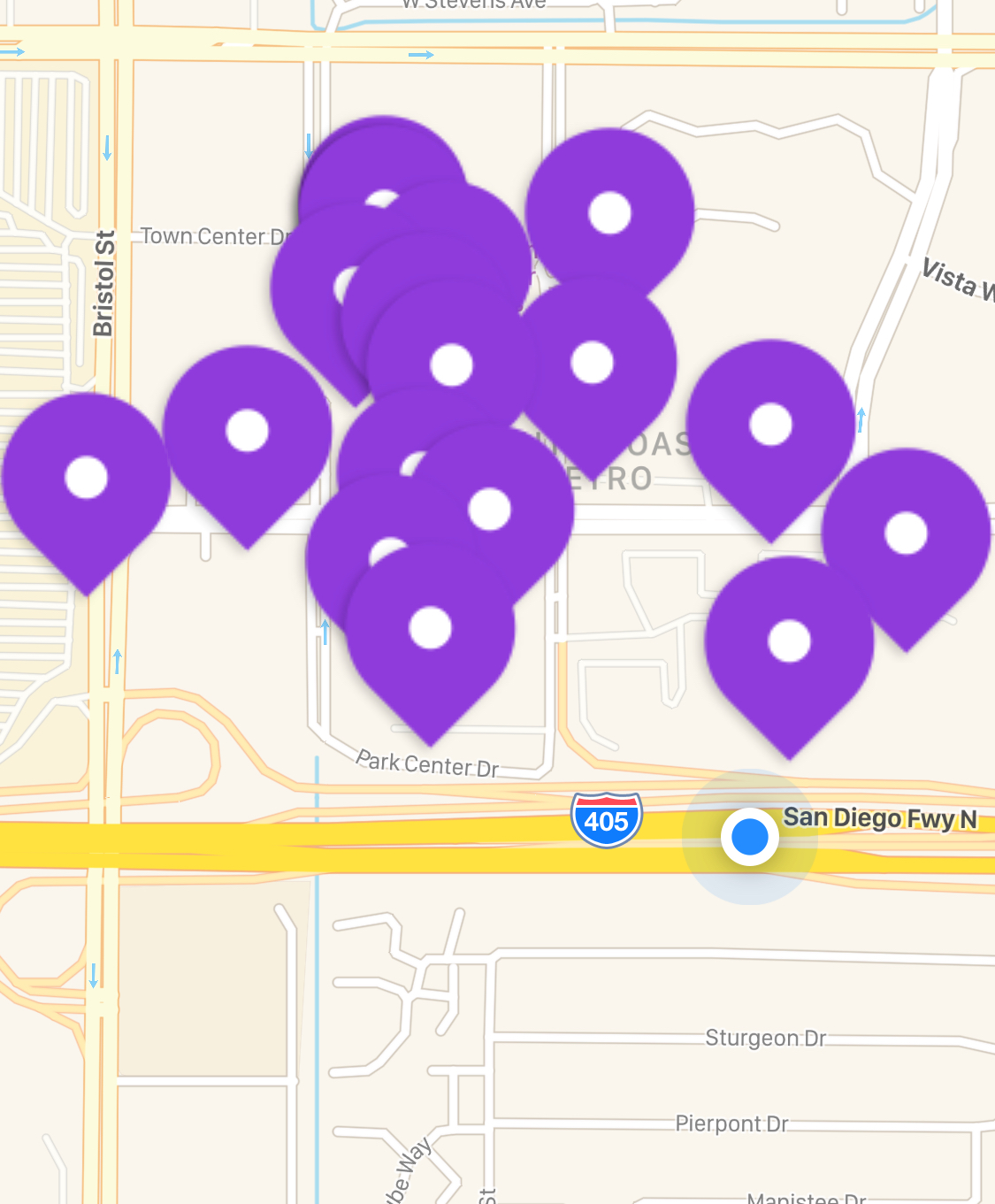
IMAGE ASSET FOR PIN:

Reproducible Demo
~I’m not sure how to link to a demo, since the bug occurs on building the project. I can try to create a new build if this is absolutely essential to the bug report, but it is a process to get that done.~
About this issue
- Original URL
- State: closed
- Created 6 years ago
- Comments: 26 (6 by maintainers)
I am not sure why this issue is closed - Exact same thing that was described here numerous times is still happening. When using the
image={}prop with a require path, the built version shows the images too large Even though @2x and @3x images are provided with correct naming and sizes. The workaround with custom markers is not working for me either because it is lagging way too much.@alvelig Just coming back to confirm, I reverted back to using the
imageprop today and it’s working fine now. I haven’t changed anything, but I did do acd android; ./gradlew cleanthis morning and my thinking is that would have sorted it. Thanks again for the help.@arronhunt @jskidd3 This is certainly @2x, @3x problem. Make sure that your @2x and @3x images are 2 and 3 times corresponding to the original image size. eg: original: 25x25, @2x: 50x50, @3x: 75x75
P.S. If you did a project to be able to checkout and steps to see “big pictures”, we could point exactly what is causing this behavior.
Please try https://github.com/alvelig/react-native-maps-example and comment
@jskidd3 glad you sorted it
@arronhunt if you keep experiencing this after adding x2 and x3, let us know.
@alvelig Ok thanks. I’ve worked around temporarily by inserting image as a child of the marker and scaling with style but I’ll set up a demo project shortly.
@jskidd3 they should be lowercase.
@3xhttps://facebook.github.io/react-native/docs/images.html