react-native-maps: iOS: Unresponsive Map
Bug
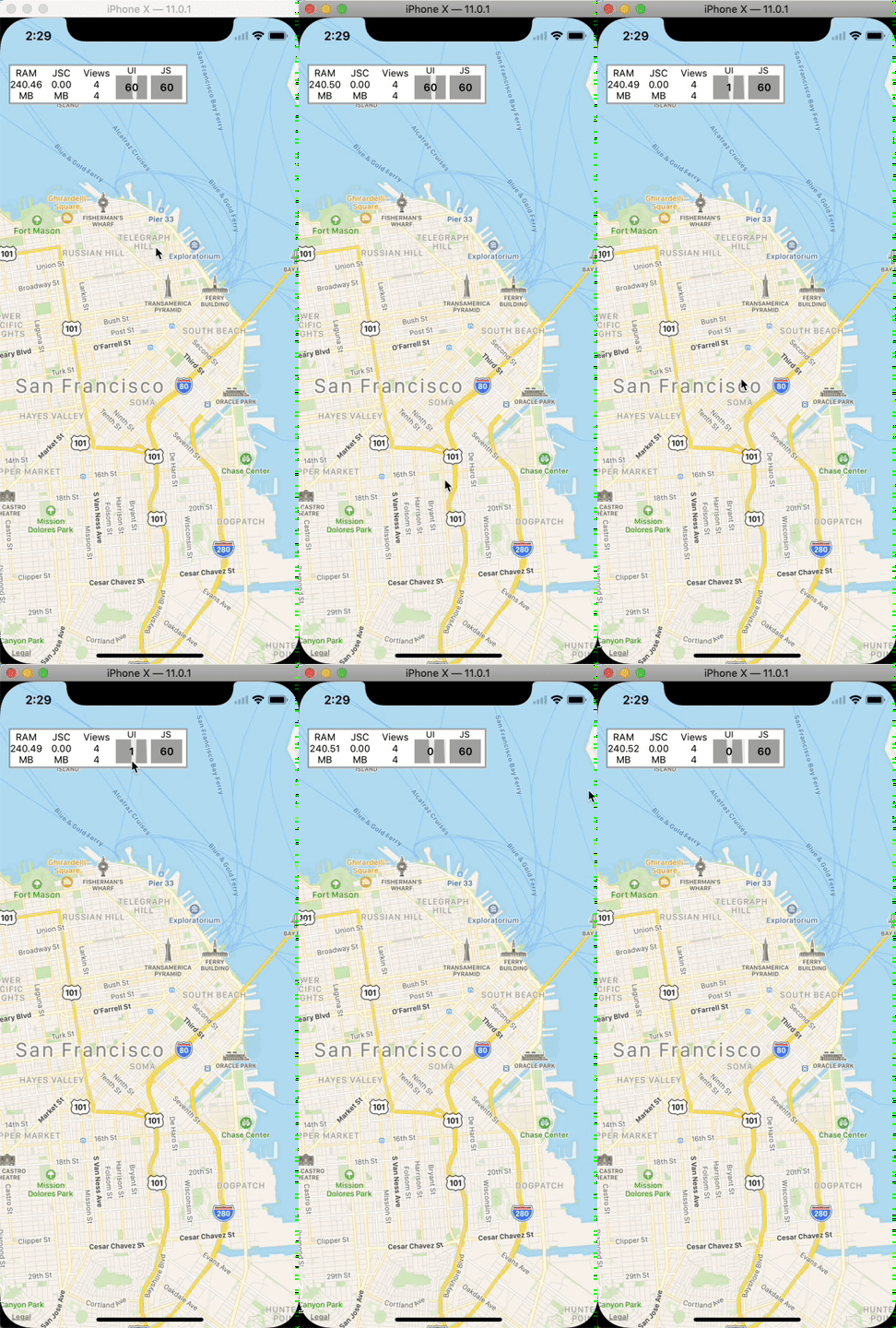
I started a clean RN project to test RN-Maps and the simulator and map are unresponsive. When I try to pan on the map, the UI thread goes down to 0 and the simulator becomes totally unresponsive for about 2 seconds. I have attached a video showing this issue.
Environment info
React native info output:
 warn The following packages use deprecated "rnpm" config that will stop working from next release:
  - react-native-maps: https://npmjs.com/package/react-native-maps
Please notify their maintainers about it. You can find more details at https://github.com/react-native-community/cli/blob/master/docs/configuration.md#migration-guide.
info Fetching system and libraries information...
System:
    OS: macOS 10.14.6
    CPU: (12) x64 Intel(R) Core(TM) i7-8850H CPU @ 2.60GHz
    Memory: 1.97 GB / 16.00 GB
    Shell: 5.3 - /bin/zsh
  Binaries:
    Node: 8.12.0 - ~/.nvm/versions/node/v8.12.0/bin/node
    Yarn: 1.12.3 - /usr/local/bin/yarn
    npm: 6.4.1 - ~/.nvm/versions/node/v8.12.0/bin/npm
    Watchman: 4.9.0 - /usr/local/bin/watchman
  SDKs:
    iOS SDK:
      Platforms: iOS 13.0, DriverKit 19.0, macOS 10.15, tvOS 13.0, watchOS 6.0
    Android SDK:
      API Levels: 23, 24, 25, 26, 27, 28
      Build Tools: 23.0.1, 26.0.3, 27.0.3, 28.0.3
      System Images: android-23 | Google APIs Intel x86 Atom, android-24 | Google APIs Intel x86 Atom, android-27 | Google Play Intel x86 Atom, android-28 | Google APIs Intel x86 Atom, android-28 | Google Play Intel x86 Atom
  IDEs:
    Android Studio: 3.3 AI-182.5107.16.33.5264788
    Xcode: 11.0/11A420a - /usr/bin/xcodebuild
  npmPackages:
    react: 16.8.6 => 16.8.6
    react-native: 0.60.5 => 0.60.5
  npmGlobalPackages:
    react-native-git-upgrade: 0.2.7
    react-native-log-ios: 1.0.0
Library version: 0.25.0
Steps To Reproduce
- Run
react-native init - Install dependencies
cd ios && pod install && cd ..
Describe what you expected to happen:
- Smoothe map without any markers is shown
Reproducible sample code
import React, { useEffect, useState } from 'react'
import {
  View,
  ActivityIndicator,
  Dimensions
} from 'react-native'
import Permissions from 'react-native-permissions'
import MapView from 'react-native-maps'
import Geolocation from '@react-native-community/geolocation'

const { width, height } = Dimensions.get('window')
const ASPECT_RATIO = width / height
const LATITUDE_DELTA = 0.0922
const LONGITUDE_DELTA = LATITUDE_DELTA * ASPECT_RATIO

const App = () => {
  const [isLoading, setIsLoading] = useState(true)
  const [coords, setCoords] = useState()
  useEffect(() => {
    const request = async () => {
      await Permissions.request('location')
      Geolocation.getCurrentPosition((info) => setCoords(info.coords));
      setIsLoading(false)
    }

    request()
  }, [])

  if (isLoading || !coords) {
    return (
      <View style={{
        flex: 1,
        justifyContent: 'center',
        alignItems: 'center'
      }}>
        <ActivityIndicator />
      </View>
    )
  }

  const initialRegion = {
    latitude: coords.latitude,
    longitude: coords.longitude,
    latitudeDelta: LATITUDE_DELTA,
    longitudeDelta: LONGITUDE_DELTA,
  }

  return (
    <MapView
      style={{
        position: 'absolute',
        top: 0,
        left: 0,
        right: 0,
        bottom: 0,
      }}
      initialRegion={initialRegion}
      zoomEnabled
      zoomTapEnabled
      zoomControlEnabled
      scrollEnabled
      loadingEnabled
      onMapReady={() => console.log('onMapReady')}
      onRegionChangeComplete={(region) => console.log('onRegionChangeComplete', region)}
    />
  )
}

export default App
About this issue
- Original URL
- State: closed
- Created 5 years ago
- Comments: 18
no one to help 😦