ray: [Bug] Unable to Schedule Fractional CPUs on Windows 10
Search before asking
- I searched the issues and found no similar issues.
Ray Component
Ray Core
What happened + What you expected to happen
The Problem:
With enough available resources (i.e. 12 CPUs), Actor number 13 is always pending regardless of the fractional CPU assigned to it. Then after that, most Actors keep pending.
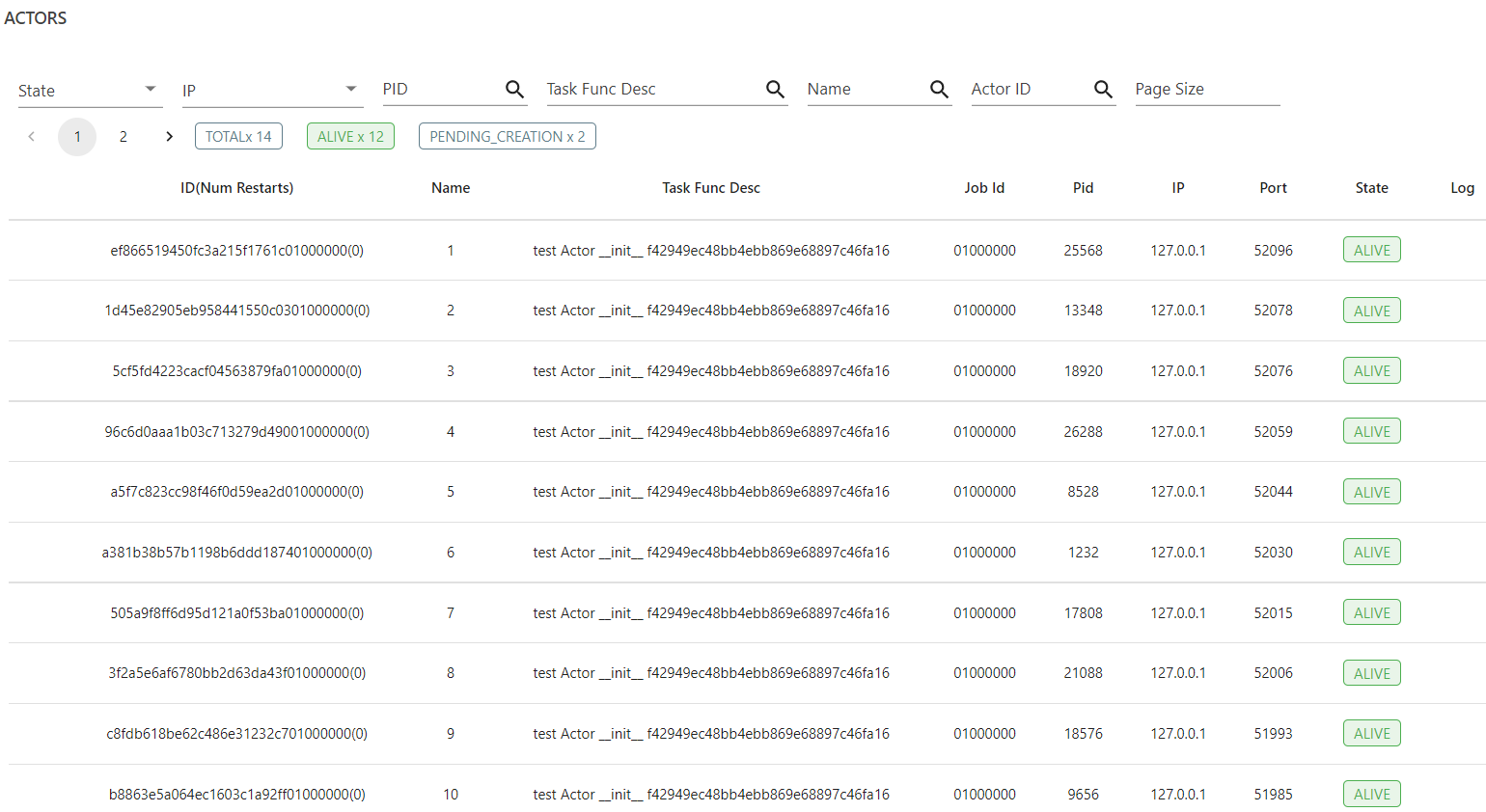
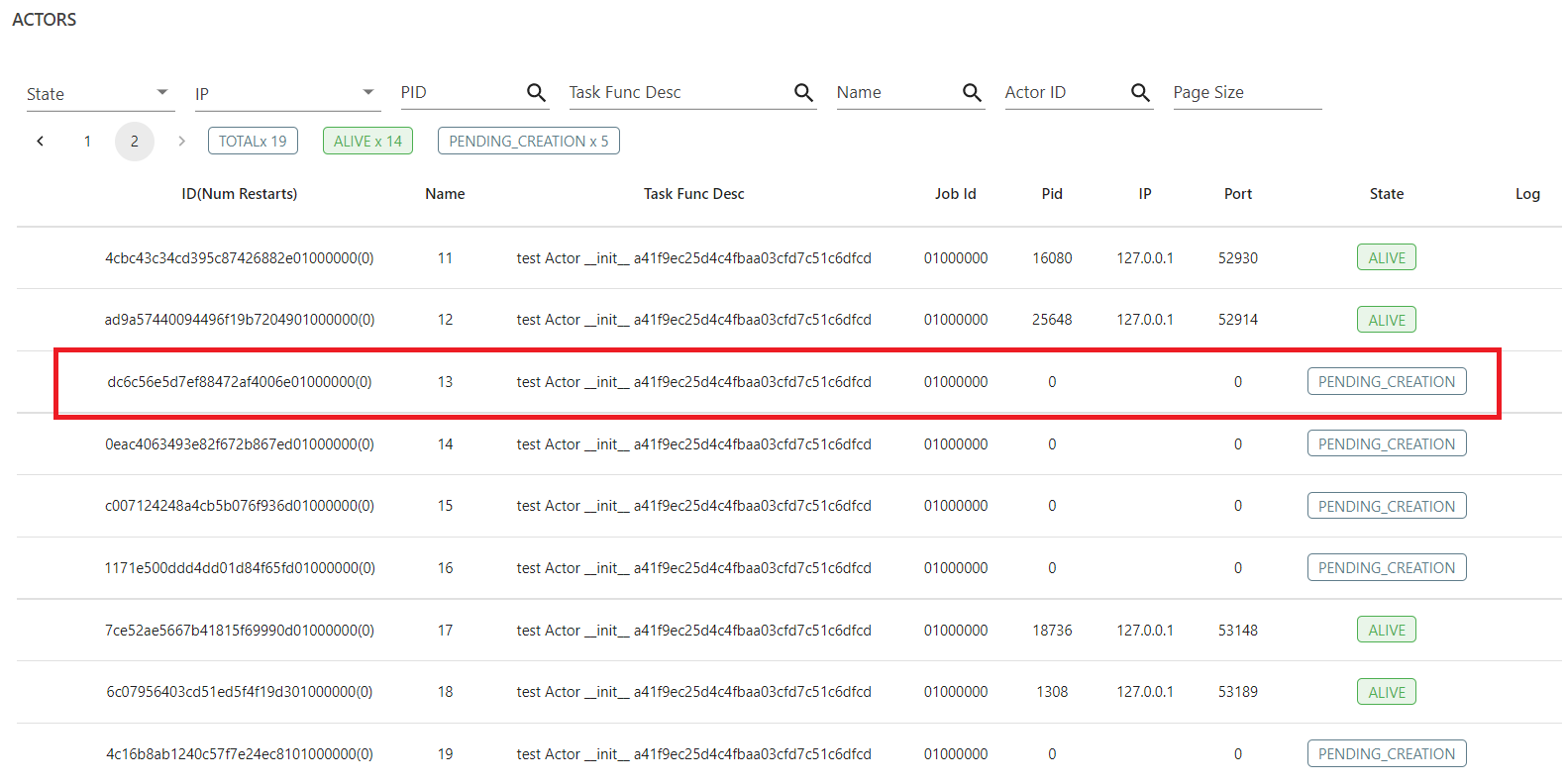
Resources
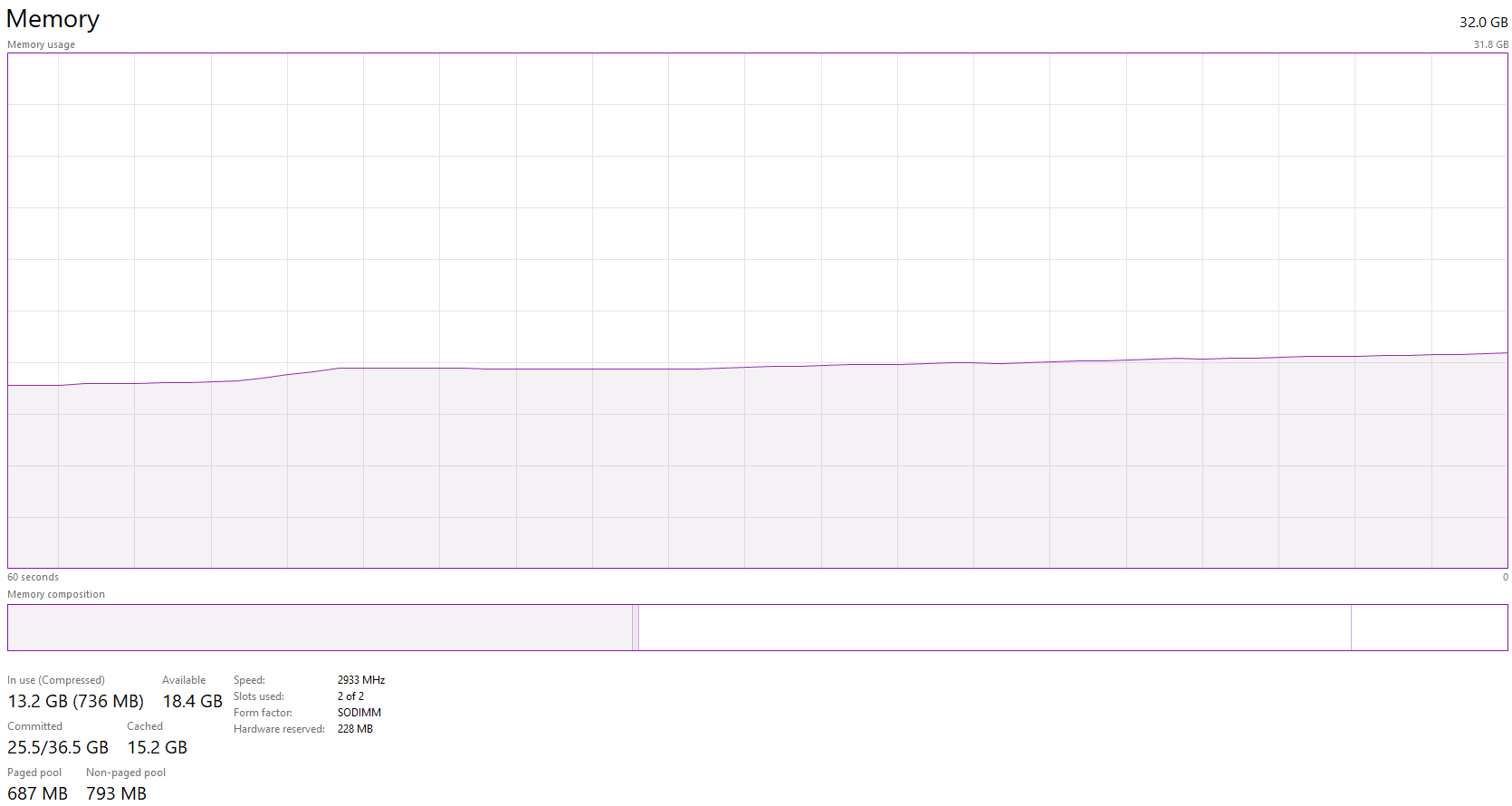
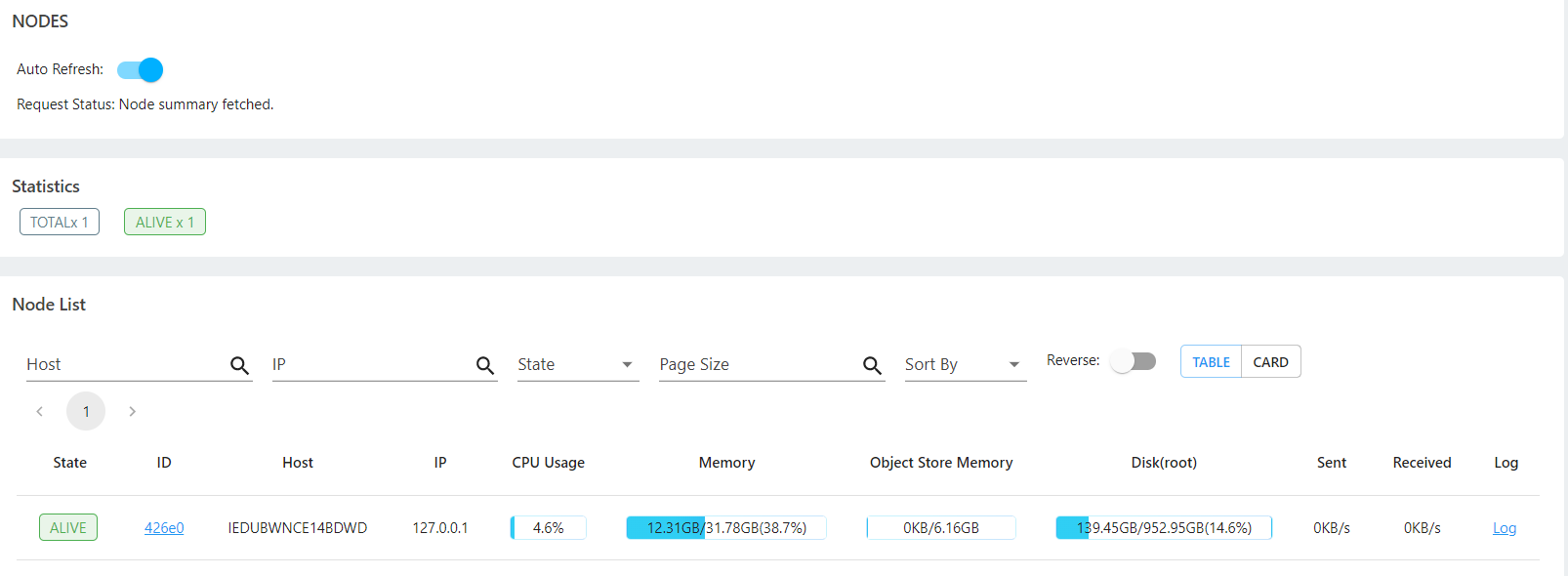
Resources Status during Actors Creation (12 Logical CPUs / 6 Physical Cores, 32GB RAM):

Versions / Dependencies
Ray version 1.9.0
Redis version 4.0.2
Reproduction script
  import time
  import ray

  @ray.remote(num_cpus=0.01)  # tried different values
  class Actor:
      def __init__(self):
          pass

  if __name__ == '__main__':
      try:
          ray.init(num_cpus=12)  # tried different values
          time.sleep(30)
          for i in range(50):
              Actor.options(name=str(i + 1), lifetime="detached").remote()
              time.sleep(10)
      except Exception as e:
          print("Exception {} ".format(str(e)))
      finally:
          ray.shutdown()
Anything else
No response
Are you willing to submit a PR?
- Yes I am willing to submit a PR!
About this issue
- Original URL
- State: closed
- Created 3 years ago
- Comments: 37 (24 by maintainers)
That’s awesome! Thanks for your help resolving this (and reporting it!).
Yes it will be part of the 1.10 release. In 1.10 we will likely declare single node Ray core on Windows stable, I actually think that https://github.com/ray-project/ray/pull/20986 was the last big bug of Ray core on Windows given that many tests started passing after it was merged (fingers crossed). There are some components that need more work (like runtime environments) that are not used by default and we will address those in Q1 of 2021.
I’m going to go ahead and close this issue, @czgdp1807 can you open a separate one for the investigation about the warning for users if actors are waiting to be scheduled for an extended period of time due to lack of resources?
Cheers. Totally forget about it. I spent my development life in Ubuntu. Just switched to Windows recently!
Thanks for trying 😃 Which version of python are you using? For Python 3.7, you have to install the
cp37wheel, for Python 3.8 thecp38wheel and for Python 3.9 thecp39wheel (and I assume this is on windows).Yes,
num_cpus_rayis independent of the actual resources of the machine and can be higher (the OS scheduler will time slice between the actors/processes). For CPU intensive workloads setting it too high not recommended, but for IO intensive workloads it can be useful. However making it really really high can lead to OOM problems, since each actor requires some amount of memory (python interpreter + libraries).@czgdp1807 It is expected that if
num_cpus_raygets exhausted by the resource requirements by the actors, no more actors are scheduled (note that this is different from the original issue reporting here – therenum_cpus_raywas not exhausted, since the actors only required a very small amount of fractional resources). However, in that case it should give a message that there are currently unschedulable actors (unless autoscaling is enabled, which on a single node cluster/on your laptop it is probably not). If there is no such message, that is a bug.Note that this is a different issue than the one originally reported – it is more of a usability issue but nonetheless important since it can confuse users. We should create a new issue to track it.
@scv119 Can you have a quick look at the above message ^? This looks like a bug, if there is only a single node in the cluster, tasks shouldn’t be spilled, right? Who on the core team should help with this/knows this code the best?
If actors cannot be scheduled due to lack of CPUs (and the actor requires a CPU), I would expect a message to the user stating so, unless the cluster has an autoscaler running.
A minor update. There is an anomaly which I found while going through
logs/gcs_server.out.For a worker which went
ALIVE,For a worker which was always in
PENDING_CREATIONstate,So, the difference is that worker for actor in the second case was never leased or atleast leasing never finished. And may be that’s why the actor never went alive?
cc: @wuisawesome
Yes this looks like the same issue as https://discuss.ray.io/t/with-enough-available-resources-most-of-the-actors-creation-is-pending/4364. Thanks for raising awareness on Github @John-Almardeny.
hmm; looks a windows related issue; @John-Almardeny unfortunately the Windows support is experimental.
when the actor refuse to schedule, do you notice any useful information in the driver output?
cc @pcmoritz