rancher: Cannot login to Rancher
Rancher Server Setup
- Rancher version: v2.5.9 -> v2.6.0
- Installation option (Docker install/Helm Chart): Helm
- If Helm Chart, Kubernetes Cluster and version (RKE1, RKE2, k3s, EKS, etc): EKS
- Proxy/Cert Details: N/A, AWS Cert Manager
Information about the Cluster
- Kubernetes version: 1.18
- Cluster Type (Local/Downstream): Local
- If downstream, what type of cluster? (Custom/Imported or specify provider for Hosted/Infrastructure Provider):
Describe the bug
Rancher is installed directly in an EKS cluster. After attempting to remove with system-tools and re-install, I can no longer login.
To Reproduce
- Install Rancher v2.5.9 via helm (rancher-stable/rancher).
- Uninstall Rancher via rancher/system-tools
- Re-install Rancher v2.5.9 via helm.
- Upgrade to Rancher v2.6.0 and specify
bootstrapPasswordin values.yml file.
Result
Invalid username or password. Please try again.
Expected Result
I would expect to be able to login.
Screenshots
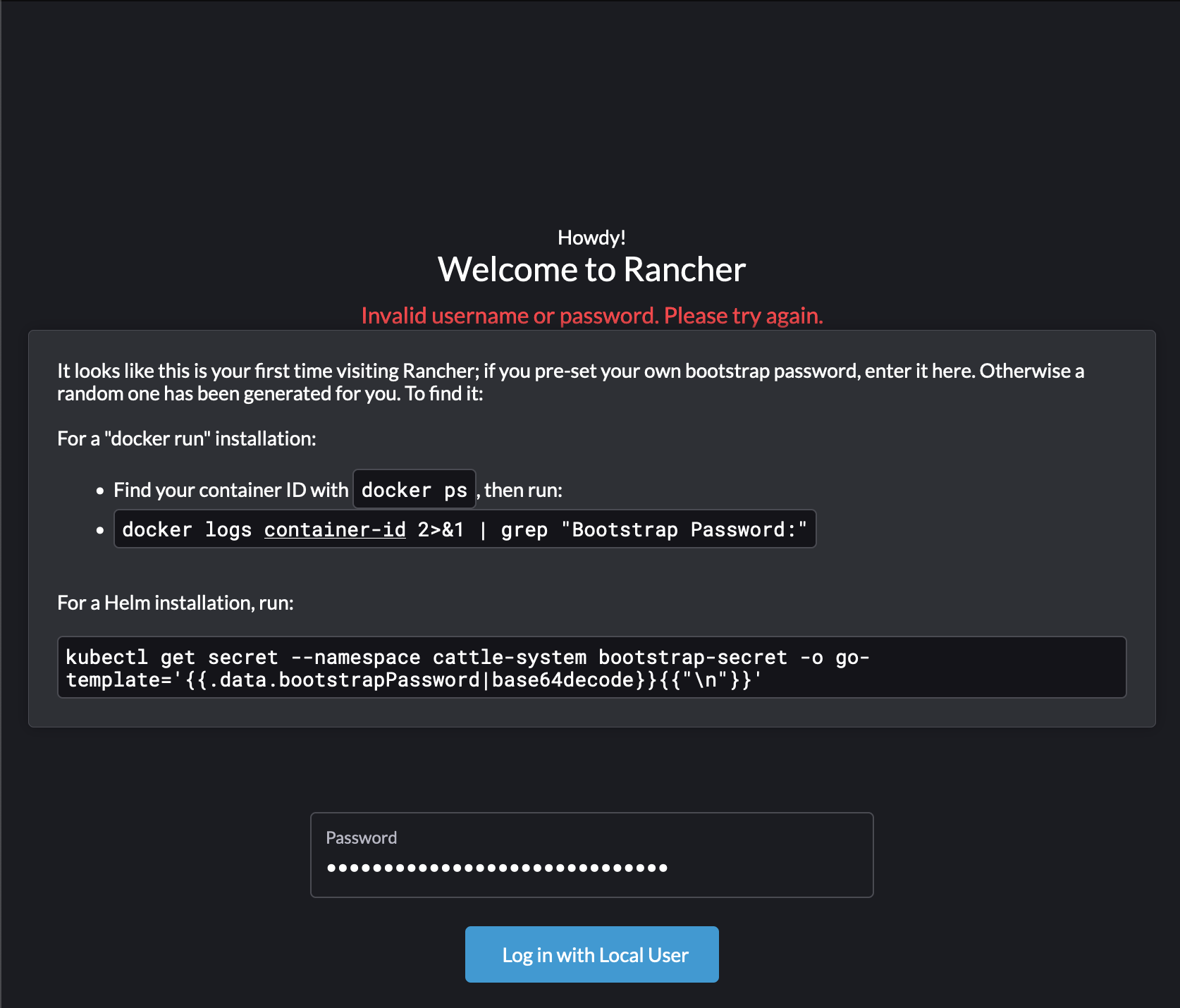
Additional context
About this issue
- Original URL
- State: closed
- Created 5 years ago
- Comments: 15
Have you tried to reset the password with:
kubectl -n cattle-system exec $(kubectl -n cattle-system get pods -l app=rancher | grep '1/1' | head -1 | awk '{ print $1 }') -- reset-passwordOkay, so it turns out that the admin user account didn’t exist! This was remedied via the following command:
Thanks to this discovery by my colleague, I can finally login again. I now have a new issue where the local cluster is reporting it’s state as “Removing” but that’s another bug for another time.
Yeah, that didn’t work for me.