pyglet: Transparent Window not working on Windows 11
Hi there! I see that in 1.5.20 you added experimental support for transparent windows / overlay. However, I can’t find anything in the official docs on how to set it up!
I have this as my code:
import pyglet

window = pyglet.window.Window(style=pyglet.window.Window.WINDOW_STYLE_OVERLAY)

label = pyglet.text.Label('Hello, World',
                          font_name='Times New Roman',
                          font_size=36,
                          x=window.width//2, y=window.height//2,
                          anchor_x='center', anchor_y='center')

@window.event
def on_draw():
    window.clear()
    label.draw()

pyglet.app.run()
However, it looks like this when run:

Is there some other command I need to make the background Transparent?
About this issue
- Original URL
- State: closed
- Created 2 years ago
- Comments: 29 (8 by maintainers)
Maybe need set the OpenGL GDI compatibility: Prefer compatible As I need to in raylib:
OpenGL GDI compatibility: Auto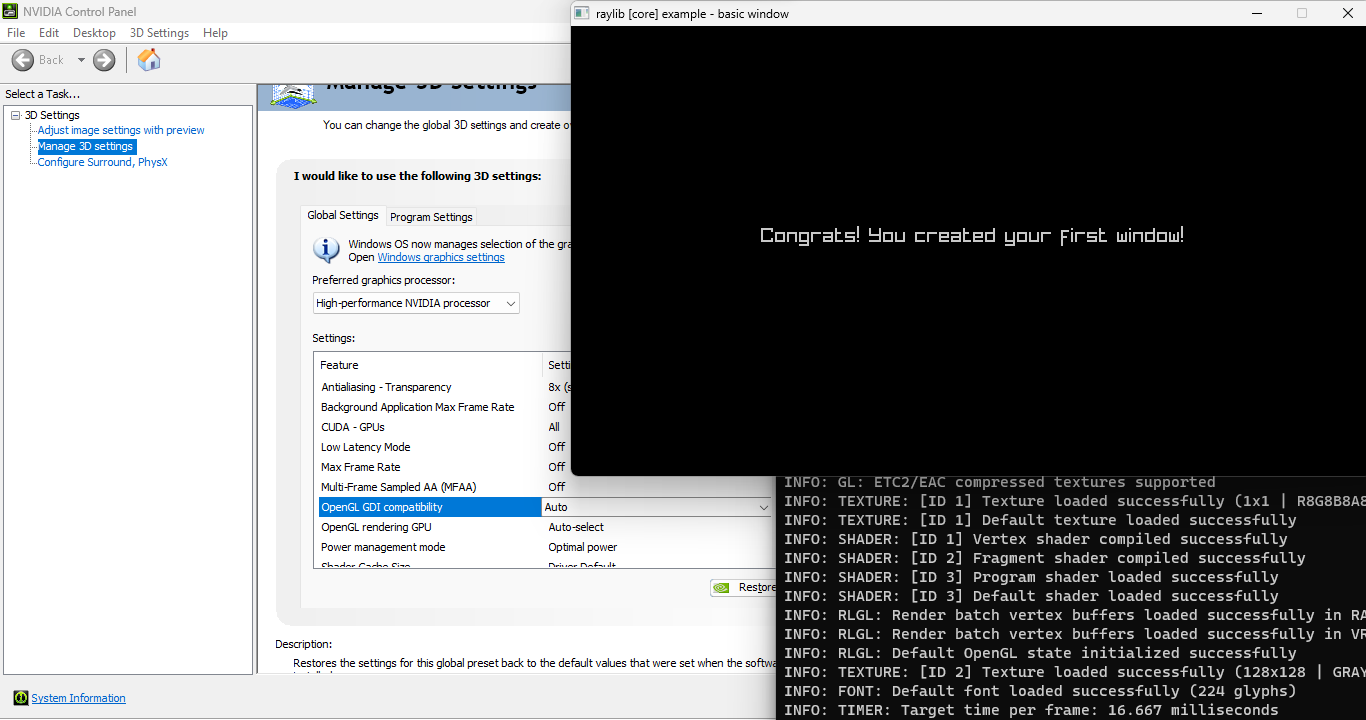
OpenGL GDI compatibility: Prefer compatible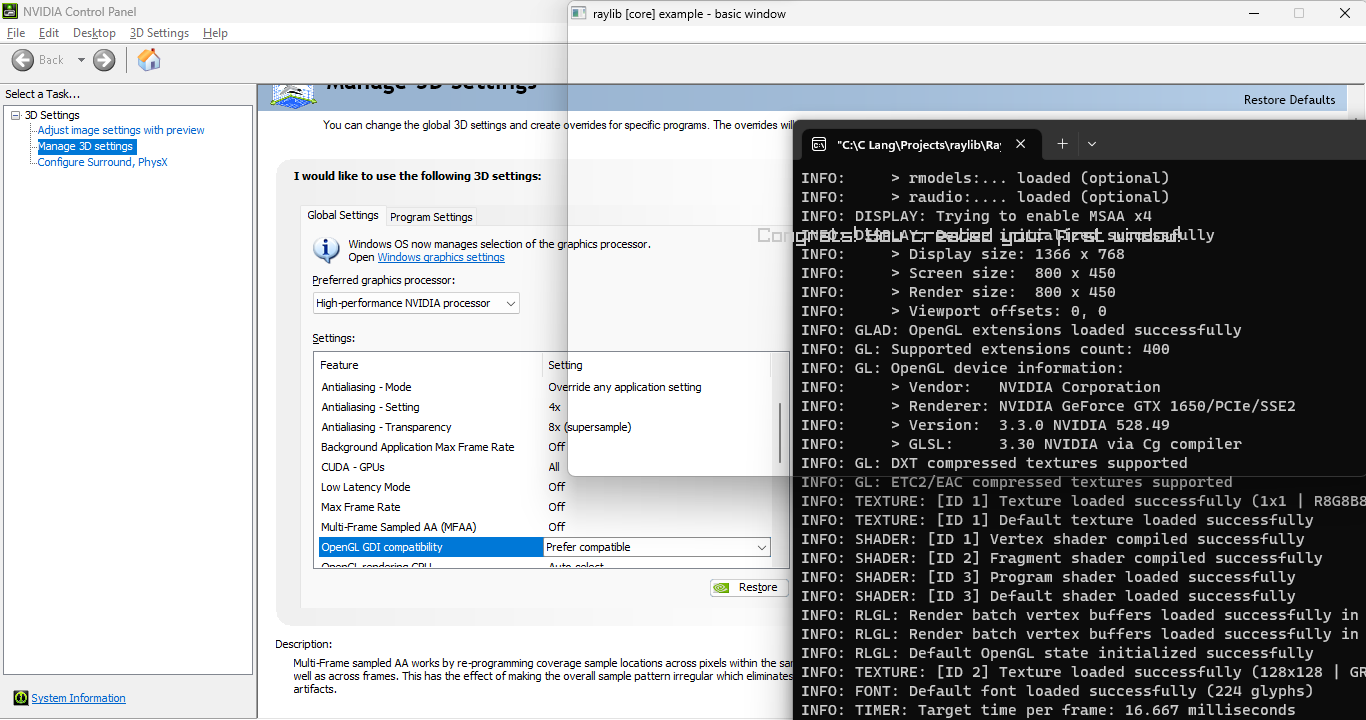
[Update]: I tested the example below with OpenGL GDI compatibility set to “Auto” in NVIDIA Panel and I got black background, then I set OpenGL GDI compatibility to “Prefer compatible” and the transparency worked. https://github.com/pyglet/pyglet/blob/master/examples/window/transparent_window.py