MONAI: LoadImage Fails to Load Certain JPEGs
Describe the bug LoadImage fails to correctly load certain JPEGs. The produced array contains streaked information. Test image included:
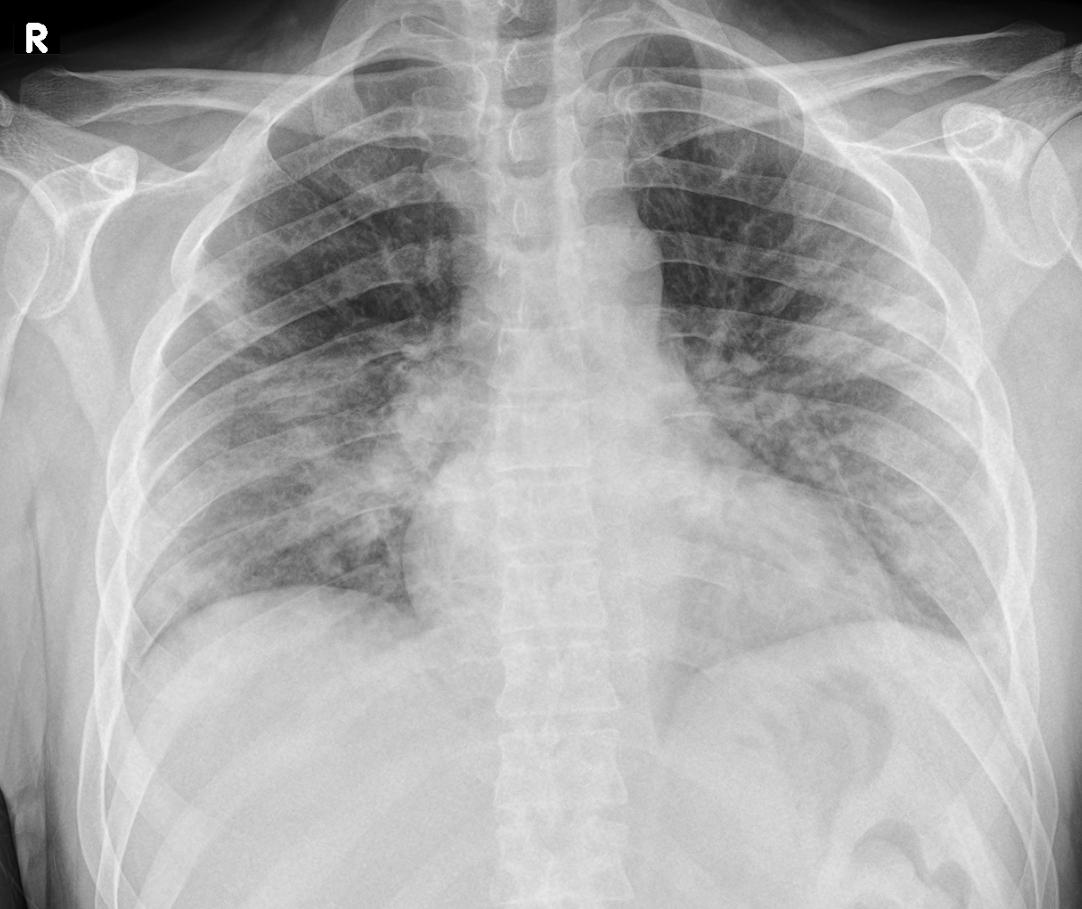 .
.
To Reproduce
im=LoadImage(image_only=True)("bad_image.jpg")
plt.imshow(im[0],cmap="gray")
This produces
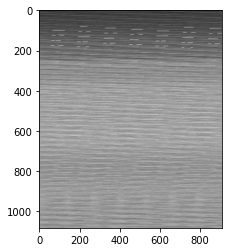
Expected behavior
Image should look like the attached image but comes out corrupted when viewed with matplotlib, using plt.imread does work.
Environment (please complete the following information):
- Ubuntu
- Python version 3.7
- MONAI version 62903b6924e572edfb0d44ce333dd0251e659bfe
- CUDA/cuDNN version 11, 7.5
- GPU Titan Xp
About this issue
- Original URL
- State: closed
- Created 4 years ago
- Comments: 17 (13 by maintainers)
Commits related to this issue
- Support multi-channel images in ITKReader The memory layout of itk.Image, like most image processing and visualization libraries in Python has all pixel's channels adjacent in memory, i.e. R1G1B1R2G2... — committed to thewtex/MONAI by thewtex 4 years ago
- Support multi-channel images in ITKReader The memory layout of itk.Image, like most image processing and visualization libraries in Python has all pixel's channels adjacent in memory, i.e. R1G1B1R2G2... — committed to thewtex/MONAI by thewtex 4 years ago
- Support multi-channel images in ITKReader (#1147) The memory layout of itk.Image, like most image processing and visualization libraries in Python has all pixel's channels adjacent in memory, i.e. ... — committed to Project-MONAI/MONAI by thewtex 4 years ago
- Support multi-channel images in ITKReader (#1147) The memory layout of itk.Image, like most image processing and visualization libraries in Python has all pixel's channels adjacent in memory, i.e. ... — committed to Project-MONAI/MONAI by thewtex 4 years ago
From looking at the ITK code further I think
keep_axisshould always be False. It would only be True if data was being read in Fortran-ordering as opposed to C-ordering, simply reversing the shape will just cause the memory view to be interpreted in a transposed order. In GetArrayViewFromImage ifkeep_axisis True the ordering of the shape is reversed but the returned Numpy array still interprets the underlying memory segment in C-ordering, this is why we get the transposed image as I showed.I think the
keep_axisparameter is not explained correctly since it should only be True if memview is a view into Fortran-ordered segments, the documentation does not state this. Further if this is the case it would be better to leave the shape reversed (ie. in HW(D)C ordering) and set theorderargument fornumpy.arraytoFto use Fortran-ordering internally.