Karabiner-Elements: Internal Apple Keyboard not detected correctly on M2 Macbook Air
I’ve migrated from a MBP 2019 with Migration Assistant and it seems that Karabiner does not detect the Internal Apple Keyboard devices correctly. It (with the trackpad) shows up as No product name (Apple) with Vendor Id: 0 and Product Id: 0
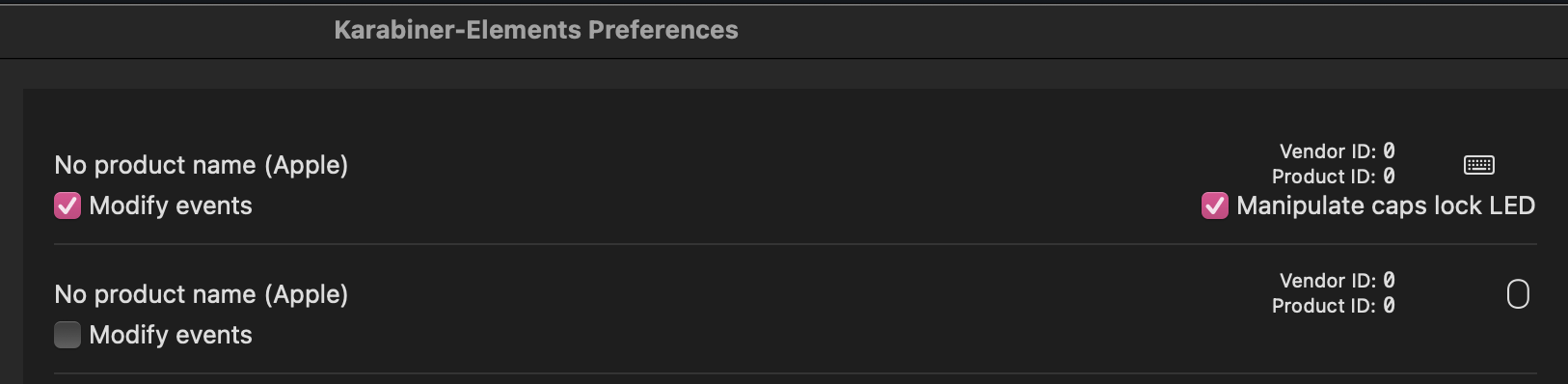
and this is what the devices show up as in Karabiner-EventViewer
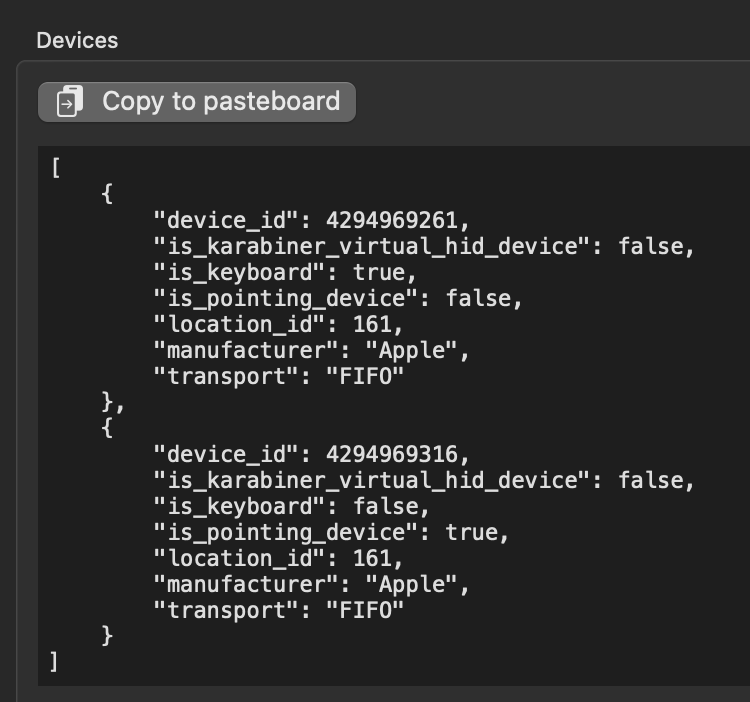
Modify Event still works normally, but the Disable Built-in Keyboard feature doesn’t work, presumably cause Karabiner does not detect it as the built-in keyboard. I have tried uninstalling Karabiner, deleting the config folder and reinstalling it, but it does not fix the issue.
About this issue
- Original URL
- State: closed
- Created 2 years ago
- Reactions: 6
- Comments: 15 (3 by maintainers)
The simple modifications issue fixed at the latest beta version (v14.9.3).
How to upgrade to the latest beta version: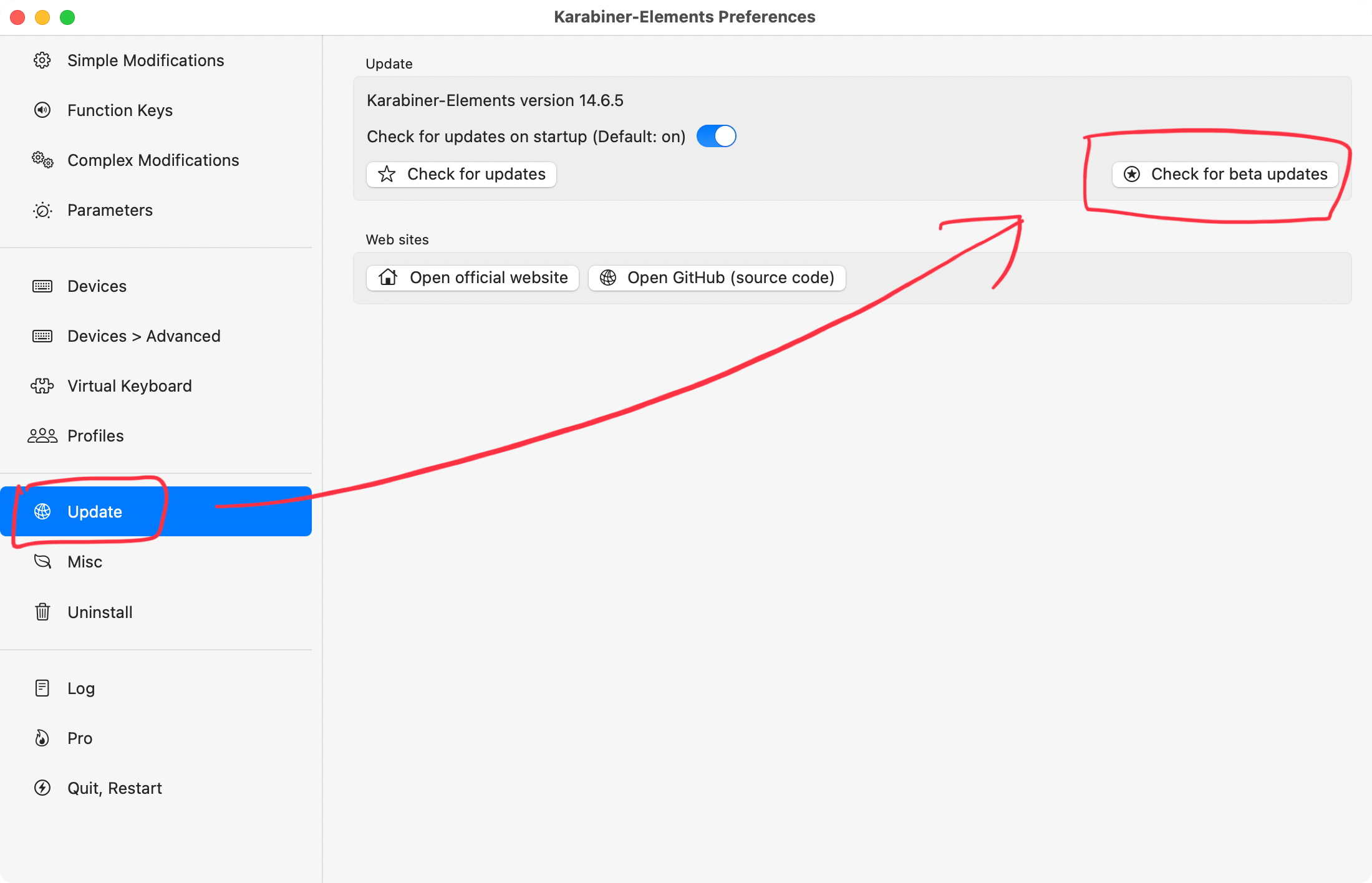
@tekezo Thanks!, the feature is now working on M2 macbook pro after updating to v14.6.0
Thank you for feedback!
I’ve release v14.6.0 just now which has
Treat as a built-in keyboardfeature. Please try this feature since it may take time to improve the M2 keyboard detection.https://karabiner-elements.pqrs.org/docs/manual/configuration/disable-built-in-keyboard/#configure-the-built-in-keyboard-detection
Hi there, I have a similar issue to the original. I migrated from M1 laptop to an M2 Macbook Air and keyboard-specific rules aren’t working for me on the built-in Apple keyboard. I’ve tried both v14.8.0 and the beta (v14.8.2), as well as reinstalling Karabiner Elements (though my profile settings were kept).
Here are some details on what I see. It seems that it’s correctly recognizing that it’s a built-in keyboard, but the simple modifications I’ve added (see at the bottom) aren’t being recognized unless I make them global rules.
- Devices > Advanced setting on Preferences
- Devices on Karabiner-EventViewer
- Simple modifications I’ve added for built-in keyboard
== Much appreciated for this and all the work in general! My apologies if I missed something simple.