vue-filepond: Upload button not showing
I just follow this under example.
<template>
  <div id="app">

    <FilePond
        name="test"
        ref="pond"
        labelIdle="Drop files here..."
        allowMultiple="true"
        acceptedFileTypes="image/jpeg, image/png"
        v-bind:files="myFiles"
        v-on:init="handleFilePondInit"/>

  </div>
</template>

<script>
// Import Vue FilePond
import FilePond, { registerPlugin } from 'vue-filepond';

// Import FilePond styles
import 'filepond/dist/filepond.min.css';

// Register file type validation plugin
import FilePondPluginFileValidateType from 'filepond-plugin-file-validate-type';
registerPlugin(FilePondPluginFileValidateType);

export default {
    name: 'app',
    data: function() {
        return { myFiles: ['index.html'] };
    },
    methods: {
        handleFilePondInit: function() {
            console.log('FilePond has initialized');

            // FilePond instance methods are available on `this.$refs.pond`
        }
    },
    components: {
        FilePond
    }
};
</script>
https://codepen.io/rikschennink/pen/WXavEx
About this issue
- Original URL
- State: closed
- Created 6 years ago
- Comments: 15
@chtsngn To achieve that you can set
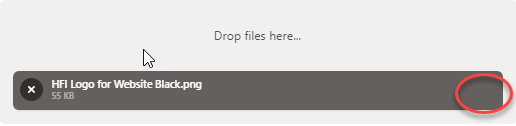
instantUploadtofalse.Hi @rosnaib11, the upload button will not show if there’s no
processendpoint specified. You can do so using the ~server~:serveroption. https://pqina.nl/filepond/docs/patterns/api/server/I’ll update the example to make this more obvious.
@rikschennink Just found out, sorry for asking first. If anyone else is here accidentally looking for react info, use useRef on the <FilePond> component and you can grab the processFiles off that.
const ref = useRef();
const handleUpload = () => { ref.current.processFiles(); }
return <FilePond ref={ref} … />
@chtsngn You need to define the
serverattribute. Either by setting a url or by supplying a server configuration object.Thanks, it should be
:serveron vue js it works