pixijs: pixi.js 5.1.5 - "Cannot read property 'start' of undefined"
My working project stopped working after updating to pixi.js@5.1.5
Steps to reproduce:
- git clone https://dmitrydranitski@bitbucket.org/dmitrydranitski/pixijs-5.1.1-5.1.5-update-bug.git
- cd into dir
- npm i
- npm run dev
- go to the url (https://localhost:8080 by default)
you should see the page
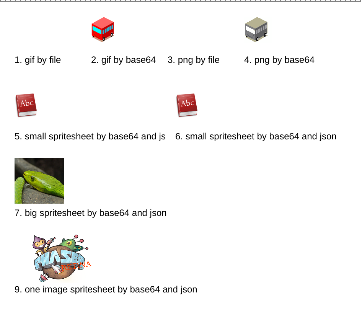
- Ctrl+C - stop the webpack-dev-server
- rm -rf node_modules
- npm i pixi.js@5.1.5
- npm run dev
- go to the url (https://localhost:8080 by default)
- The code is not working. I can not see the reason, seems like a bug?
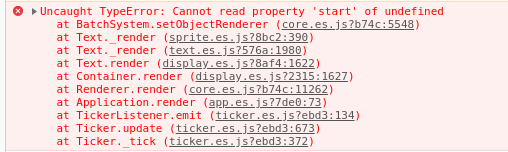
Thanks in advance for any help!
pixi.jsversion: 5.1.1 (working) - 5.1.5 (not working)- Browser & Version: Version 76.0.3809.100 (Official Build) (64-bit)
- OS & Version: Arch Linux
About this issue
- Original URL
- State: closed
- Created 5 years ago
- Comments: 17 (2 by maintainers)
For anyone who ran into this issue, did some debugging and found that one potential cause was missing the line:
In my particular case, it’s because I was trying to reduce size and removed the import to
pixi.jsand instead started importing each module, such as@pixi/coreetc. By not importingpixi.jsI was missing theRenderer.registerPlugincalls, as well as several other plugins.“Remove package.lock and node_modules” helped. Thanks!
We have a number of threads in forums & here, all closed.
Personally, I dont know what to do about it, except “throw webpack away, use vanilla js!”
I had the same issue when I was updating pixi to 6.5.8 version and building it by modules (not installing the whole pixi.js or pixi.js-legacy but installing it like:
The reason of this error: “Cannot read property ‘start’ of undefined” was not adding full pixi like “pixi.js” or “pixi.js-legacy” to the project. When in whole my project was no “pixi.js” import like
import {Point} from "pixi.js"- this issue happened.When we create the new Application like this:
It creates Renderer to render the stage - every object that is in canvas. But for rendering Renderer needs the “batch” plugin. When we install the full pixi.js it is there by default. You can check it in any Renderer.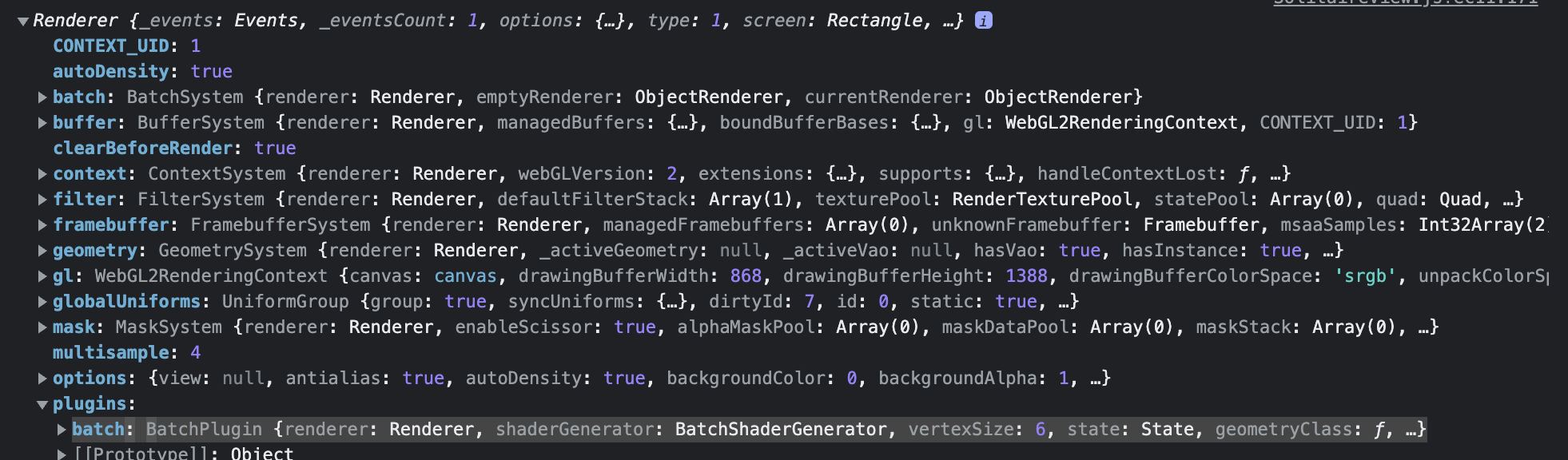 But when we do not import “pixi.js” or “pixi.js-legacy” in the whole project and use only its modules (to optimise project size for example) - the plugins property is empty. And when the Renderer tries to render - it can’t find the batch plugin and this issue happens.
The solution: We need to add batch plugin. (As TrevorSundberg said) For pixi version below 6.5.0 use
Renderer.registerPlugin("batch", BatchRenderer);If your pixi version is upper as mine use this:I could explain something wrong, and will be glad if you will correct me. Hope this will help someone.
Just want to add that i could not get pixi.js to work above ^6.0.0 in a brand new Vue 2.6 project. Just did
npm install pixi.jsand added the default/recommended import for the new instance:Which would cause the same error as described above, as soon as i call
render(). I just went back to 5.3.12 instead.I really think you should investigate this. If the first experience users have, is this, i wouldn’t be surprised if most jump ship, which would be regrettable.
I had the same issue with v6.2.0. I downgraded to v6.1.3 and it worked.
It happened again.
I had the following dependencies in my package.json:
"pixi-filters": "3.1.1", "pixi.js": "5.2.2"npm installsome pixi.js dependencies in package-lock.json are pointed to 5.2.3 some are still to 5.2.2.Solution in my case:
I run
yarn remove pixi.js-legacyand fixed it. I think thepixi.js-legacymodule messes up with the regular pixi. Or maybe the versions of pixi and pixi.js-legacy don’t match. Didn’t had time to investigate.