pixijs: Bug: PIXI.Text stroke line weight of bottom side is not Equal to top side of the text
Current Behavior
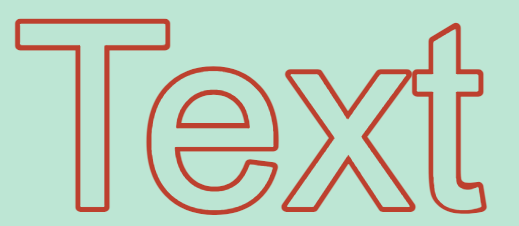
Text stroke line of top side missed when strokeThickness = 1 or 2, means that the bottom line always greater than top line by 2 pixels
Expected Behavior
Text stroke line should be same weight on all the 4 side
Steps to Reproduce
  const view = document.querySelector("canvas");
  const width = 1280;
  const height = 720;

  const background = "#000";
  const app = new PIXI.Application({ view, width, height, background });

  const style01 = new PIXI.TextStyle({
    fontFamily: "Arial",
    fontSize: 256,
    fill: "#fff",
    stroke: "#f00",
    strokeThickness: 1,
    lineJoin: "round",
  });
  const layer01 = new PIXI.Text("T", style01);
  layer01.anchor.set(0.5);
  layer01.position.set(640, 360);

  app.stage.addChild(layer01);
Environment
- pixi.js 7.1.1
- chrome 109.0.5414.120(64 bit)
- windows 10
Possible Solution
I think that “put the fill code block before of the stroke code in Text.ts” may be a good idea ?
the code of Text.ts line 315~332 is:
                if (style.stroke && style.strokeThickness)
                {
                    this.drawLetterSpacing(
                        lines[i],
                        linePositionX + style.padding,
                        linePositionY + style.padding - dsOffsetText,
                        true
                    );
                }

                if (style.fill)
                {
                    this.drawLetterSpacing(
                        lines[i],
                        linePositionX + style.padding,
                        linePositionY + style.padding - dsOffsetText
                    );
                }
Additional Information
No response
About this issue
- Original URL
- State: open
- Created a year ago
- Comments: 16 (6 by maintainers)
I got this may help ~~~
The draw order of the stroke/fill is intentional. The canvas text rendering does not allow us to specify inside/outside/center for the stroke alignment. We made a decision to put the stroke behind to emulate outside stroke alignment, which is a more common way to style text. I am not sure we are doubling the stroke to account for this so 1px may look weird with subpixel rendering. A style option to specify draw order is a good idea!
About the order of fill and stroke Should we start another issue ?
maybe add an option to TextStyle? to switch the two case
fill + stroke (part of fill are overwriten by stroke line with inner round corner)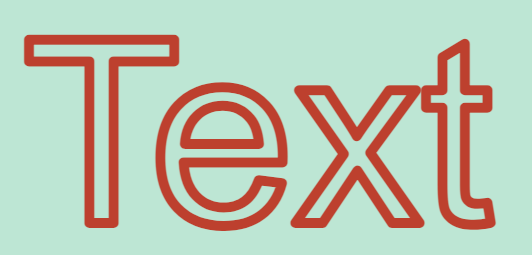
stroke + fill (half of stroke be overwriten by fill, and inner corner are not round)