phpDocumentor: Displaying Source Files Still Not Working
There’s not a ton of documentation about this, but in case I’m missing something, I just can’t seem to get source code to show correctly. I know that #2919 is heavily referenced around this repo as this being fixed, but I am not having that great of luck with it (or I lack the understanding on how to get it working).
Expected behavior
If I run the below command, I would expect that when I click on the source code icon that the source code would display.
phpdoc --sourcecode
I’ve also tried <include-source>true</include-source> in the config file. I’ve also tried this with the --template="clean" with the same results.
Actual behavior
The icon shows
 But when I click on it, I get this

So I thought…well maybe I need to serve this via a webserver of some kind. After getting a php web-server up to the directory where things are output, now I just get an empty source file with 2 empty lines.
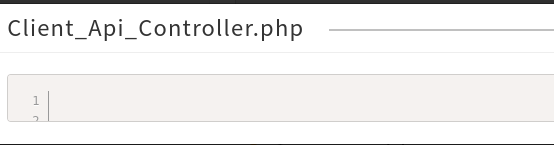
Do all the source files have to be in the public directory as well?
Steps to reproduce the problem
- run
phpdocwith source option - go to documentation page and click on source code icon
- cry
Your environment
- Version used: 3.3.1
- Install method: PHAR
- PHP version: 7.4
- Operating system and version (e.g. Ubuntu 20.04, Windows 10): Ubuntu 22.04
About this issue
- Original URL
- State: closed
- Created 2 years ago
- Comments: 16 (7 by maintainers)
I would need to investigate the actual cause; but
or trying to view from localhostmeans that the sourcecode cannot be displayed when you open the documentation using thefile://scheme in your browser. This is because we show the source code by fetching it using XHR and embedding it there; but browsers block loading through XHR when you open a file using thefile://scheme.No need. phpDocumentor copies all required files into the build. This is also why this is an optional feature as your source code will be included in the built files and thus accessible. Some proprietary applications do not want that
There is a mailing list, but there are few people responding to these messages; at this moment I can recommend opening an issue. Especially if something doesn’t look right. And don’t worry about it being beginner questions or not; all of them are valid and to me helpful.
✖ Error: File does not exist, is empty or trying to view from localhost😦 I am trying to view from localhost That might be the issue - but why would that be a difference? Does this mean, our application must be stored online to be documented with sourcecode?
Ahh my bad, typo.
--sourcecode