patternfly-react: PF4 Modal component is not draggable/movable
We are missing the draggable/movable ability regarding the PF4 React Modal component. This is more like a feature request.
Sometimes it is very unpleasant not to see the important info under the dialog window. Having it draggable would solve such problems in any UI.
This could be relatively easily solved by using the PF3 component, but the effort is to go forward and to use only the PF4 components. Moving back and supporting PF3 is not a way to go, together with some other solutions we considered in my team.
This is blocking the BZ: https://bugzilla.redhat.com/show_bug.cgi?id=1744114
Thanks very much in advance for any info, comments, suggestions!
About this issue
- Original URL
- State: closed
- Created 4 years ago
- Comments: 16 (12 by maintainers)
@hstastna @sgratch After discussion with the team, we have decided that this is not something we want to support generally in PatternFly. It raises a11y concerns and feels very specific to your project. We have not had other requests for this. Therefore I am closing this out, but we could possibly advise you on creating a custom implementation that could be shared as a community extension if this is something you wanted to contribute back.
@mcarrano @hstastna We are using FP4 React modals plugged into a GWT app for the RHV Admin portal UI. The main reason we need a draggable modal is to be as much consistent as we can with other admin portal GWT dialogs and the admin portal UI design as a concept.
There is no plan to convert all GWT dialogs to React since it’s too complicated so we need to support this combined UI. In the past Admin Portal users asked for this draggable option for the GWT dialogs so it is supported for GWT dialogs but not supported for PF4 react ones.
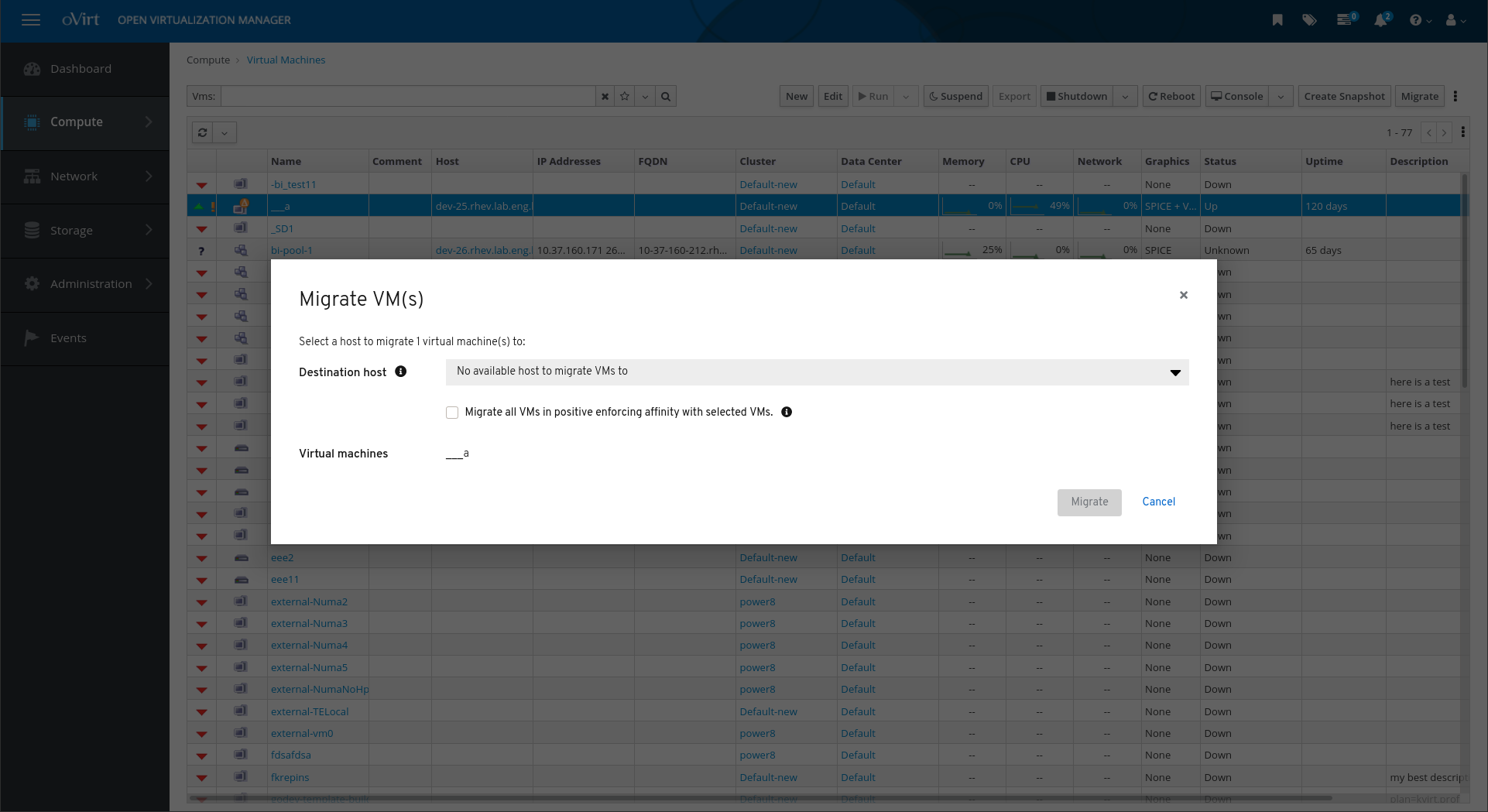
There is an important info within the content beneath the modal like the grids (vm list, hosts list etc) or the entity info and the user needs access to this info while editing the modal. That’s why we also canceled the defaulted backdrop dimmed when using a react modal within the Admin portal.
We won’t change it to use a Drawer since it’s not consistent - within the admin portal all edit dialogs are presented as modals and not as drawers.
This is the use case the upstream bugzilla is about: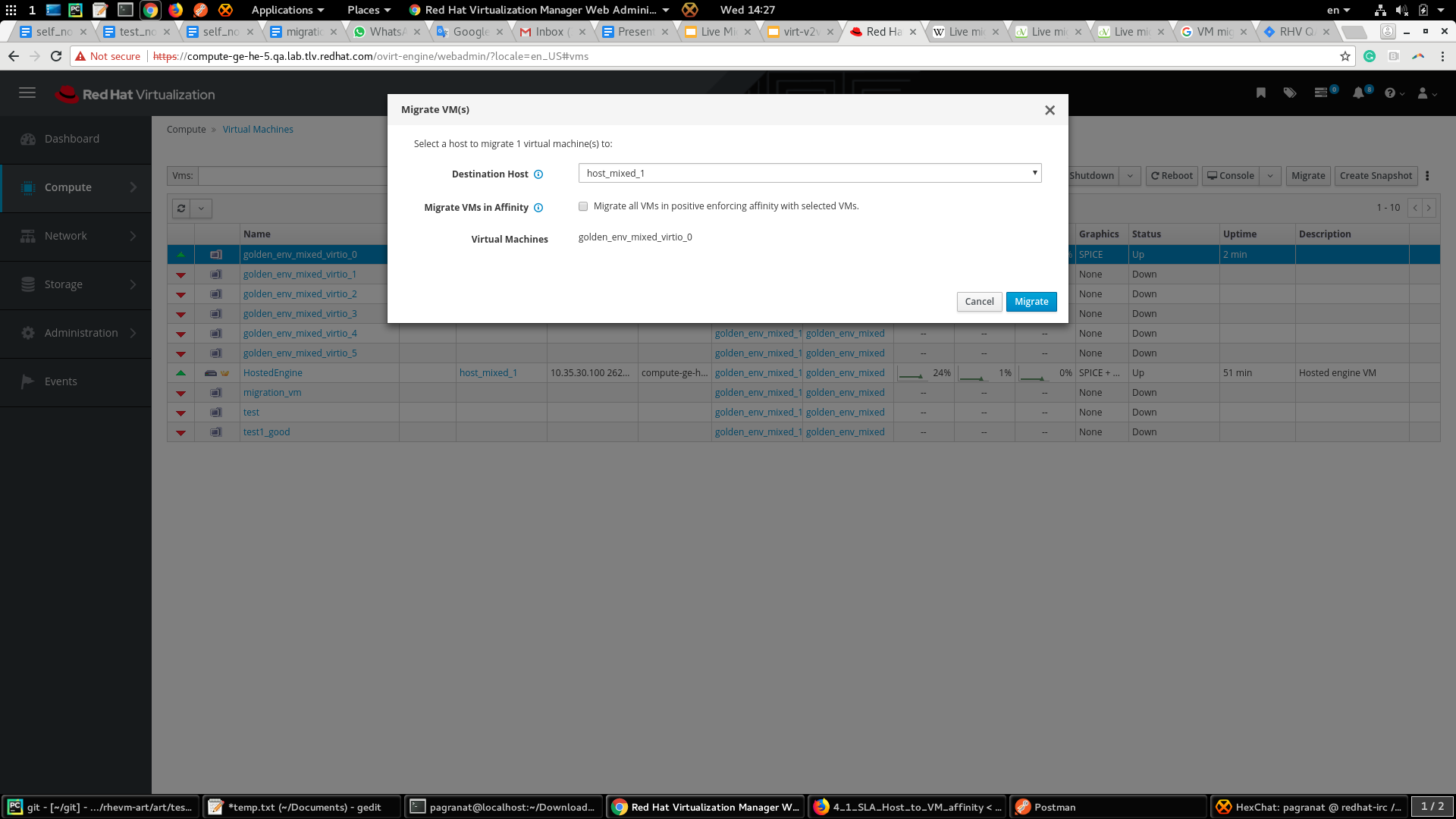

@tlabaj @nicolethoen After discussing this with @mcoker we decided to take a React-first approach, and therefore I am planning to queue this up for our next React feature sprint. My expectations for mouse interaction are as follows:
movecursor to give an affordance that the window is movable.I was not sure how this should work for keyboard interaction. @jessiehuff can you give guidance?
Any other interactive elements in the header should take precedence for event propagation.
Let me know if you see any problems with this approach. If core work if needed, we can open a new issue. But seemed like this can be handled directly in React unless we find that changes to the structure of the modal header are needed.
Yes, we are planning to begin work on this is our upcoming sprint.
I am going to transfer this to patternfly-design to consider as a feature enhancement.
It’s possible to add. What do you think about this interaction @mcarrano ?
@redallen, @boaz0, @jeff-phillips-18 WDYT? Thanks!