ocis: TUS upload fail, was: 1.800 GB disk full after syncing only 850 GB
Reproduce / what I did
- setup ocis beta 7 according to https://owncloud.dev/ocis/deployment/basic-remote-setup/ (on my Odroid HC4 NAS, Armbian 22.08 Jammy, Kernel 5.10 )
- Config ocis data path to a dedicated HDD (EXT4)
/media/ocisdata - create user “tb”, set quota to 2TB
- (the only users are “admin” and “tb”; admin has not uploaded a single file)
- Setup sync via Desktopclient 2.11.1 (build 8438) with external HDD (exFAT, no VFS)
- Synced ~850 GB with the server, but disk usage is at ~1.800 GB
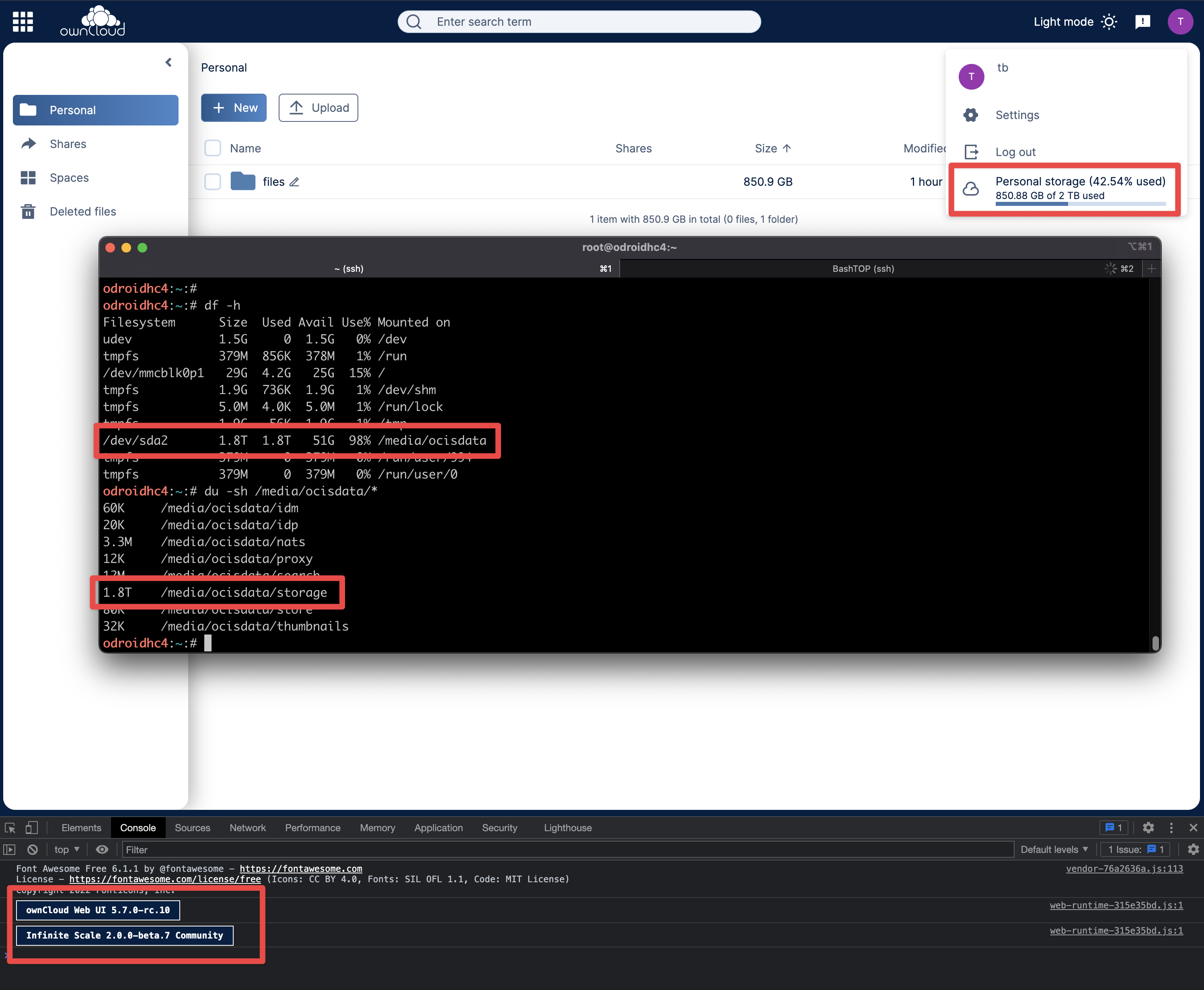
Expected behaviour
- Disk usage should be ~850 GB
Current behaviour
- Disk usage is ~1.800 GB
unsure if this a bug or layer 8 issue.
About this issue
- Original URL
- State: closed
- Created 2 years ago
- Comments: 19 (12 by maintainers)
Problem still exists with Desktop client 3.0 (though upload is much faster and stable - feels almost illegal fast 😼 )
“uploads” folder gets huge:
We agreed that we can prevent this by checking the “uploads which are in progress” during “InitiateUpload”.
Second option would be to allocate the disk space before starting the upload.
AFAICT we currently have no cleanup job that removes unfinished uploads. The problem here is that the client started several uploads in parallel and they could not finish because collectively they filled the disk. Leading to a situation where no upload could finish.