orbstack: Network fails to start in emulated x86 machines on macOS 12
Describe the bug Linux virtual machine creation stuck
To Reproduce Steps to reproduce the behavior:
- Download and install orbstack
- click create virtual machine
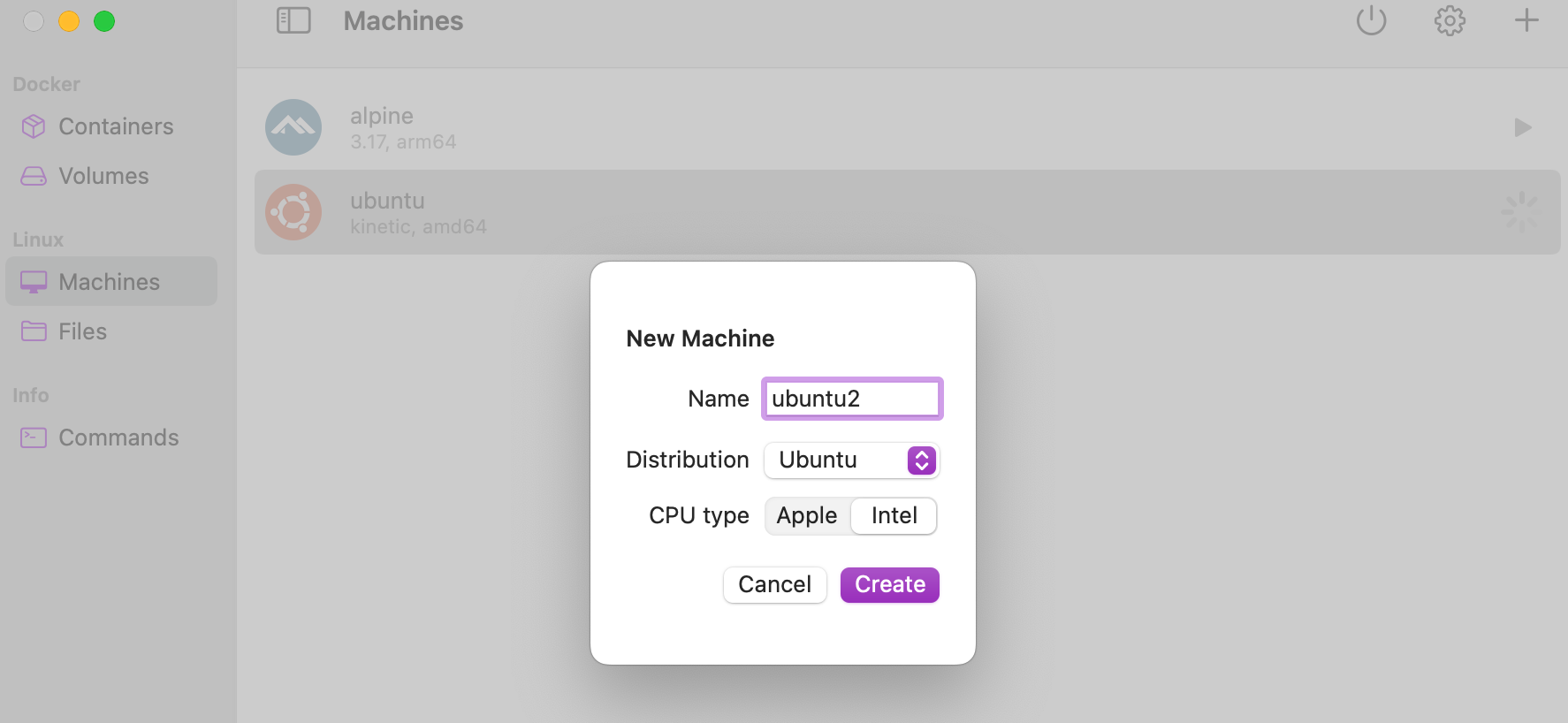
Expected behavior A clear and concise description of what you expected to happen.
Screenshots
If applicable, add screenshots to help explain your problem.
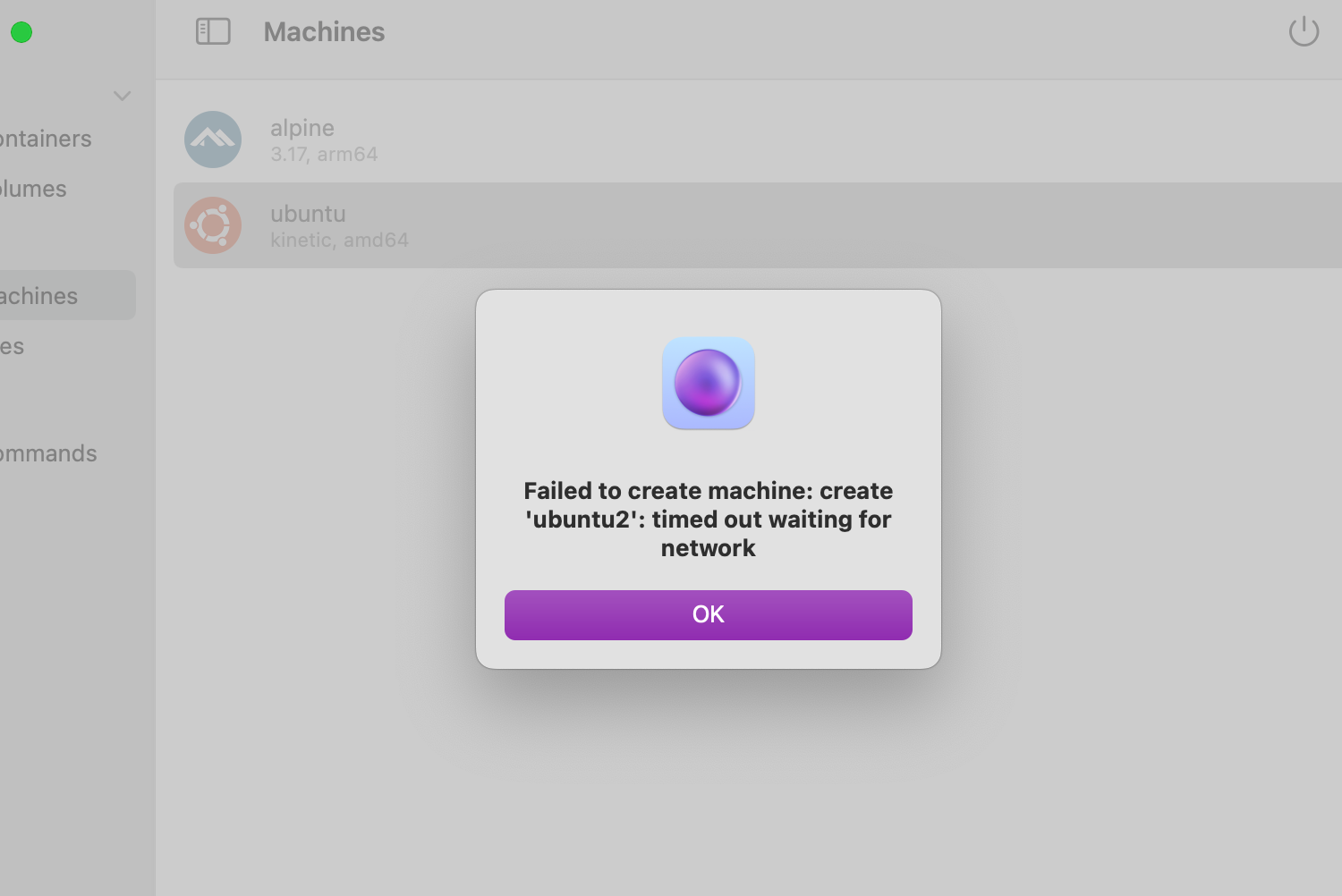
Logs If applicable, attach log files by opening the OrbStack menu and clicking “Show Logs”, or email them for privacy.
time="03-28 10:54:07" level=info msg="creating VM"
time="03-28 10:54:07" level=info msg="forwarding SSH agent" sock=/private/tmp/com.apple.launchd.gmdHhg6hdD/Listeners
time="03-28 10:54:07" level=info msg="starting VM"
time="03-28 10:54:07" level=info msg="starting host services"
time="03-28 10:54:07" level=info msg="waiting for VM to start"
time="03-28 10:54:07" level=info msg="[VM] starting"
time="03-28 10:54:07" level=info msg="[VM] started"
time="03-28 10:54:08" level=error msg="host-tcp forward: dial failed" addr="{1 100.115.92.2 8000}" error="connect tcp 100.115.92.2:8000: connection was refused"
time="03-28 10:54:08" level=error msg="host-tcp forward: dial failed" addr="{1 100.115.92.2 8000}" error="connect tcp 100.115.92.2:8000: connection was refused"
time="03-28 10:54:08" level=error msg="host-unix forward: dial failed" addr="{1 100.115.92.2 2375}" error="connect tcp 100.115.92.2:2375: connection was refused"
time="03-28 10:54:08" level=error msg="host-unix forward: dial failed" addr="{1 100.115.92.2 2375}" error="connect tcp 100.115.92.2:2375: connection was refused"
time="03-28 10:54:08" level=error msg="host-tcp forward: dial failed" addr="{1 100.115.92.2 8000}" error="connect tcp 100.115.92.2:8000: connection was refused"
time="03-28 10:54:08" level=error msg="host-tcp forward: dial failed" addr="{1 100.115.92.2 8000}" error="connect tcp 100.115.92.2:8000: connection was refused"
time="03-28 10:54:08" level=error msg="host-tcp forward: dial failed" addr="{1 100.115.92.2 8000}" error="connect tcp 100.115.92.2:8000: connection was refused"
time="03-28 10:54:08" level=error msg="host-tcp forward: dial failed" addr="{1 100.115.92.2 8000}" error="connect tcp 100.115.92.2:8000: connection was refused"
time="03-28 10:54:08" level=error msg="host-tcp forward: dial failed" addr="{1 100.115.92.2 8000}" error="connect tcp 100.115.92.2:8000: connection was refused"
time="03-28 10:54:08" level=error msg="host-tcp forward: dial failed" addr="{1 100.115.92.2 8000}" error="connect tcp 100.115.92.2:8000: connection was refused"
time="03-28 10:54:08" level=error msg="host-tcp forward: dial failed" addr="{1 100.115.92.2 8000}" error="connect tcp 100.115.92.2:8000: connection was refused"
time="03-28 10:54:08" level=error msg="host-tcp forward: dial failed" addr="{1 100.115.92.2 8000}" error="connect tcp 100.115.92.2:8000: connection was refused"
time="03-28 10:54:09" level=error msg="host-tcp forward: dial failed" addr="{1 100.115.92.2 8000}" error="connect tcp 100.115.92.2:8000: connection was refused"
time="03-28 10:54:09" level=error msg="host-tcp forward: dial failed" addr="{1 100.115.92.2 8000}" error="connect tcp 100.115.92.2:8000: connection was refused"
time="03-28 10:54:09" level=info msg="data ready"
time="03-28 10:54:09" level=info msg="Mounting NFS..."
time="03-28 10:54:09" level=info msg="data ready"
time="03-28 10:54:09" level=error msg="host-vsock forward: dial failed" error="Error Domain=NSPOSIXErrorDomain Code=54 \"Connection reset by peer\""
time="03-28 10:54:11" level=error msg="NFS mount failed" error="mount nfs: mount(): connection reset by peer"
time="03-28 10:54:11" level=info msg="Mounting NFS..."
time="03-28 10:54:11" level=info msg="NFS mounted"
time="03-28 10:54:17" level=info msg="Setup not done in time, running setup..."
time="03-28 10:54:17" level=info msg="CLI setup complete"
time="03-28 11:22:00" level=info msg=sleep
time="03-28 12:11:09" level=info msg=wake
time="03-28 12:11:18" level=info msg=sleep
time="03-28 12:12:39" level=info msg=wake
time="03-28 12:14:08" level=info msg=sleep
time="03-28 12:31:51" level=info msg=wake
time="03-28 12:31:57" level=info msg=sleep
time="03-28 12:32:01" level=info msg=wake
time="03-28 12:43:55" level=info msg=sleep
time="03-28 12:49:31" level=info msg=wake
time="03-28 12:49:39" level=info msg=sleep
time="03-28 12:49:45" level=info msg=wake
Info report
OrbStack info:
  Version: 0.5.1 (50100)
  Commit: 646c501f9b245f5bc61bae3036ff5e92aaa7840e (v0.5.1)

System info:
  macOS: 12.6.3 (21G419)
  CPU: arm64, 10 cores
  CPU model: Apple M1 Pro

---------------- [ cut here ] ----------------

Please copy and paste the above information into your bug report.
Open an issue here: https://github.com/orbstack/orbstack/issues/new/choose
Additional context
After creating for a long time, the error Failed to create machine: create 'ubuntu2': timed out waiting for network was reported, and then the creation failed
About this issue
- Original URL
- State: closed
- Created a year ago
- Reactions: 1
- Comments: 24 (10 by maintainers)
Reproduced. The fix will likely take some time: the root cause is that the fallback for x86 emulation is missing functionality needed for systemd-networkd to work. Networking is broken because networkd doesn’t start.
In the meantime, please upgrade to macOS 13.x if possible so you can use Rosetta instead (which doesn’t have this issue), or run x86 programs in your ARM machine using Ubuntu’s multiarch support. I’ll also consider temporarily disabling creation of new x86 machines when Rosetta is disabled or not supported. (Unfortunately it’s not possible to use Rosetta on macOS 12 due to hypervisor limitations.)
You can also use distros that don’t use systemd-networkd, including Alpine, Devuan, Gentoo, and Void.
I also created an arm ubuntu machine,But the intel machines never create