OpenSlides: Initial logon with superadmin / superadmin not working
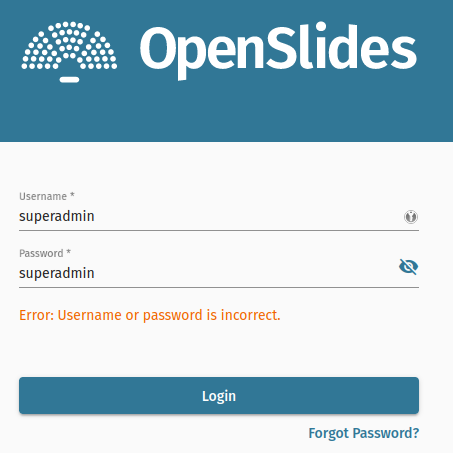
Hi there, I wanted to try out OpenSlides and somehow embarrassingly get stuck with the superadmin user account.
OpenSlides is running behind Nginx, Letsencrypt certificate and I can get to the site just fine. By the way, super easy setup, didn’t take more than 10 minutes.
However, when trying to logon with superadmin / superadmin as per the documentation I get a wrong password error? I did look around and found what might be password file for this user:
  cat ./secrets/superadmin
  superadmin%
Looks ok to me? Anyone got an idea what might be going on?
System information
- OpenSlides-Version: Don’t really know, whatever ‘wget github.com/…releases/download/latest/openslides’ delivers today
- docker-compose version 1.29.2, build unknown
- OS: Ubuntu 22.04.1 LTS x86_64
- Browser: Tried Firefox, Chromium, Safari
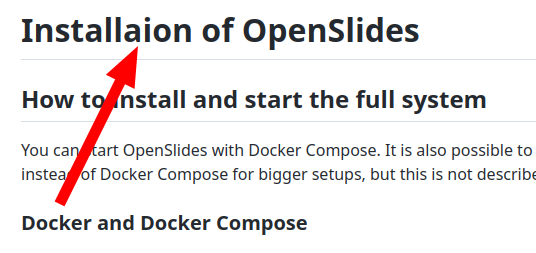
By the way, you got a typo in your documentation:
About this issue
- Original URL
- State: closed
- Created a year ago
- Comments: 19 (11 by maintainers)
I replaced my
listenstatement with this:restartet both nginx and the docker containers (just in case) and…drum roll…I’m in.
Aha, getting there 😃
Both commands completed successfully, and now I am stuck where @InterFelix is stuck. The credentials were accepted by the look of it but it doesn’t move beyond the logon screen, stuck with a spinning wheel:
Proxy_1 is giving these errors:
Is there maybe something particular which needs to be in the nginx config file? Right now mine is very basic:
Thanks guys for getting back so quickly.
Both commands led to:
Error: connecting to gRPC server: creating gRPC client connection with grpc.DialContext(): context deadline exceededAnd I realize I may have forgotten to do the data initialization the first time round
So what I now did was the following:
removed the old images,
sudo docker-compose down --rmi allPulled the images again via
sudo docker-compose pull && sudo docker-compose upLet things settle down before pulling the log log.txt
Tried to initialize the db again
sudo ./openslides initial-data Error: connecting to gRPC server: creating gRPC client connection with grpc.DialContext(): context deadline exceeded