generator-office: Unable to start the dev server
I was following the steps here: https://docs.microsoft.com/en-us/office/dev/add-ins/quickstarts/excel-quickstart-jquery?tabs=yeomangenerator
Once I run npm start:
npm start

> office-addin-taskpane-js@0.0.1 start .....\My Office Add-in
> office-addin-debugging start manifest.xml

Debugging is being started...
App type: desktop
Enabled debugging for add-in 05c2e1c9-3e1d-406e-9a91-e9ac64854143. Debug method: 0
Starting the dev server... (webpack-dev-server --mode development)
Unable to start the dev server. Error: The dev server is not running on port 3000.
Sideloading the Office Add-in...
Debugging started.
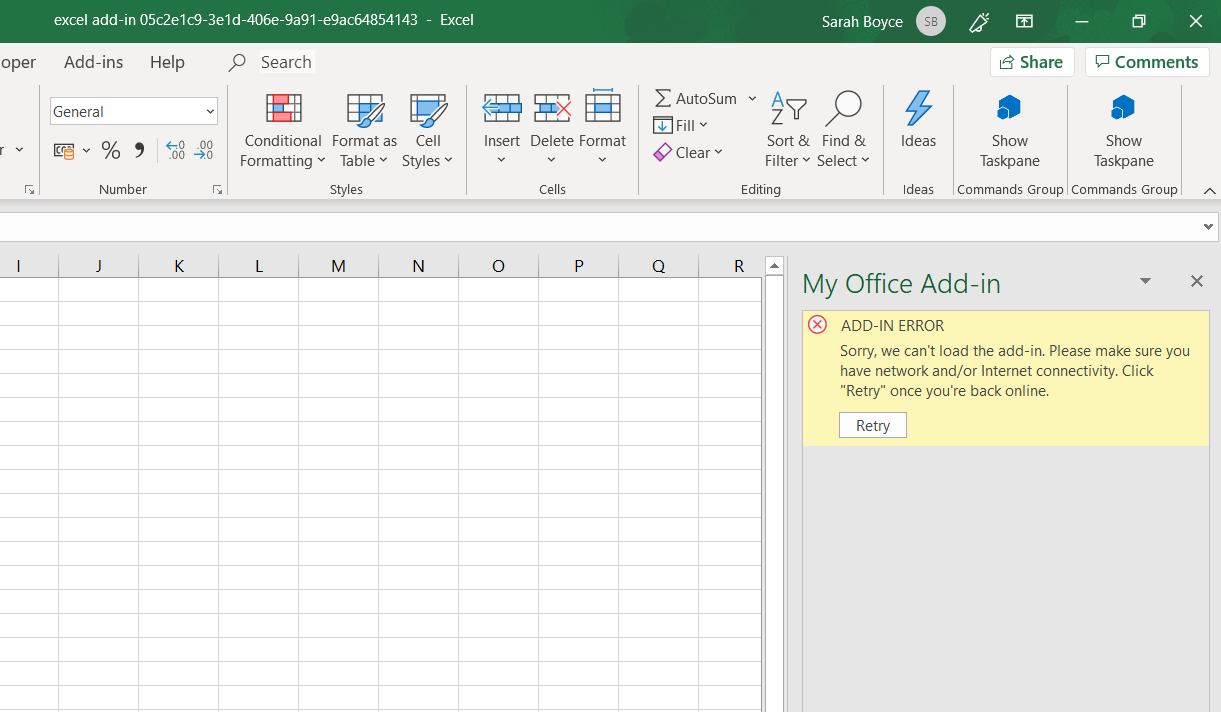
I am on Windows 10 Please can you help me run the add-in? Would really like to try this out 😃
About this issue
- Original URL
- State: closed
- Created 5 years ago
- Comments: 15 (1 by maintainers)
@sarahboyce If you go to the directory “c:\users\Sarah Boyce.office-addin-dev-certs”, you could manually install the CA certificate.
Once the CA certificate is installed,
npm run dev-servershould be able to run successfully.@sarahboyce Run this command:
npx office-addin-dev-certs install.If the certificates are already installed, you’ll see a message:
If the certificates are not installed, it will show a message:
You should then see the dialog asking to install the certificate.
After saying yes, it should then show:
Once the certificates are installed, you should be able to run the dev server without problems.