nuxt: BrowserslistError: Unknown browser query `android all`
just flower the offical doc to use the create-nuxt-app to create new project
npx create-nuxt-app pc-server
then
cd pc-server
$ npm install
$ npm run dev
after this command, the nuxt occurs the errors
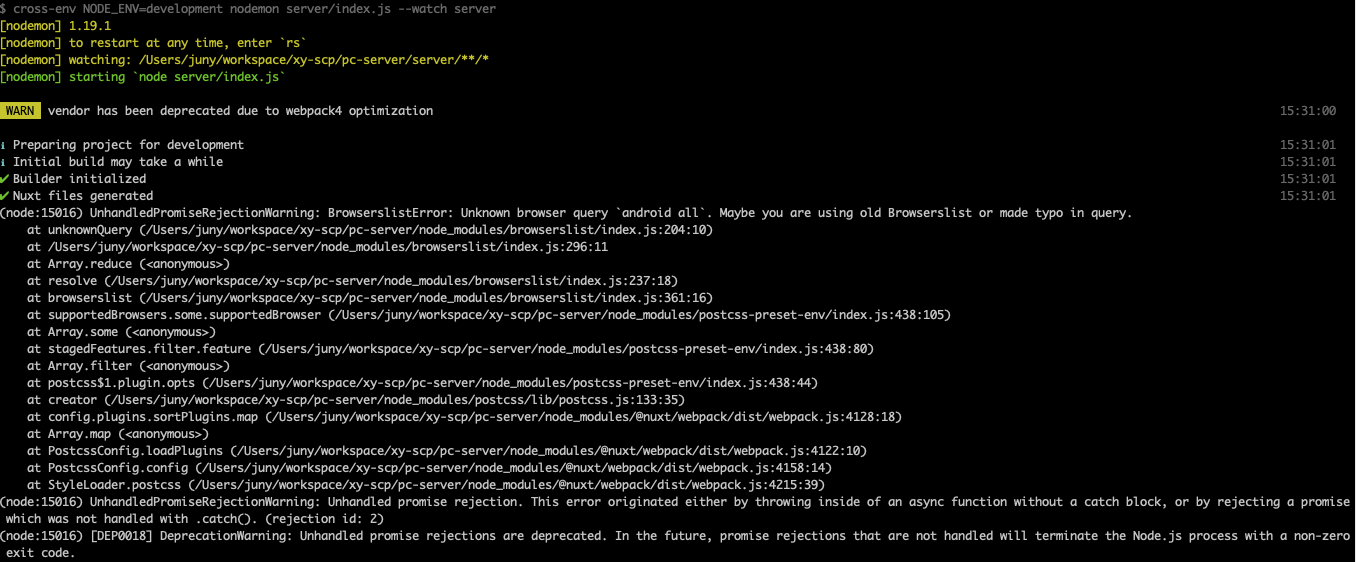
env: npx ^6.9.0 node v10.8.0 npm ^6.9.0
<div align="right">This question is available on Nuxt community (#c9378)</div>About this issue
- Original URL
- State: closed
- Created 5 years ago
- Reactions: 31
- Comments: 21 (4 by maintainers)
Quick fix for now is to add the following to yourpackage.jsonto revert to an older caniuse-lite version:Only works with yarn, not with npmNot advisible anymore due to quick browserlist update
please use 👍 reaction in the first comment instead of
the same.We made a dirty fix in Browserslist 4.6.3 to fix the problem:
https://twitter.com/Browserslist/status/1140911400304467968
consola@2.8.0 released which prevents lots of warnings in the console:
As mentioned by @albertleigh the issue is with the caniuse-lite new version, resolutions fix the issue with yarn and
npm install caniuse-lite@1.0.30000974 --save-dev --save-exactfixes the issue with NPM for now.Pinning version in package.json (as of browser list maintainer also suggested) is not a good idea. Would be better to recreate lock-file or use yarn/npm upgrade.
Closing as regression is fixed.
it is a problem with caniuse-lite https://github.com/browserslist/browserslist/issues/382#issuecomment-503009048