i18n: Breaks styles when using with vuetify (including tag) .
Version
Reproduction link
https://github.com/Lucassith/vuetify-nuxt-i18n-bug
Steps to reproduce
Clone the repo and run yarn install && yarn dev.
Open localhost:3000.
See that the button’s color “fades off” with each refresh. Also you can observe that all of the page changes its style + head tag does not contain all the meta.
You can see how it should look like when you remove “nuxt-i18n” from modules (or entire modules key) in nuxt.config.js.
What is expected ?
Load styles properly.
What is actually happening?
Does not load styles properly. As an example you can observe that button “primary” with text “Test” should be green.
<div align="right">This bug report is available on Nuxt community (#c93)</div>About this issue
- Original URL
- State: closed
- Created 6 years ago
- Reactions: 12
- Comments: 28 (2 by maintainers)
It’s happen after meta refresh in
vue-metahttps://github.com/declandewet/vue-meta/blob/798d5a420cd772022cfb540a195e9aeca3b121a1/src/shared/plugin.js#L94If set
seo: falselooks goodAny update on this issue ?
Hello All,
seo: falseis defenitely not a “fix” but a temporary workaround, as it disables the SEO function of nuxt-i18n. Is there any news on this issue, anything… ?Thanks a lot 😃
+1
vuex: falsesolved the problem will try to find out the reason of this effectsame here:
I have a very similar problem. I’m added nuxt-i18n a then vuetify start failing. I reloading page a only every sixth page reload is good. My primary classes + v-icon not render correctly etc…
google chrome 67.0.3396.99 (64bit)
BAD: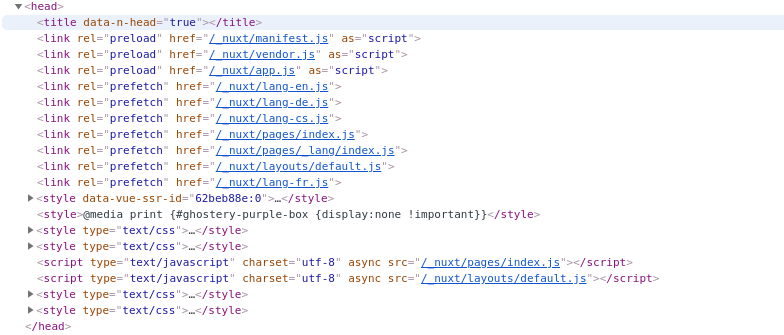 GOOD:
GOOD:

I can’t use Vuetify with this bug … 😞 I’ll try seo: false … etc…
UPDATE: with
seo: falseeverything is fine!why is this issue closed? I still have this problem! seo:false solved it for the moment.
Hi, I’m having the same issue.
From my understanding, this is caused by the nuxt-i18n vuex module registration, but only the first time the page is rendered.
For instance, if
vuex: falseis set in the nuxt-i18n module configuration, then the styling loads properly. The same is also true if we remove theindex.jsfrom the/storedirectory. I suspected that this was exclusive to SSR mode, which could have explained why it only affects the page’s initial render, but it is not the case, as the issue persists even whenmode: 'spa'is set in the nuxt.config.js.@kevinmarrec you’re right.
I’ve just updated to nuxt-edge and can confirm that it does indeed appear to be fixed.
Thanks for the support 👍
in my case, is not helpful
seo: falseandreturn this.$nuxtI18nSeo;in~/layout/default.vue:head()missing
style-id:vuetify-theme-stylesheetandlink alternatesdata.😢 😫
https://github.com/nuxt-community/nuxt-i18n/pull/154 might be a workaround ☺️
Hello, I have the same problem here.
The content of my
headget replaced. But then the some tags are missing like:metatags,linktags that contain the material icons and roboto front,styletag withid="vuetify-theme-stylesheet".If you slow down the internet speed (via Chrome) to Fast or Slow 3G, you’ll see that it works fine. You can see in the Network tab that the
woff2fonts files are loaded before thevendor.jsandapp.jsand the whole page looks OK.