nightwatch: .click() not working occasionally
Sometimes nightwatch.js .click() method works and other times it doesn’t. I even put a .pause() to make sure the button is visible, I also inspect the element (while paused) to make sure it has the correct selector Im using and it does, but it just won’t click the element. Sometimes it does work though, any ideas?
module.exports = { 'Step 8: Search Inventory' : function (browser) { browser .waitForElementVisible('button.searchInventory', 3000) .click('button.searchInventory') .waitForElementVisible('div.newVehicleHeader > h2', 6000) .assert.elementPresent('div.newVehicleHeader > h2') .end();} };
About this issue
- Original URL
- State: closed
- Created 8 years ago
- Reactions: 2
- Comments: 25 (3 by maintainers)
This is not a Selenium-specific bug but a Nightwatch bug. There have been many issues open about click() not working in a consistent manner, but you seem to always close them without any fix. If you don’t want/are unable to fix this bug, please leave it open so that someone else can fix it. As a popular open source project you may have to rely on the community to fix issues.
Please see this answer on the mailing list: https://groups.google.com/forum/#!topic/nightwatchjs/3KXgjq7YiKY. You are reporting an issue with WebDriver/Selenium and not something that we can fix in Nightwatch.
Is it possible the element is not enabled? Does it make sense for Nightwatch to offer
.waitForElementClickablewhich checks visible + enabled?@darrylivan We’ve found this frequently is caused by popups whose appearance isn’t predictable due to e.g. A/B testing. For affected pages, we’ve added an
angryClickcommand, which on a click failure assumes there is some modal DIV capturing events, clicks on the BODY to dismiss it, then retries the click target. (YMMV, use whatever “click outside the popup” event works on your site.) Hope it helps:Thanks @kaueraal for your insight! I was pulling my hairs out over this one! However, I found that
moveToElementwould not always do the trick, so I had to invoke somescrollIntoView()for this one:I can reproduce this consistently as well with the following steps:
This fails with the error that
<html>...</html>would receive the click, but not the intended target.This is caused due to the scrollbars of OSX, which appear when scrolling.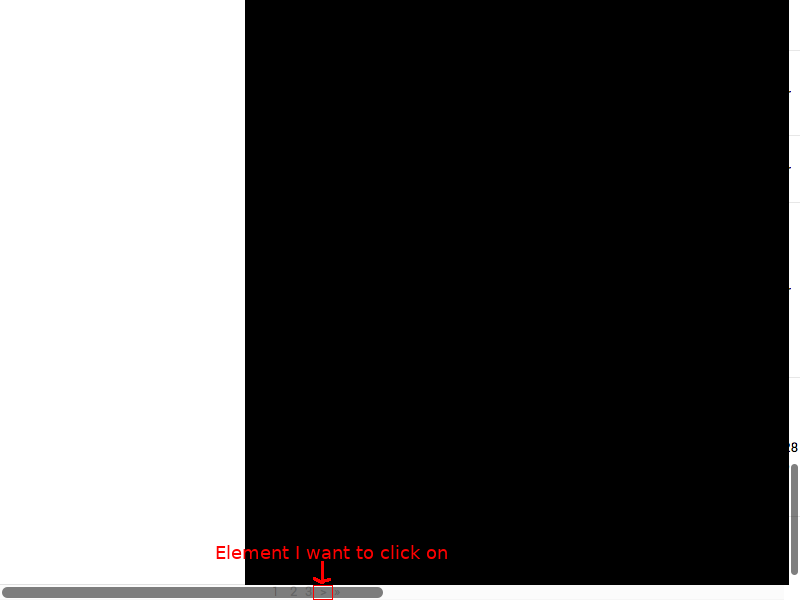
A temporary workaround is to move to the element, wait about a second, and then click on it:
I think you will need the Selenium server log, with
-debug true, showing that either the click request wasn’t received, or wasn’t handled as you expect. (It may even expose the problem.) Here’s one such example:I don’t think this is always the case, though. I have a test where I first verify it is enabled, then wait for it to be present, then click. And the click still fails:
But this passes if I just append a second
.click(selector)to the end. Apparently clicking the element twice is a workaround, at least in this case.