phpmon: `/usr/local/bin/which` causes `which` command of `valet` to fail and prevents PHP Monitor from starting up correctly
Describe the bug
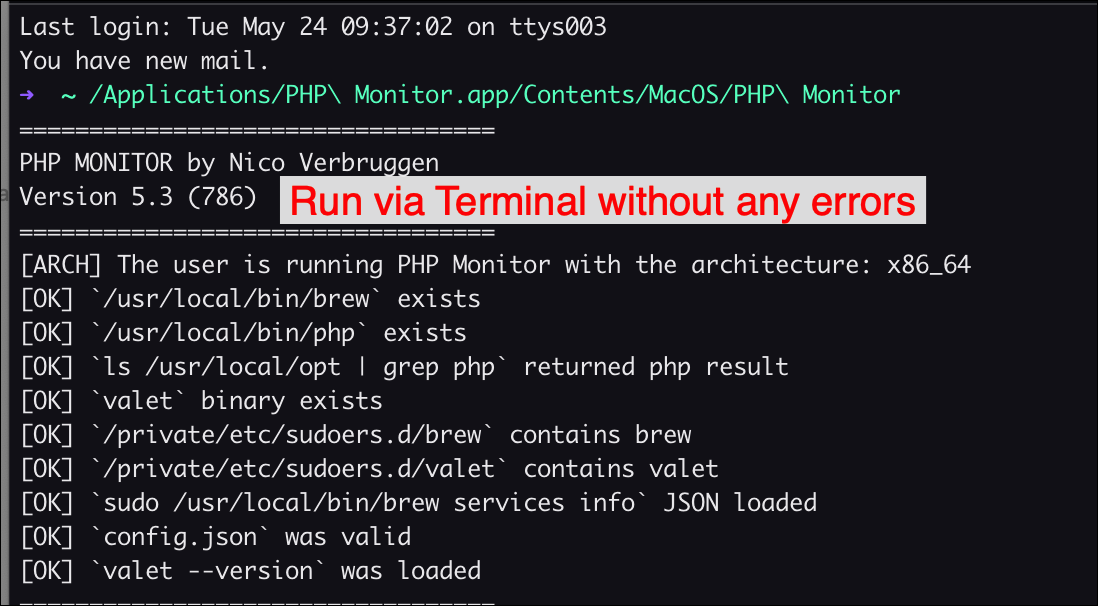
I could not start PHPMonitor from application menu. But it can be started by calling from Terminal command without any error message popup like this:
/Applications/PHP\ Monitor.app/Contents/MacOS/PHP\ Monitor
To Reproduce Steps to reproduce the behavior:
- Just find PHPMonitor from Alfred
- Open App
- Got Error message appear
- See screenshots
Expected behavior It cannot start normally, but can start from Terminal without any error messages.
Screenshots See screenshots.
Required information
- Did you consult the FAQ in the README? [yes]
- Did you try “Fix My Valet”? [yes]
- OS: macOS Monterey 12.4
- PHP Monitor version 5.3 (786)
- Tried to click on “Retry” button in screenshot but error message still throw out.
Additional context


About this issue
- Original URL
- State: closed
- Created 2 years ago
- Comments: 24 (11 by maintainers)
Commits related to this issue
- 🔧 Extra verbose logging to file (#174) — committed to nicoverbruggen/phpmon by nicoverbruggen 2 years ago
- 🔧 Always log the output without --v (#174) — committed to nicoverbruggen/phpmon by nicoverbruggen 2 years ago
- 🐛 Alert user about issue #174 — committed to nicoverbruggen/phpmon by nicoverbruggen 2 years ago
Thank you for helping me run PHPMon normally. I really like this app and use it everyday. Your app was good and keep up good work. The developer need this for their life. I will recommend PHPMon to my friends too.
And again, yah thanks bro.
OK, and what happens if you run
valet --versionin your regular terminal? I assume that works as expected?Tonight, I will make a debug build that logs the launch info to a temporary file, no matter whether launched normally or via the terminal. That should help us figure out what’s going wrong, but it’ll take a bit for me to set that up. I’ll keep you posted! Thanks for following along and helping me debug this so far. Hopefully we can find what’s causing this eventually 😄