mlflow: 404 when executing `mlflow ui` from mlflow repos root folder
System information
- Have I written custom code (as opposed to using a stock example script provided in MLflow): No
- OS Platform and Distribution (e.g., Linux Ubuntu 16.04): Mac OS X 10.12.6 (Sierra)
- MLflow installed from (source or binary): binary
- MLflow version (run
python -c "from mlflow import version; print(version.VERSION)"): 0.2.1 - Python version: Python 3.6.6 :: Anaconda, Inc.
- **npm version (if running the dev UI): N.A
- Exact command to reproduce:
git clone https://github.com/databricks/mlflowcd mlflowpython example/tutorial/train.pyto execute a trainingmlflow ui- Open
localhost:5000in browser
Describe the problem
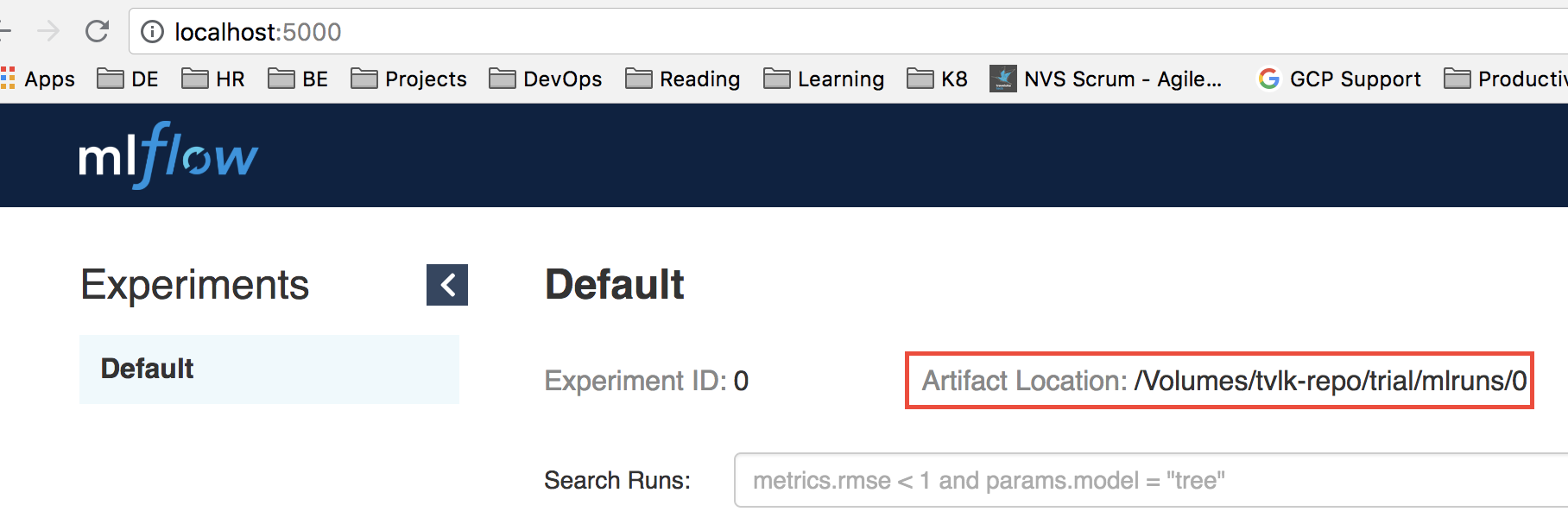
Localhost:5000 returns 404. Here’s the screenshot:

In above case, the root folder of code is /Volume/tvlk-repo/trial/mlflow, and the mlruns folder generated by training execution is in /Volume/tvlk-repo/trial/mlflow/mlruns
Interestingly, when I change the other directory and execute mlflow ui, I can access the dashboard.
Source code / logs
Output from mlflow ui in command line:
(mlflow-exp) ip-10-10-177-11:mlflow arinto$ mlflow ui
[2018-06-29 10:18:46 +0800] [15782] [INFO] Starting gunicorn 19.8.1
[2018-06-29 10:18:46 +0800] [15782] [INFO] Listening at: http://127.0.0.1:5000 (15782)
[2018-06-29 10:18:46 +0800] [15782] [INFO] Using worker: sync
[2018-06-29 10:18:46 +0800] [15785] [INFO] Booting worker with pid: 15785
[2018-06-29 10:19:27 +0800] [15782] [CRITICAL] WORKER TIMEOUT (pid:15785)
[2018-06-29 10:19:27 +0800] [15785] [INFO] Worker exiting (pid: 15785)
[2018-06-29 10:19:28 +0800] [15794] [INFO] Booting worker with pid: 15794
[2018-06-29 10:27:25 +0800] [15782] [CRITICAL] WORKER TIMEOUT (pid:15794)
[2018-06-29 10:27:25 +0800] [15794] [INFO] Worker exiting (pid: 15794)
[2018-06-29 10:27:25 +0800] [15848] [INFO] Booting worker with pid: 15848
About this issue
- Original URL
- State: closed
- Created 6 years ago
- Comments: 19 (10 by maintainers)
Commits related to this issue
- Merge pull request #101 from criteo-forks/disable_unused_travis_tests disable tests to avoid travis timout — committed to jdlesage/mlflow by jcuquemelle 4 years ago
- Added Card Title and Modified Page Title for Step Cards (#101) Signed-off-by: jinzhang21 <jin.zhang@databricks.com> — committed to dbczumar/mlflow by jinzhang21 2 years ago
Found the solution, you have got to change directory first : The documentation is unclear, you just need to clone the examples not the whole repo.
I found also this issue. Cloned the repo, followed documentation, mlruns folder is created in the repo, then I run mlflow ui, and my browser can’t access it. Solution was to move mlruns folder out of the repo, then I could run mlfow ui and access it from the browser.