argon40: Invalid config
Version of the custom_component
VERSION = "0.0.1"
Configuration
argon40:
Describe the bug
Followed the instructions copied the argon40 folder to custom_components, added argon40: to configuration.yaml.
Reboot HA, received Invalid config notification when reboot completed.
Debug log
Log Details (ERROR)
Logger: homeassistant.setup
Source: custom_components/argon40/__init__.py:79
First occurred: 5:29:52 PM (1 occurrences)
Last logged: 5:29:52 PM

Error during setup of component argon40
Traceback (most recent call last):
  File "/usr/local/lib/python3.8/site-packages/smbus/smbus.py", line 81, in open
    self._fd = os.open(path, os.O_RDWR, 0)
FileNotFoundError: [Errno 2] No such file or directory: '/dev/i2c-1'

During handling of the above exception, another exception occurred:

Traceback (most recent call last):
  File "/config/custom_components/argon40/__init__.py", line 38, in async_setup
    bus = SMBus(1)
  File "/usr/local/lib/python3.8/site-packages/smbus/smbus.py", line 56, in __init__
    self.open(bus)
  File "/usr/local/lib/python3.8/site-packages/smbus/smbus.py", line 83, in open
    raise IOError(e.errno)
OSError: 2

During handling of the above exception, another exception occurred:

Traceback (most recent call last):
  File "/usr/src/homeassistant/homeassistant/setup.py", line 193, in _async_setup_component
    result = await asyncio.wait_for(task, SLOW_SETUP_MAX_WAIT)
  File "/usr/local/lib/python3.8/asyncio/tasks.py", line 483, in wait_for
    return fut.result()
  File "/config/custom_components/argon40/__init__.py", line 79, in async_setup
    address,
UnboundLocalError: local variable 'address' referenced before assignment
Home Assistant has started!
About this issue
- Original URL
- State: closed
- Created 4 years ago
- Comments: 18 (4 by maintainers)
Got I2C enabled! I can hear the fan running now, haven’t done any automation for it yet.
It’s a mix between all these: https://github.com/Misiu/argon40/issues/1#issuecomment-657207579 this: https://www.home-assistant.io/hassio/enable_i2c/ and finally this: https://github.com/home-assistant/operating-system/blob/ec6f7978b52823098c3d555f14c6097d0eb33916/Documentation/configuration.md#automatic
So this is what I did: Format a USB stick with FAT32/EXT4/NTFS and name it
CONFIG(in all capitals)In the root of the USB drive add a folder called
modulesInside that folder add a text file called
rpi-i2c.confwith the following contents:If you are using a Windows machine make sure it does not save as
rpi-i2c.conf.txtIn the root of the USB drive add a file called
config.txtwith the following contents:If you are using a Windows machine make sure it does not save as
config.txt.txtInsert the USB drive into your Raspberry Pi. Now go to your Home Assistant web interface, in the sidebar click Supervisor > System.
Now click
Import from USB.Reboot Host, don’t take out the USB, leave it plugged in the whole process. Do note, Reboot Host and not reboot HA.
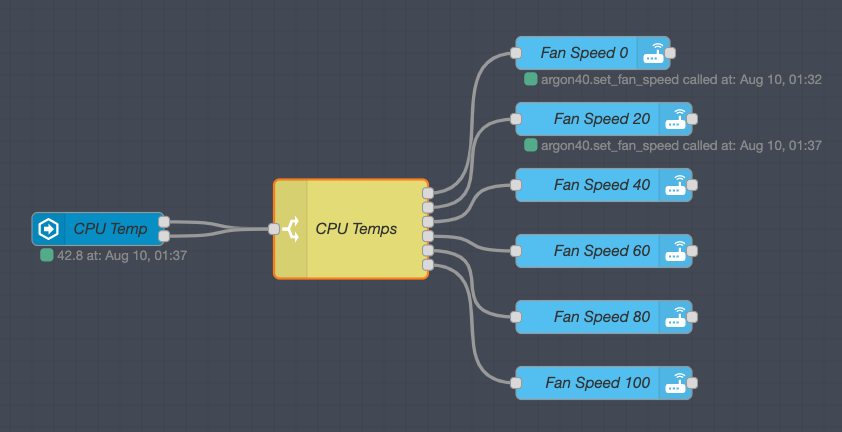
Thank you so much @Misiu working great with Node-Red: