WSL: WSL2 localhost forwarding doesn't seem to work
-
Your Windows build number: Microsoft Windows [Version 10.0.19008.1000]
-
What you’re doing and what’s happening:
Running Ubuntu 18.04 with WSL 2 enabled. For example running in Powershell
PS C:\Users> wsl --list --verbose
  NAME            STATE           VERSION
* Ubuntu-18.04    Running         2
Within a terminal for WSL2, I run a simple python HTTP server
❯  python -m http.server
Serving HTTP on 0.0.0.0 port 8000 (http://0.0.0.0:8000/) ...
Then, trying to access the server from chrome within windows at localhost:8000. I get a “site could not be reached error”
- What’s wrong / what should be happening instead:
I believe it should be working since WSL2 supports forwarding. Unfortunately, I’m not familiar enough with the netstack between windows + WSL2 to diagnose. Let me know if I can provide more info. Thanks!
About this issue
- Original URL
- State: closed
- Created 7 years ago
- Reactions: 88
- Comments: 209 (10 by maintainers)
Same! Went to bed with a functioning localhost:3000 and woke up without.
If anyone is still experiencing this problem, try to run this command from PowerShell
wsl --shutdownand then start up wsl again.Can confirm running on the latest Windows 10 Insider Preview 18536.1000 broke the localhost binding between WSL2 and the host. This was previously working for me before.
To reproduce:
On your WSL2 machine, as @meatherly pointed out:
nc -lk 0.0.0.0 3000Attempt to access that machine using your favorite browser on your host Windows OS at
localhost:3000, you’ll see no activity.Then, determine the WSL2 IP, which will generally be visible using
ifconfigand looking for the IP assigned toeth0(depending on your setup). Using that, go back into your browser at[ipaddress]:3000. You’ll see thenccommand now reports activity.It appears the localhost binding between WSL2 and the host OS broke in the most recent release.
Why is this closed?
This started happening to me recently. I’m currently running:
I don’t know why but vscode and wsl2 are having networking problems. When I get one working the other stops. 😢
https://github.com/microsoft/vscode-remote-release/issues/2060
I think a network reset followed by a reboot worked for me. ( Settings > Network & Internet > Network Reset )
Why are there still 10 different threads on this going back 6+ months? Every thread has a different solution - not to mention dozens of blog and forum posts… This is ridiculous - it’s localhost forwarding between a VM and host system. Microsoft cannot expect to be taken seriously by the Linux community if they can’t get this stuff right.
Had the same issue, was able to resolve by restarting entire WSL stack using this command as admin:
Get-Service LxssManager | Restart-ServiceStopping and starting the offending WSL instance did not seem to do the trick.
wsl -t <name>This is running WSL2 in newest 2004.
For anyone interested, while this get fixed, you can use the output of this in place of localhost to continue working with your wsl2 hosted servers:
Thank you a lot, worked for me too
For me, nothing helped, but turning off “IP Helper” service in Windows.
Can we re-open this?
I suddenly have this issue. And nothing mentioned above has helped so far 😢
Here, only works after wsl --shutdown
For me it was enough to restart the WSL2 environment, I did not need to
LxssManager(does it happen implicitly in my case?).today I have the same issue and after
wsl --shutdownwork againHi folks, this is an issue that has been fixed in the latest Windows Insiders builds, which is why it’s marked as closed. We are investigating backporting this fix to earlier versions of Windows to help address it for users not on the Windows Insiders program, but don’t yet have an ETA on that (once we do we’ll ping this thread!). We also hear your feedback that we need a better way to communicate that status, and I’ll start thinking of a way to do that.
wsl --shutdownto reboot wsl seems to work but after machine restart reverts backs to broken state. For now I use the actual ip address (lookup viaifconfig) . Any one want to reopen the issue?None of the solutions here work for me, unfortunately. I can’t wrap my head around how such a basic thing might be shipped broken.
Restarting
LxssManagerfrom windows services worked for me. I hope it keeps on working 🤞In my case, Docker Desktop installed was causing the issue. After uninstalling it, it worked.
To show addresses and ports configured in portproxy:
To reset portproxy config(if you saw above a list of addresses and ports it now will be deleted)
In my case, I had a few entries forwarding 0.0.0.0 to the old wsl2 IP(previous attempts). Obviously, nothing worked except calling the new IP directly.
My remaining problem is to make my external IP get forwarded to the wsl2 IP. I managed to make it work with the windows installation configuring my router. But the same does not work for the WSL2 internal IP.
OS Name: Microsoft Windows 10 Pro OS Version: 10.0.21359 N/A Build 21359
I encountered this issue today.
wsl --shutdownis a workaround. This should be fixed.This problem is almost a year old. no clear guide on how to fix, nor a decent solution from MS. MS messed up again. I’m rolling back to WSL 1
Agreed. Ran in to this this morning (out of nowhere).
To resolve the issue I had to reboot WSL:
Get-Service LxssManager | Restart-ServiceAgain, generally localhost worked fine when running apps. I did however have to manually add the WSL IP to my window’s host file so that all ports worked as intended.
My process currently looks like:
ifconfigwithin WSL to get my IPwsl -t Ubuntu-18.04ifconfig(C:\Windows\System32\drivers\etc\hosts)cat /etc/hostsHope this helps!
I am on 19041.207
A couple of weeks back I was able to start a webserver on port 3000 under WSL2 and access it with Chrome. Yesterday I went to run that server again using port 3000 (then I tried 8080) but getting connection refused. Tried Firefox & Edge as well. Then went searching for known problems and got to this thread.
It is a pity that WSL2 keeps breaking in such important ways. I am having to revise our plans to switch to WSL2 for development at work. WSL2 is just not reliable enough. It seems we can’t trust it to remain stable. Not being able to run systemctl cmds was bad enough, but not being able to access servers kills it.
I need help with WSL Ubuntu 20.04. I have one record in windows hosts file
127.0.0.1 mysite.dev. I run WSL2 and a simple docker container with nginx and php site with default port forwarding 80:80. nginx config inside the docker is likeWhen I
curl http://mysite.devfrom WSL terminal - site is working. When I curl from powershell or try to open this site in a browser - it fails withFailed to connect to mysite.dev port 80: Connection refusedandERR_CONNECTION_REFUSED. But when I go tohttp://localhostvia windows browser or curl - the site is available… How is it working? How to access this webserver with mysite.dev link from windows? Windows Firewall is stopped in this sessionLocalhost forwarding is only working on Microsoft Edge. Not on Firefox and not on Chrome. Sounds like a thing Microsoft would intentionally do to make us give their garbage browser another try.
I normally don’t like to indulge in conspiracies like that, but closing this issue without a reason raises suspicion, especially coming from Microsoft.
Any updates on this? I see this issue is closed but many people, including me are still facing the problem with wsl2
Even though this issue is closed already, I would like to let people know that I just found out what the issue seems to be. By the way: I also started resetting my network adapters and tried a lot of different things.
As others have mentioned, navigating to http://localhost/ on Windows indeed displays a website (Ubuntu Apache default page in my case). So in my Windows hosts file I added the following line:
Now navigating to http://www.mydomain.com/ still didn’t work (as others mention). Then I saw the following in the comments in the hosts file:
And so I tried this instead:
And it works!!
@ensnared - a fix for this particular issue is incoming.
everything was working fine then suddenly this… just commenting and following. hopefully this gets resolved soon.
When I run
nc -lk 0.0.0.0 3000 | bashI get no activity when I try to connect to it using chrome on the windows side.I am also experiencing this issue. I think it should be reopened until the fix. The PowerShell command to restart the service does not solve the issue for me.
Experiencing similar issue. Went to bed with it working last night, and today… dololo.
Microsoft, please fix.
[EDIT] Suggestion by @khanhhuy worked for me. Running
wsl --shutdownand starting it up again resolved the issue (for now -_-)[EDIT2] It seems I have to restart WSL everytime I boot up now
Encountered this issue on 19041.208. Cannot reach WSL2 services from Windows-land after system started, have to reboot to make it work every time.
Can we reopen this issue to keep it tracked?
Same, broken on 19041.
As a reply to myself and others looking to solve this issue. For me the solution was to turn off fast startup on windows. https://www.tenforums.com/tutorials/4189-turn-off-fast-startup-windows-10-a.html
Fixed it. Had the same issue. Uncommenting these 2 line at the end of windows hosts (in C:\Windows\System32\drivers\etc) file did it for me.
Dev server was running in WSL on localhost:8000 and worked fine until today. Tried restarting WSL, following other’s suggestion but nothing seemed to work. It worked after uncommenting those 2 lines.
Any ideas why localhost would work but not 127.0.0.1 or any other alias that points to that loopback IP?
Randomly happened for me, I need to restart the WSL
wsl.exe --shutdownRestaring
LxssManagerworked for me, but looking forward to a solution to the problemThe only solution that works for me is to run
ipconfig /flushdnsfrom windows terminal and then restart the computer. Try with it, is a workaround but should worksI have not seen this problem for a long time but it started again two days or so ago. I always have the problem after oppening the ubuntu. I am using wsl2 on windows 2004 1941.928. isn’t there any permenent solution to this issue yet?
I genuinely can’t believe this worked for me! I guess the old “turning it off and on again” trick works here too lol. Thank you very much, now I can get on with development for the day.
Quite odd though. It seems others say it only works sometimes. If this fix truly is temporary, then yeah, this issue should remain open. Time will tell if I also keep having issues.
I thought that was a joke, but it really helped!
https://github.com/microsoft/WSL/issues/4636#issuecomment-660352990
To everyone subscribed on this thread: Turn off Fast Startup.
Until the bug is fixed turning off Fast Startup seems best solution for now on build 19041. https://www.tenforums.com/tutorials/4189-turn-off-fast-startup-windows-10-a.html
This worked for me !! I tried resetting the network but to no avail. But found out that 0.0.0.0 was in use by some unknown program. So, I terminated it and voila.
I am currently experiencing this issue too and none of the solutions above work for me.
worked for me
I’m having the same issue after upgrading to WSL2 and installing docker desktop. None of the above solutions worked.
Just broken mine by upgrading wsl to wsl2. However thanks for @mo3rfan for the Windows Network reset which did fix the problem for me as well (though “Reset network” was a bit hard find from settings / control panel as in Finnish language synonym was used - “Verkon määritys uudelleen”).
Same for me here.
wsl.exe --shutdowndid the trick. But it’s still a trick … That should be fixedI’m facing same issue - sometimes
localhostworks correctly as expected, ad sometimes not. Restarting WSL2 sometimes helps - and sometimes not. Looks like some concurrency issue when booting WSL2.Bugs happen, that’s fine. But why this ticket is closed - I cannot understand 🤔
For Docker for Windows users:
I had the same issue but noticed that ports exposed by docker did work, just the non docker ports did not function correctly. In my case I could manually add the required port forward.
Example for port 8000 With 172.20.69.160 as the ip for Ubuntu LTS (wsl) (you can find the ip by running
ip a | grep 172.in the wsl environment)netsh interface portproxy add v4tov4 listenaddress=127.0.0.1 listenport=8000 connectaddress=172.20.69.160 connectport=8000Same issue here. WSL localhost:80 was not accessible after starting Windows today. This happened the other day as well, seems somewhat random and not a persistent issue.
Restarting WSL via powershell then starting my services within WSL got it sorted out.
Get-Service LxssManager | Restart-ServiceIf I continue having this issue I may try turning off the fast boot option.
until then , we think this issue should be opened
Why is this issue closed?
Windows 10 Build 19041.329
Однажды и у меня встал вопрос в использовании WSL. Linux устанавливать не хотелось, а сервер написанный на node js не хотел запускаться нормально из под Windows, даже cross-env не помог, какие-то свои нюансы там были. Ознакомился с гайдом, узнал что WSL2 вроде получше первой версии, и решил сразу с неё всё запускать, установил Ubuntu, nvm, node, yarn и зависимости к проектам. Всё как положено.
Запускал back-end через WSL терминал и он начинал прослушивать порт 8081, а front-end (react dev server) запускал из под Windows. Он должен был подгружать данные из сервера. В браузере открывал localhost:3000, он обращался к localhost:8081 который запущен на WSL, и в результате connect ECONNREFUSED. Читал подобные обсуждения, искал решение, очень долго. Переключил Ubuntu на версию WSL 1. После этого всё заработало. Но при запуске back-end выводилась ошибка прослушивания порта 0.0.0.0:49181, которая не влияла на работу сайта, но присутствовала. Зато front-end спокойно подключался к back-end через localhost как я и хотел.
Потом я решил переключиться обратно на WSL2 и запустил front-end и back-end там, вместо того чтобы запускать только back-end. А в браузере Chrome из под Windows открывал не localhost:3000, а узнал IP адрес виртуальной машины WSL, делается через терминал командой ifconfig или ip addr | grep eth0, после этого начал открывать в браузере его http://172.30.57.223:3000/ - такой адрес получился. Ещё стоит заметить что когда я запускал на WSL2 front-end для которого сервер не нужен то localhost:3000 в Google Chrome открывался, но долго. Если узнать IP адрес Linux и использовать его то будет быстро.
Но всё равно, сам сайт открытый в Chrome не может послать API запрос на localhost:8081 или 172.30.57.223:8081, поэтому похоже что придётся сидеть на WSL1. Это какой-то абсурд. То есть react dev server запущенный на WSL2 может посылать запросы на localhost:8081 который тоже запущен на WSL2, а Chrome с открытым сайтом не может. xD Проверил на WSL1 и всё работает, localhost:3000 посылает запросы к API которое запущено на WSL и прослушивает localhost:8000. Много слов, но так надо. WSL2 sucks.
@renatop7 Take a look at this https://docs.microsoft.com/en-us/windows/wsl/compare-versions#additional-networking-considerations
Servers running in WSL2 should work fine if they are bind to 0.0.0.0 instead of localhost/127.0.0.1
We’re tracking the fast startup issue in #5298.
I got an update 2 days ago and port 3000 is working again, but, as said, will not be recommending WSL2 as a serioys dev tool because it keeps breaking and in important ways, and we never really find out why.
For us professional developers, this is just not good enough. I will not be betting my business on the reliability and stability of WSL2, and that is a shame.
Enabling sandbox and hypervisor made the issue less frequent, but it still happens after a few hours. Restarting WSL or LxssManager works.
I first encountered the issue on 19041.
This worked for me like a charm! Really appreciated!
Broken on 19041
localhost not working on build 19592
I promise it worked for me yesterday, today it doesn’t work!
Today’s build: 19041
EDIT: after a reboot, one of them works (I am running a Hadoop docker image). I can access some ports like 50070 (HDFS UI) but not others (9001 for Apache Zeppelin). I get a 404 error :S
recently chrome added a change that forces all traffic to https. Try accessing localhost in firefox or setup ssl in your webserver for localhost.
@asleepace I’m here because I’m also experiencing the issue. Like you, I have concluded that
networkingMode=mirroredseems to be a contributing factor. Unfortunately, we will need to open a new issue to get this fixed.I’ve been using WSL 2 for a while already, the issue just appeared this week for me. Reset network helped! Thanks a lot @mo3rfan and @haapakanni.
This worked for me!
I have this problem too.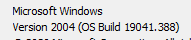
If I run wepack dev server from wsl2 (ubuntu 20) command line i see:
But the browser can not access it.
If I run the same from wsl2 within vscode instead it all works perfectly.
If I run it with any other port or host it doesn’t work even via vs code.
If i run on a different port I get:
Error: listen EADDRINUSE: address already in use 127.0.0.1:8107Tried turning off windows firewall.
Can only run webpack dev server with the default settings only via vscode.
I totally agree with Omarrhan, I go back to Linux with my students. it’s just incomprehensible.
The solution from @nowlena seems to work.
But the stargane thing that yesturday I was able to just open localhost to see the web page from WSL 2
But today, i need to open exact addess from
ifconfige.g. http://192.168.78.32/ to see page from WSL2No changes were applied to /etc/hosts on both windows and wsl2
Currently on my machine on build 19592.1001 it appears that localhost only works with ports 4754 and above.
If you are having trouble with a nodejs app that utilizes react-scripts, set the environment variable PORT to your desired port number:
export PORT=8888Other applications should have similar support for setting the port.
Any news about this?
I’m getting tired of having to restar Lxss everytime.
Seems like things work as expected on higher ports (3000, 8080) but not on lower ones (80, 443).
Not 100% what the issue is but the fix was manually adding my IP to my windows hosts file (C:\Windows\System32\drivers\etc\hosts):
Windows Sandbox&Windows Hypervisorfeatures did not fix the issueBuild Info:
Try to enable
Windows Sandbox & Windows Hypervisoron Windows featuresNah 10.0.19546.1 allow connect to ports from windows but wsl can’t reach windows ports…
looks like this is the issue - https://github.com/microsoft/WSL/issues/4769
Sometimes works and sometimes not after Windows restart.
After uninstall Docker the issue still persists. It works for you by lucking.
This was the only solution that worked to me, before restart and even after restart Windows. After running wsl --shutdown command the Docker notify that the WSL 2 backend is stopped and ask if I want to restart it. After Docker restarting the WSL 2 backend, localhost forwarding started working again. Looks like Docker is initializing WSL2 with the right gateway subnet mask.
Just as a bit more info on this. I encountered this issue after an update of VSCode Insiders Preview (1.55.0), then I switched to the normal VSCode (1.54.3) and the issue was gone. At least until today, when after a restart it appeared again (this was also after happened after VSCode updated itself) and fortunately a network reset solved my issue, but the issue might be caused by VSCode packages on the VM.
This also worked for me, even after full PC reboot, at least it-s working now…
I’ve spent the past hour trying to figure out why I can’t load localhost. Thank you so much. I thought no way this would resolve it but you definitely proved me wrong.
Same issue, posted about this 9 days ago, my original post is 3 above this one.
For my system I ended up turning off the fast boot option a week ago and have not experienced this issue since doing that.
On Windows insider build 20197. Tried restarting LxssManager, uncommenting the entries in hosts file and also the wsl --shutdown command. None of these fixes the port issue anymore.
Update: It’s working fine after a reboot.
Starting my webpack server from VSCode opens
127.0.0.1:8081rather thanlocalhost:8080(port 8080 is not in use and does not work), why is this redirecting?To add, starting my
localhostserver in Windows Terminal or WSL terminal both fail to work in Edge and Firefox.This is the only solution I have found to work: https://github.com/microsoft/WSL/issues/4150#issuecomment-504209723
is it normally that localhost works but not 127.0.0.1? Here that is situation on ubuntu, but on debian it doesn’t work until Lxss is restarted. Interestingly for different distros different situation.
I have been having similar issues but with the addition of trying to access a ssh and web servers in WSL2 from another machine on my local network at home. The long of the short is that in Windows 10, localhost does NOT equal 127.0.0.1 by default. It is set to the v6 address [::1]. but most of the port forwarding how to on the internet specify “netsh interface portproxy” using v4 only.
What I found to work in my instance was to the following (ssh example):
netsh interface portproxy add v4tov6 listenport=22 listenaddress=192.168.x.y connectport=22 connectaddress=localhost where 192.168.x.y is the v4 ip address of my uplink interface to my Lan. I think it can also be set to 0.0.0.0 to listen on all network adapters.
The same would be for web access using port 80. Hope this helps someone.
True, i am facing same issue . Running python and node on wsl2 (ubuntu 20) , i can use edge to connect but chrome or Firefox . The symptom is : in Ubuntu (wsl2), api-server reponses ok(200) , but the firefox/chrome network tab always stay at ‘pending’ state . But in Edge, everything works well even though all browsers are based on Chromium. It is bug or “Microsoft feature” to force us to use Edge ( i am wondering ).
Wanted to point you guys to this thread: https://github.com/microsoft/WSL/issues/5298
Apparently there is a bug in WSL2 where this exact behaviour happens when you have Windows Fast Startup enabled.
Turning Fast Startup off worked for me, this no longer happens. (alternatively just restarting WSL also fixes this). Hopefully soon this bug will be fixed and we can turn Fast Startup back on.
I went to bed yesterday with access to
localhost:2222… today I’ve woken up toconnection refused.@renatop7 unfortunately, I had to revert to wsl 1.
the @glenmcrae solution works. But after execute the command, Docker Desktop I couldn’t start the distro “docker-desktop-data” I had to manually start it with the command
wsl -d docker-desktop-datathen restart docker dekstopTurn off the firewall and then turn it on.
I started getting “The connection was reset” error all of a sudden for WSL2 Ubuntu. Restarting WSL/Lxss manager didn’t help. However running the script from https://github.com/microsoft/WSL/issues/4150 seems to have resolved the issue.
It might be related to windows firewall, I have no idea what was the exact cause or solution, I’m just leaving this information here in case somebody is desperate. Your mileage may vary.
note: you have to modify the script to list the exact ports you want to use
EDIT: It turns out that running that script locally was the start of my woes, removing all port forwarding rules that were set with it fixed the issue. I believe it’s because the script rerouted all my traffic and caused it to be checked by firewall which then blocked it.
Encountered the same issue. Yeah, restarting WSL or the LxssManager helps, but I have to do it everytime I start my PC after shutdown. It’s really annoying.
@alchudry enable sandbox & hypervisor, restart it, and it worked like a charm, my version 19041.172
@thisguychris Same here on 19592.
I confirm what thisguychris said, localhost domain doesn’t work on build 19592
It’s ok if we use WSL2 IP.
Right now i have this build. and i am facing issue in this build. This is the latest build so far i guess.