WSL: WSL [--set-version] fails with message 'Element not found' when converting to WSL 2.
Environment
Windows build number: [run `[Environment]::OSVersion` for powershell, or `ver` for cmd]
Your Distribution version: [On Debian or Ubuntu run `lsb_release -r` in WSL]
Whether the issue is on WSL 2 and/or WSL 1: [run `cat /proc/version` in WSL]
Windows build number: Win32NT 10.0.19041.0 Microsoft Windows NT 10.0.19041.0
Current WSL1 Distro: Release: 20.04
WSL Distro version: Linux version 4.4.0-19041-Microsoft (Microsoft@Microsoft.com) (gcc version 5.4.0 (GCC) ) #1-Microsoft Fri Dec 06 14:06:00 PST 2019
Steps to reproduce
After performing the WSL 2 upgrade using the guide: https://docs.microsoft.com/en-us/windows/wsl/install-win10
I checked my current distributions.
❯ wsl -l -v
  NAME      STATE           VERSION
* Ubuntu    Running         1
Then i ran the update command to set the current Ubuntu distro to WSL 2.
> wsl --set-version ubuntu 2
Conversion in progress, this may take a few minutes...
For information on key differences with WSL 2 please visit https://aka.ms/wsl2
Element not found.
Then it fails with the message.
Expected behavior
The upgrade should succeed and the Distibution should be converted to WSL 2.
Actual behavior
The upgrade fails and the Distibution stays WSL
Log files
I’ve provided the etl trace files. set-version etl logs.zip
About this issue
- Original URL
- State: closed
- Created 6 years ago
- Reactions: 2
- Comments: 21 (1 by maintainers)
We acknowledge the issue and we are actively working on it. I’ll update this thread when we’ll have more information.
Mine was working fine after restart it stop working. I reinstalled package from https://aka.ms/wsl2-install What to do?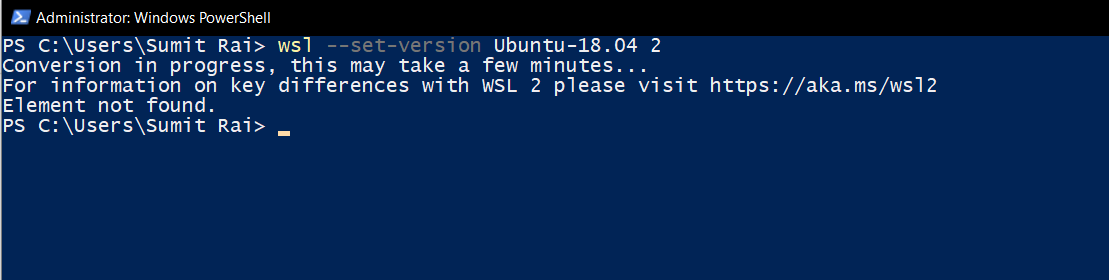
I was able to overcome this error by uninstalling any network component (such as VPN client). I could also see within Hyper-V Manager whenever I created a new virtual machine that opening network settings was taking a long time, and after that time nothing appeared. Maybe your situation is similar.
Yes. Now works fine. After updated Windows 10 and WSL. My distro still works on WSL1. I’m uninstalled my distro, then installed back. After this quick step my distro works on WSL2. Thanks all …
I think yours works 👍 Do a
wsl -l -vto see the versions