WSL: Solus distro imported from WSL always receives the same error "FATAL: kernel too old"
-
Windows build number: Microsoft Windows [Version 10.0.18362.449]
-
What you’re doing and what’s happening:
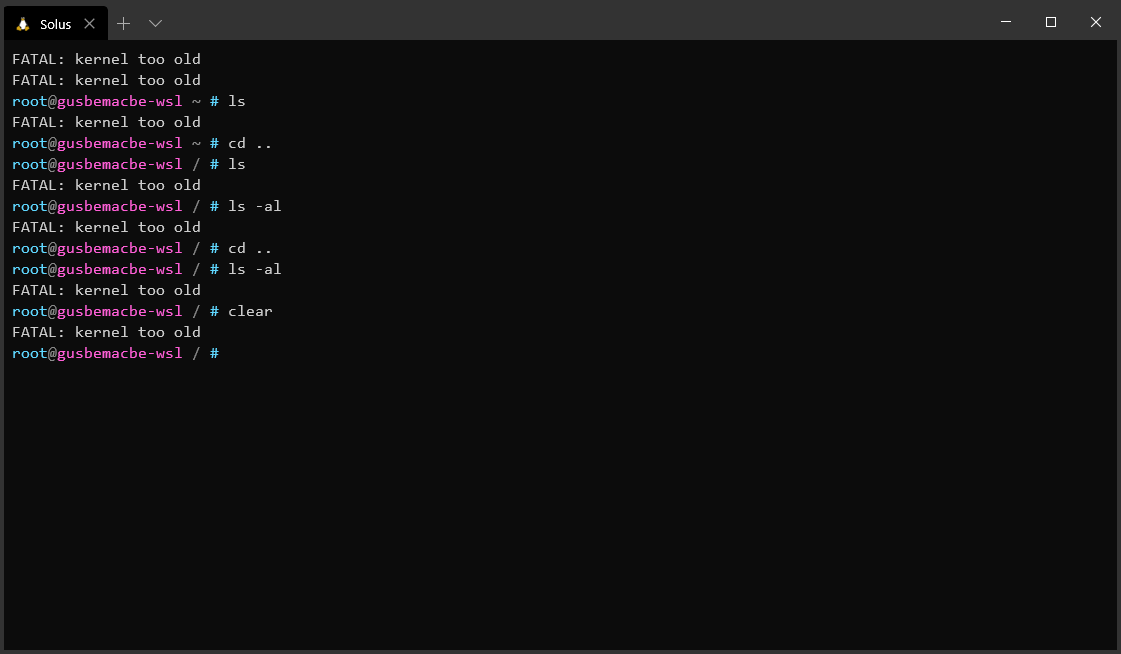
- What’s wrong / what should be happening instead:
Solus should have the same native glibc and same native Windows’ Linux kernel that other unofficial distributions have, and which worked successfully.
-
Detail
-
1st case:
- I downloaded and extracted an ISO of the latest Solus distribution version, and mounted an rootfs image, compressing as .tar or tar.gz;
- I imported a Solus distribution from WSL or from https://github.com/yuk7/wsldl, received that error. I thought that, because it was an ISO.
-
2nd case:
- I created a virtual machine of Solus, upgraded the glibc and Linux kernel;
- I converted .vdi to .img;
- I mounted the .img and compressed the root tree as
.tar.gz - I imported a Solus distribution from WSL or from https://github.com/yuk7/wsldl, received that error. I thought that, because glibc and kernel were missed, and I had an idea.
-
3rd case;
- Docker’s Solus image does not have that error, so I created a container of Solus, and exported as
rootfs.tar.gz - I imported a Solus distribution from WSL or from https://github.com/yuk7/wsldl, received that error.
- Docker’s Solus image does not have that error, so I created a container of Solus, and exported as
Reference; https://github.com/yuk7/wsldl/issues/46
About this issue
- Original URL
- State: closed
- Created 7 years ago
- Comments: 32
Solus is not based on Ubuntu, so the steps you provided for compilation of the kernel, while appreciated, will not work. We have our own build tooling and chroot-based environment for the compilation of the Linux kernel, of which @gusbemacbe is already familiar with (in a separate discussion post he made on our forums).
The Docker image is not one which is provided by us, nor do we provide any form of cloud images. Solus simply is not aimed at WSL or supporting it, sorry. It simply is the case that @gusbemacbe is better off using another Linux-based operating system for this specific usecase.
Solus developer here (as is @DataDrake), it is completely unreasonable to expect @Biswa96 to walk you through kernel module enabling for an unsupported kernel (we have too new of a kernel) for an unsupported configuration. WSL supports 4.19, which we stopped supporting in December of 2018 (almost a year ago), and 4.4.x is purely an LTS kernel used for older hardware with no plans on enabling kernel modules for unsupported configurations.
Our recommendation is you use a supported operating system in WSL such as Ubuntu.