WSL: all wsl.exe commands hang
Please fill out the below information:
- Your Windows build number: (Type
verat a Windows Command Prompt)
Microsoft Windows [Version 10.0.18917.1000]
- What you’re doing and what’s happening: (Copy&paste the full set of specific command-line steps necessary to reproduce the behavior, and their output. Include screen shots if that helps demonstrate the problem.)
$ wsl.exe --help
$ wsl.exe -d Debian
etc…
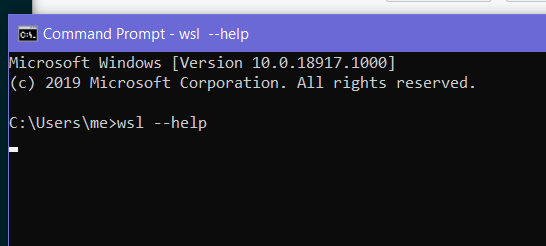
Example with --help passed (screenshot taken 30s after running command)
- What’s wrong / what should be happening instead:
wsl.exe should not hang.
About this issue
- Original URL
- State: closed
- Created 7 years ago
- Reactions: 55
- Comments: 73 (2 by maintainers)
Also facing this issue recently. I also tried restarting my laptop, but still, the issue persists.
Windows: Version 10.0.19041.450
wsl echo "test": Hangs, non-interruptible (Ctrl + C)wsl --help: Does not hangwsl -l -v: Hangs, interruptiblewsl --shutdown: Hangs, interruptibleHad the same issue. To fix it I first went to Device Manager and noticed that “LxssManager” is trying to stop, but it can’t. To unblock it I did this. Run the following command to find the PID of the “LxssManager” process:
tasklist /svc /fi "imagename eq svchost.exe"Then went to Task Manager and killed the svchost with this PID. After that I saw that “LxssManager” is unblocked and finally running. Now I can runwslcommands again 😅@onomatopellan everything you suggest also hangs
taskkill /f /im wslservice.exedid the trickDisabled Hyper-V plus WSL -> reboot -> enable them again -> reboot solved my issue!
Started happening recently, all
wsl.exerelated commands hang except forwsl --help. OS version: 1909 OS build: 18363.1082People still fly by to this issue and can replicate it, why is this closed?
Even shorter output than what @WinniX posted:
Then I’d do
but unfortunately, that tells me “access denied” even from an admin cmd 🙁
But it works from the TaskManager/Details tab. So hey – at least no reboot required.
Managed to fix the issue by disabling all WSL related features, rebooting, then enabling them again and rebooting once more. Later I had to run
wsl --set-default-version 2again.or you can kill the process with
wmic process where "ProcessID=12345" delete. Though new LxssManager process was run just after killing old one, wsl commands started working.Update: Disabling Hyper-V seems to have solved my issue. Or rebooting six or eight times; I guess I won’t ever know.
Details ServerFault issue mentioned disabling and re-enabling WSL, but I started by first using ‘optionalfeatures.exe’ from Command Prompt as described there, yet only unchecking entire “Hyper-V” section and rebooting per this list of suggestions
Results Now, WSL2 distro is working, all files intact, and Docker Desktop (using WSL2 backend) is also happy. Note, Hyper-V had been enabled, though largely unused, for all of 2020, while WSL2 usage has only been since August. So maybe Hyper-V and WSL don’t play nice together, or something from a recent update bungled that?
Theory Something with Hyper-V (and maybe a recent update) was causing the LxssManager service to be dead upon Windows startup and completely unresponsive to any changes. With Hyper-V now out-of-the-way, Lxssmanager once again appears healthy. FYI: registry changes suggested by this AskUbuntu answer didn’t make any difference earlier
Pro Tip Although I didn’t need it, I felt better making the above change(s) after creating a backup of the WSL2 filesystem as described in this comment. The one for Docker is similarly located at: C:\Users<you>\AppData\Local\Docker\wsl\data
restarting fixed this, but obviously i don’t know if it will happen again…
WSL worked on my machine on Friday. I shut down for the weekend and started up on Monday and I experienced the issue described in this thread.
WSL Ubuntu-20.04 hangs when try to start Ubuntu from the windows search menu wsl --help: Does not hang wsl -l -v: Hangs, interruptible wsl --shutdown: Hangs, interruptible Docker Desktop which is set to run on WSL backend hangs on launch
I shut down my pc and started it after 30 minutes but this WSL issue persisted. I restarted my pc and then the issue was resolved and WSL Ubuntu and Docker Desktop worked.
Issue still persists, and I am tired of doing this over and over again when everything hangs. Becomes annoying reaaaally quick.
and I was here last month again. this is the only reason I choose bare metal over WSL, this critical issue is here FOR ONE WHOLE YEAR.
and yeah this comment is for bumping the issue.
in my case this caused an immediate BSOD 😭
As of 23 Apr 2022, this issue persists. I have encountered it a couple of times since I started using WSL in late 2020. I am using Windows 11 21H2 OS Build 22000.613, WSL Kernel 5.10.102.1. There are no updates to Windows nor WSL. This issue is really frustrating as the only known solution is to restart. I hope it gets series attention.
I created gist that kill/restart everything related to Docker/WSL and restarts, for me, regardless of the source issue - this successfully unlocks wsl and docker - https://gist.github.com/alkuzad/438993ecfea601cd56536bc360e5f581
Also see this issue: #5845 Like @WinniX mentioned, it could be related to a
LxssManagerproblemsame issue, all
wslcommands (includingwsl --help) hang OS version: 1909 OS build: 18363.1198same issue, except wsl --help is hanging as well
[Version 10.0.19041.572] if that helps
edit: double restart fixed it for now
I’m also running into this problem on 10.0.20211.1000, restarting the host machine (maybe a couple of times) usually does the trick.
@grandchild
I’m on Windows 10 so that might be the difference, but when I tried to kill this in the task manager, it displays me
a pop up that forces me to restartUPDATE: I misunderstood the alert button. Clicking that shuts down the process, not the computer. :It’s worth stating that after I followed the recommended steps, it didn’t make a difference: wsl.exe still hangs.
I’m on Windows 10. Would anyone be able to explicitly list these features/services that should be disabled? I don’t know if I’m doing it right because after restarting, WSL and the same set of hyper-v services were enabled automatically.
UPDATE: It turns out “features” in these comments refer to Start Menu > Turn Windows Features on or off. Windows 10 has many settings with “features” in the name, so I wanted to disambiguate this detail for others.
I still don’t know what “WSL related features” means as it could mean many things. I’m assuming these:
I used the following command to shut down the LxssWanager service to solve the problem.
for /f "tokens=2" %a in ('tasklist /svc /fi "imagename eq svchost.exe" ^| findstr LxssManager') do pskill -t %aError still persists. Everything hangs until I kill LxssManager.
like, what the hell. Is there anything stable in WSL? All of a sudden -> WSL commands may hang -> WSL may take %95 of the CPU forcing you to restart the computer -> WSL may screw your entire storage and never shrinking back automatically -> services like Docker in WSL may not work with VPN, and even after you close VPN, you have to set iptables with
sudo update-alternatives --set iptables /usr/sbin/iptables-legacy sudo update-alternatives --set ip6tables /usr/sbin/ip6tables-legacyeverything I listed is still going on.
https://github.com/microsoft/WSL/issues/4699
https://github.com/microsoft/WSL/issues/6982
https://github.com/microsoft/WSL/issues/4144
https://github.com/microsoft/WSL/issues/5068
buuuuut, hey! Cortana and other bloats are working perfectly fine and stable without errors, yay Windows!
method with killing svhost is good but I had to kill more than just LxssManager svhost, there also were wsl processes hanging out in there. So for my case:
Open elevated Process Explorer, switch to process tree Stop everything related to WSL and LxssManager under svhost and explorer.exe trees Restart-Service LxssManager
@bpulliam experienced the hanging issue at Version 10.0.22000.739. Every command starts with
wslhangs. After waiting for a long time, I occasionally sawServer execution failederror messages. I restarted a few times but did not help.bpulliam, Please reach me out privately, via Teams, so I can provide the necessary telemetries for debugging the issue.
This is beyond annoying. Yeah everything is hanging all WSL commands. Restarting my computer still doesn’t fix it.
also try restarting your PC