vscode: Unable to load Tensorboard in Notebook
- Version: 1.50.0-insider
- OS: Darwin x64 19.6.0
Steps to Reproduce:
- Run a Python notebook (using the new VS Code Notebook API) with the following cells:
- Cell 1
%load_ext tensorboard - Cell 2
- Cell 1
import tensorflow as tf
import datetime

mnist = tf.keras.datasets.mnist

(x_train, y_train),(x_test, y_test) = mnist.load_data()
x_train, x_test = x_train / 255.0, x_test / 255.0

def create_model():
  return tf.keras.models.Sequential([
    tf.keras.layers.Flatten(input_shape=(28, 28)),
    tf.keras.layers.Dense(512, activation='relu'),
    tf.keras.layers.Dropout(0.2),
    tf.keras.layers.Dense(10, activation='softmax')
  ])

model = create_model()
model.compile(optimizer='adam',
              loss='sparse_categorical_crossentropy',
              metrics=['accuracy'])

log_dir = "logs/fit/" + datetime.datetime.now().strftime("%Y%m%d-%H%M%S")
tensorboard_callback = tf.keras.callbacks.TensorBoard(log_dir=log_dir, histogram_freq=1)

model.fit(x=x_train,
          y=y_train,
          epochs=1,
          validation_data=(x_test, y_test),
          callbacks=[tensorboard_callback])
* Cell 3
%tensorboard --logdir logs/fit
-
At this point the last cell should have some empty output This is because the output attempts to display an iframe relative to the current home page. url =
/:6060, this doesn’t work due to the custom resource schemes. -
Verify the page
http://localhost:6006is accessible in a browser. -
Add another cell with the following code:
from IPython.display import IFrame
IFrame('http://localhost:6006', width=700, height=350)
At this point it should display this iframe. But it doesn’t.
Here’s the output from VS Code when attempting to load the above page in the iframe:
webviewElement.ts:150 [Embedded Page] Refused to frame 'http://localhost:6006/' because an ancestor violates the following Content Security Policy directive: "frame-ancestors *".
Note: Another way to easily test this
- Run the python code outside VS Code (you don’t need Python extension)
- Create & open a simple notebook in VS Code, with HTML output in a cell:
<iframe
            width="700"
            height="350"
            src="http://localhost:6006"
            frameborder="0"
            allowfullscreen
        ></iframe>
Does this issue occur when all extensions are disabled?: N/A
About this issue
- Original URL
- State: closed
- Created 4 years ago
- Reactions: 1
- Comments: 17 (16 by maintainers)
I can’t get tensorboard to launch the way you are describing. After following all those steps, nothing is running on localhost:6060. There are no errors that I see in the output
I’m spending too much time just trying to setup the environment properly to reproduce this. @DonJayamanne Can you please first see if someone on the python team can investigate this more since they will know more about how tensor board is supposed to work. If they can’t figure anything out, please put together a more minimal repo that demonstrates the problem or let’s setup a brief call where we can debug this
@mjbvz the new notebook API is only available in Insiders and looks like this: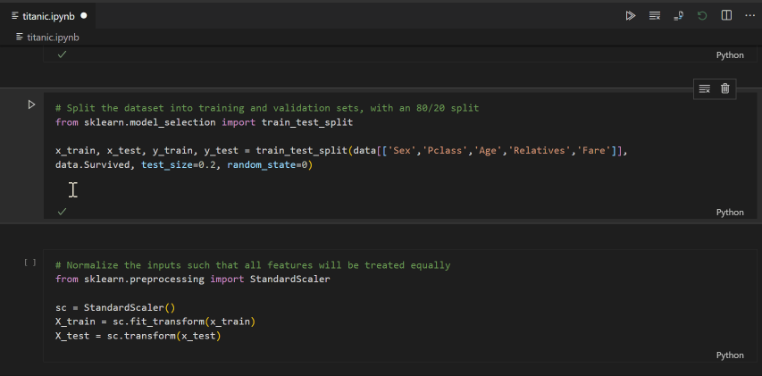 You can enable it by following these instructions: https://devblogs.microsoft.com/python/notebooks-are-getting-revamped/#how-to-try-out-native-notebooks