vscode: Scrolling in editor hover causes it to disappear
- VSCode Version: 1.52.0
- OS Version: Darwin x64 19.6.0
When scrolling in the info panel that appears when hovering over code or errors, it disappears entirely if you scroll near the bottom. This makes it extremely frustrating to try and look at errors, because they disappear before you can see them.
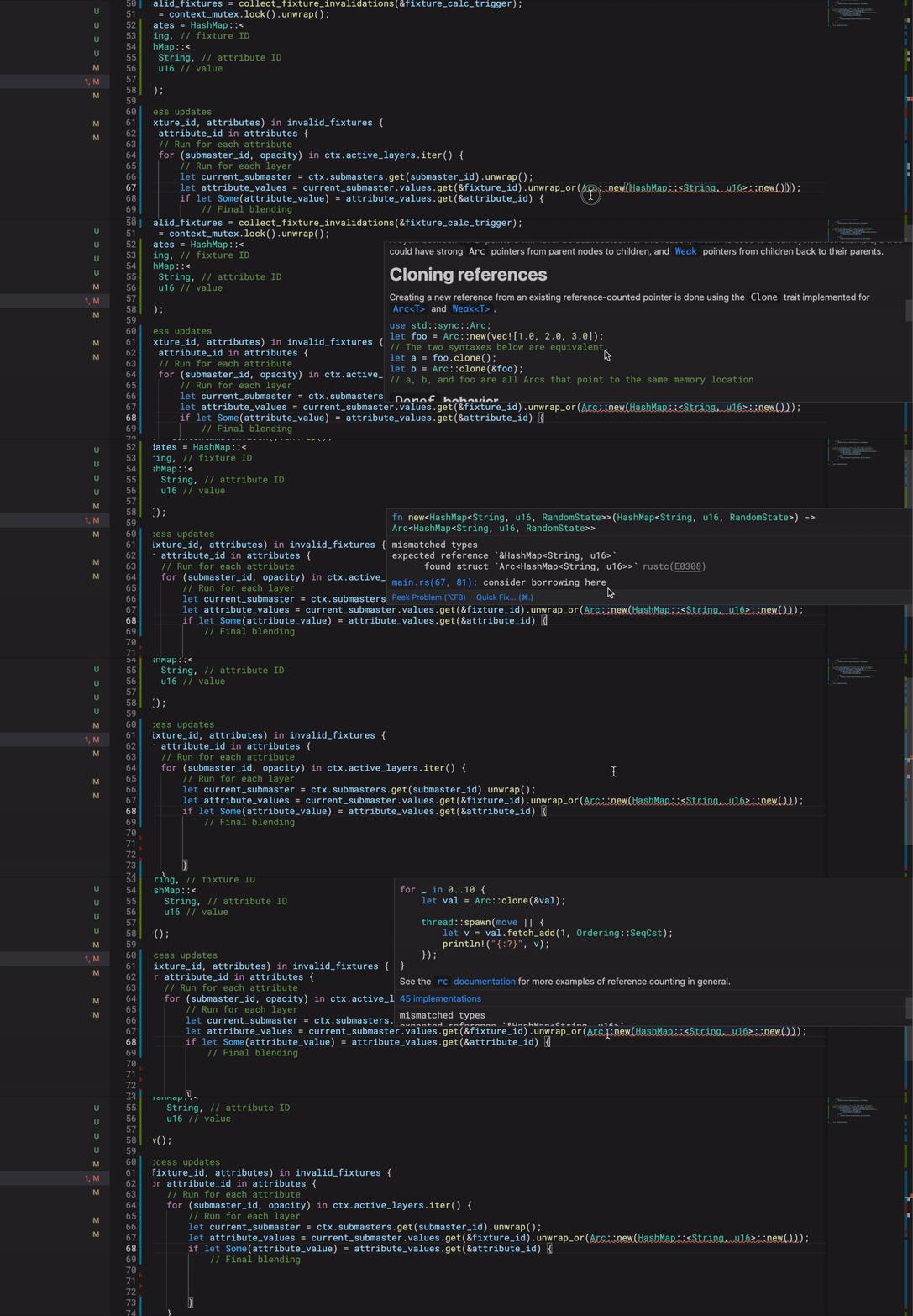
Steps to Reproduce:
- Write a function with a large documentation page (easiest method is using JSDoc)
- Mouse over function and try scrolling to the bottom of documentation (where error and warning messages usually appear)
Does this issue occur when all extensions are disabled?: Yes
About this issue
- Original URL
- State: closed
- Created 4 years ago
- Reactions: 150
- Comments: 27 (6 by maintainers)
This is what I have achieved so far, Could I submit a PR?
The fix is already released in VS Code Insiders
@runofthemill Sweet! I’m really looking forward to seeing this in the next release!
@RyanNtrce just from looking at the labels, it looks like it’s been fixed in the insider release…so hopefully it’ll go into a stable release soon!
this line cause issue
For anyone else experiencing this issue, it appears the scroll bar still works, so you can drag the handle to the bottom and see it if you’re careful not to move your mouse out of the panel. It’s less than ideal, but works if you really need to get work done.
Same annoying behavior on VSCode 1.52.1.
Please merge PR 😉
Here are
VSCode About details:I’m seeing the issue is still open. It will auto-close when an associated PR is merged though
I rolled back to the October version to get around this problem for the time being. If you do that make sure updates are set to use the setting
"update.mode": "manual"to prevent VS Code from updating itself.@susiwen8 I read the blame and found that line fixed a problem https://github.com/microsoft/vscode/pull/52147#issue-195405577. Maybe there are some other work to do.
Is my issue link to this issue?
When I use scroll and if scroll bar reaches the end of scrollbar vscode scroll text editor , sorry for bad English
@hangacs Thanks!!! that was a helpful info. I’ll take a look on that.
@susiwen8 Great work! I expect yout fix on next update.
@hangacs Sure, I have tested scroll bar in hover widget case. It works so far.
PR welcome
Same in macOS Catalina 10.15.7. Besides, if you are not at the top of your file (your file scrollbar is not at the top), and if you try to scroll up in these panels and when the scrollbar in the panel reach the top, the panel will also disappear.