PowerToys: FancyZones does not keep setting after a reboot.
Environment
Windows build number: 10.0.18162.356
PowerToys version: 0.11.0
PowerToy module for which you are reporting the bug (if applicable): FancyZones
Steps to reproduce
- Set a custom layout.
- Shutdown the computer.
- Turn on the computer.
- The layout will not be active.
Expected behavior
The layout should stay selected even when the computer is restarted.
Actual behavior
After a reboot the power toys icon is present in the system tray but holding shift while dragging a window only shows a single zone spanning the screen.
Screenshots
Before a reboot:
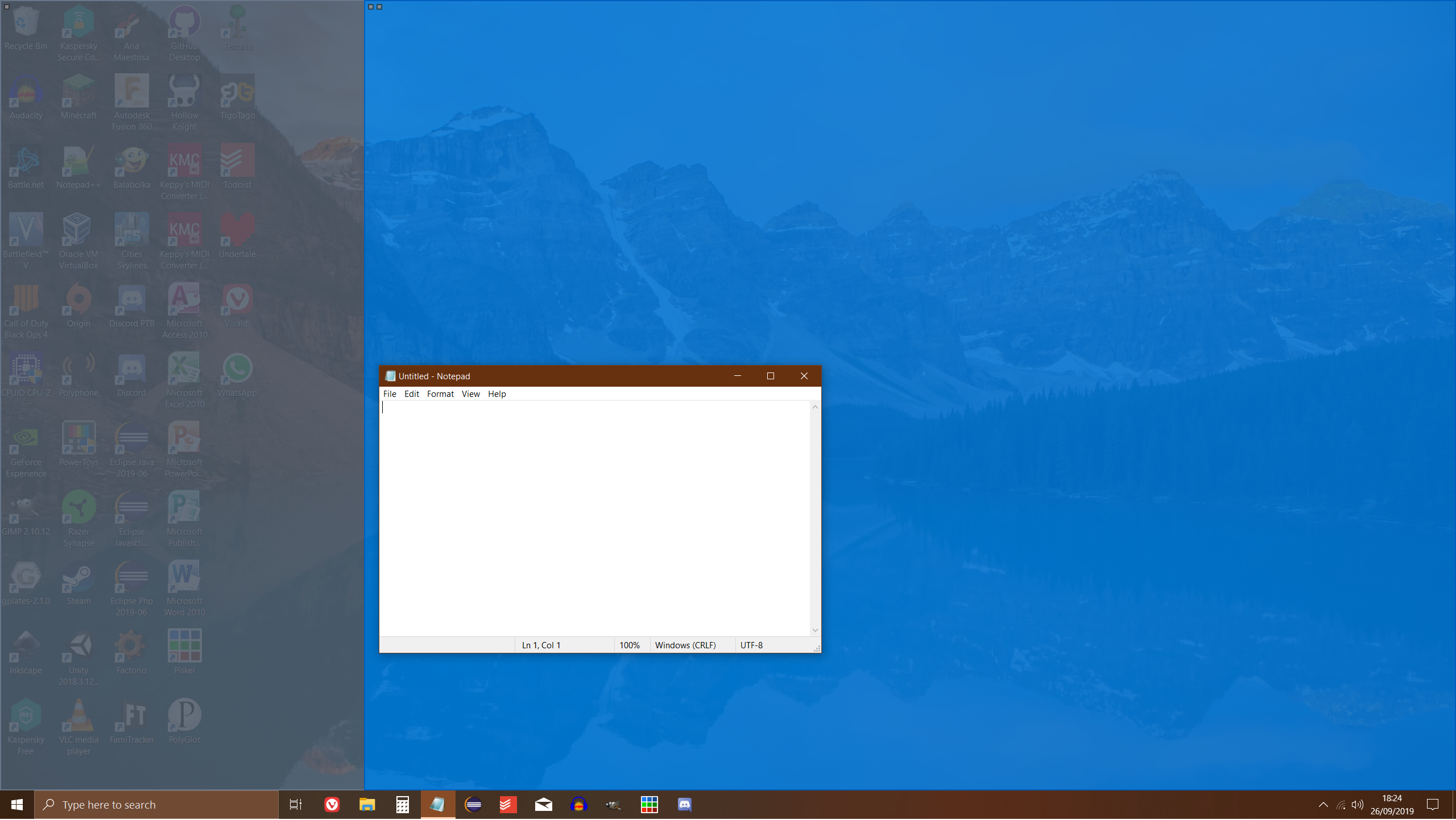
After a reboot:

About this issue
- Original URL
- State: closed
- Created 5 years ago
- Comments: 17 (9 by maintainers)
@flexwie feel free to add your comments to https://github.com/microsoft/PowerToys/issues/758 that is the tracker for the RDP bug. Thanks.