onnxruntime: Attempt to use the DefaultLogger but none has been registered, problem of "Microsoft.ML.OnnxRuntime.Gpu" in c#
Describe the bug when I want to use the MakeSessionOptionWithCudaProvider notion I get the below error. I have an Nvidia graphic card with Cuda . the whole project works well with CPU but when it comes to using the GPU, I get the below exception:
Microsoft.ML.OnnxRuntime.OnnxRuntimeException: [ErrorCode:RuntimeException] /onnxruntime_src/include/onnxruntime/core/common/logging/logging.h:313 static const onnxruntime::logging::Logger& onnxruntime::logging::LoggingManager::DefaultLogger() Attempt to use DefaultLogger but none has been registered. at Microsoft.ML.OnnxRuntime.NativeApiStatus.VerifySuccess(IntPtr nativeStatus) at Microsoft.ML.OnnxRuntime.SessionOptions.MakeSessionOptionWithCudaProvider(Int32 deviceId)
System information
- container mcr.microsoft.com/azureml/onnxruntime:latest-cuda
- ASP.net core 5.0
- Onnx nuget package Microsoft.ML.OnnxRuntime.Gpu 1.8.1
To Reproduce
using (var option = SessionOptions.MakeSessionOptionWithCudaProvider(0) ) { var modelbyte = File.ReadAllBytes(pathToModel); using (var session = new InferenceSession(modelbyte, option)) { var inputs = new List<NamedOnnxValue>(); session.Run(inputs) } }
Expected behavior to not throwing an exception or at least something meaning full.
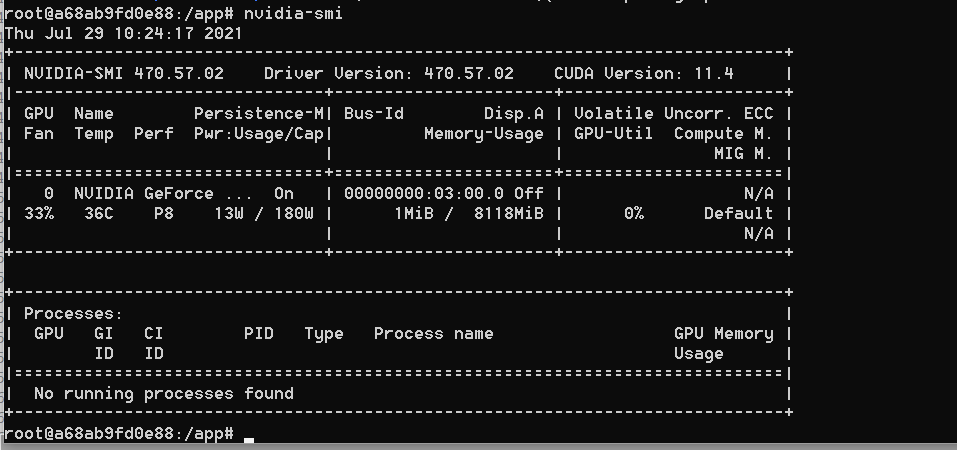
Additional context I have “Microsoft.ML.OnnxRuntime.Gpu” Version “1.8.1” and also I have checked the existence of these dlls at the output : onnxruntime_providers_cuda.dll , onnxruntime_providers_shared.dll I have copied onnxruntime.dll too but it did not work. we have another code based on python and it works great with the same docker image. something is wrong with c# Microsoft.ML.OnnxRuntime.Gpu code. there is only one GPU
About this issue
- Original URL
- State: closed
- Created 3 years ago
- Comments: 17 (4 by maintainers)
@BrutalHex , I had the same issue on fresh debian with cuda 11.4 installed. To check missed dependencies run:
In my case cudnn was not installed.
export LD_LIBRARY_PATH=/usr/local/cuda/lib64:$LD_LIBRARY_PATH.In my case problem was fixed.
I also experienced the same. But I solved it like this Enviroment(Windows 10, RTX 3090)
Remove all C# executables, NVIDIA install(All), Program Files About NVIDIA(All) ex) C# bin\x64\Debug, C:\Program Files\NVIDIA GPU Computing Toolkit\CUDA\v11.1…
Install onnxruntime nuget 1.10.0 (last version 1.11.0 not wroking) CUDA 11.4 cudnn 11.4 win64 v8.2.2.26
Plz, Pay attention to version compatibility. https://onnxruntime.ai/docs/execution-providers/CUDA-ExecutionProvider.html#requirements
finally, I got it to work with the right Cuda image. the onnxruntime 1.8.1 only works with this image : nvidia/cuda:11.0.3-cudnn8-devel-ubuntu20.04 These are the parts of the docker file that helps to get it working:
`ARG ASPNET_VERSION=5.0.8 ARG DOTNET_VERSION=5.0.8
FROM amd64/buildpack-deps:buster-curl as installer ARG DOTNET_VERSION ARG ASPNET_VERSION RUN curl -SL --output dotnet.tar.gz https://dotnetcli.azureedge.net/dotnet/Runtime/$DOTNET_VERSION/dotnet-runtime-$DOTNET_VERSION-linux-x64.tar.gz
&& dotnet_sha512=‘8789609f3039dca1d0dc19562f23bc9bfe5d513a2d10639a8a779afe7656447b7ee953f9a8d9d0b07ba6ca4a346770c0efb5a34e5240b5d355d4d8198220e9b1’
&& echo “$dotnet_sha512 dotnet.tar.gz” | sha512sum -c -
&& mkdir -p /dotnet
&& tar -ozxf dotnet.tar.gz -C /dotnet
&& rm dotnet.tar.gz
RUN curl -SL --output aspnetcore.tar.gz https://dotnetcli.azureedge.net/dotnet/aspnetcore/Runtime/$ASPNET_VERSION/aspnetcore-runtime-$ASPNET_VERSION-linux-x64.tar.gz
&& aspnetcore_sha512=‘77c9854f2bc947675025a9489baec2587cc9ef95e3be9351060c0d64fe0cede3e9c1395fe700715df520f106dccda9a21f7d21981df70653c49fd20418dc385f’
&& echo “$aspnetcore_sha512 aspnetcore.tar.gz” | sha512sum -c -
&& tar -ozxf aspnetcore.tar.gz ./shared/Microsoft.AspNetCore.App
&& rm aspnetcore.tar.gz
FROM nvidia/cuda:11.0.3-cudnn8-devel-ubuntu20.04 AS base EXPOSE 5010:5010 ARG DOTNET_VERSION ENV DOTNET_VERSION=$DOTNET_VERSION ARG ASPNET_VERSION ENV ASPNET_VERSION=$ASPNET_VERSION ENV DEBIAN_FRONTEND=noninteractive RUN apt-get update RUN apt-get install -y libicu66 wget libssl-dev WORKDIR /app COPY --from=installer [“/dotnet”, “/usr/share/dotnet”] RUN ln -s /usr/share/dotnet/dotnet /usr/bin/dotnet RUN apt-get -qq update && apt-get install -y libicu-dev RUN apt install unzip &&
curl -sSL https://aka.ms/getvsdbgsh | /bin/sh /dev/stdin -v latest -l /vsdbg COPY --from=installer [“/shared/Microsoft.AspNetCore.App”, “/usr/share/dotnet/shared/Microsoft.AspNetCore.App”]`
and also
`FROM build AS publish RUN dotnet publish “YourProject.csproj” -c Debug -o /app/publish --runtime “linux-x64” RUN cp /app/build/runtimes/win-x64/native/onnxruntime.dll /app/publish RUN mkdir -p /onnx RUN cp /app/build/runtimes/linux-x64/native/* /onnx/
FROM base AS final ENV PATH “$PATH:/onnx” ENV LD_LIBRARY_PATH “$LD_LIBRARY_PATH:/onnx” WORKDIR /app COPY --from=publish /app/publish . RUN mkdir -p /onnx COPY --from=publish /onnx/ /onnx/ RUN export PATH=/onnx/:$PATH RUN export LD_LIBRARY_PATH=/onnx/:$LD_LIBRARY_PATH ENTRYPOINT [“dotnet”, “YourProject.dll”]`
Can you try if this works: https://gist.github.com/pranavsharma/939d93fc7291c5a1638bfa3b190d72e3 ?