room-card: Using attributes in icon conditionals doesn't seem to work
Describe the bug
Using attributes in icon conditionals doesn’t seem to work
To Reproduce
type: custom:room-card
title: Tester
entities:
  - entity: update.home_assistant_core_update
    icon:
      conditions:
        - icon: mdi:radiator
          attribute: supported_features
          condition: above
          value: 0
the update.home_assistant_core_update attributes should look something similar to:
auto_update: false
installed_version: 2022.9.2
in_progress: false
latest_version: 2022.9.2
release_summary: null
release_url: https://www.home-assistant.io/latest-release-notes/
skipped_version: null
title: Home Assistant Core
entity_picture: https://brands.home-assistant.io/homeassistant/icon.png
friendly_name: Home Assistant Core Update
supported_features: 11
Expected behavior The icon to be an mdi:radiator as we check the supported_features attribute for a value greater than 0
Screenshots
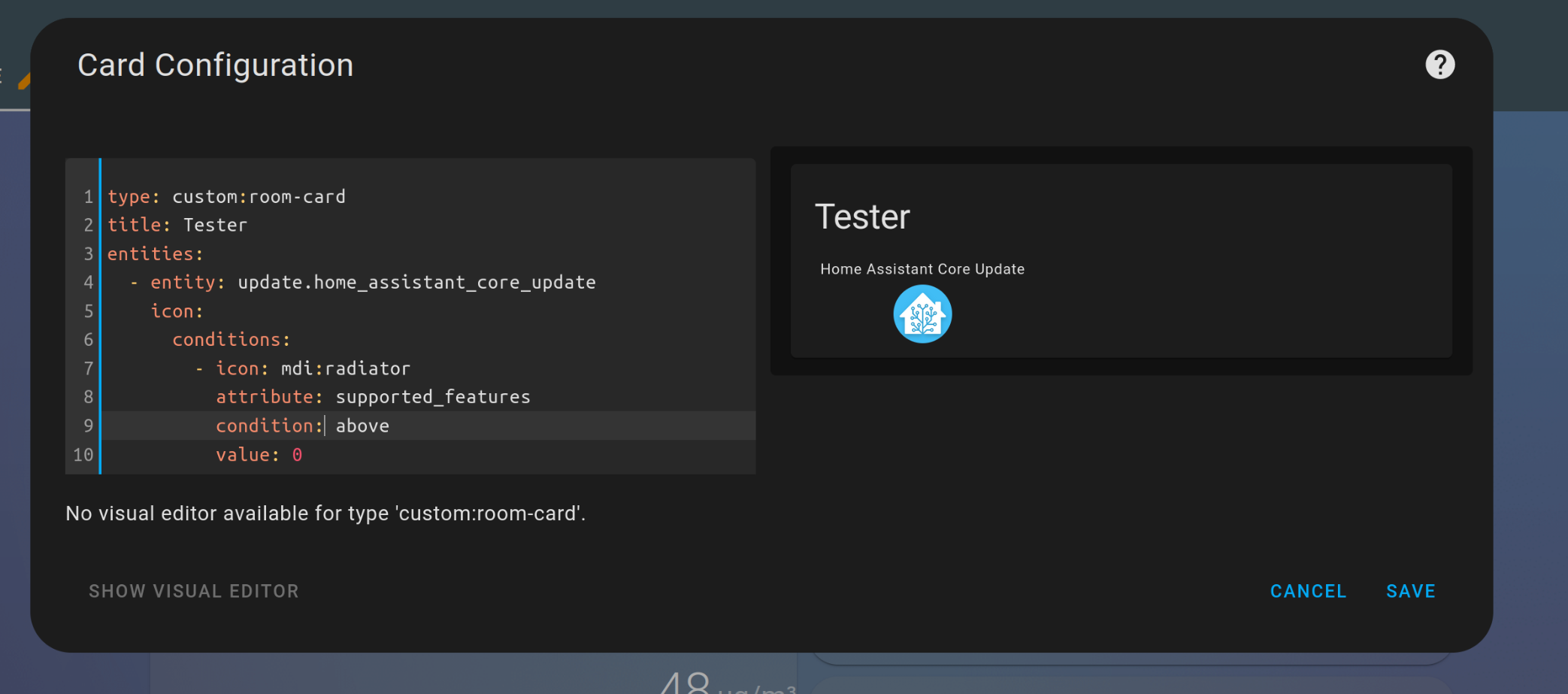
Desktop (please complete the following information):
- OS: linux
- Browser: firefox
- Version: 104.0.2
Additional context 1, this card is great and exactly the kind of card that HA should be offering by default 2, setting an entity value in the conditional doesn’t make any difference
About this issue
- Original URL
- State: closed
- Created 2 years ago
- Comments: 21 (12 by maintainers)
Good News, after remove the room-card and reinstall it on HACS, now it’s ok:
Many thanks for your support . I will pay a coffee !!
Oh not yet, but I have to go now. Workaround would be use v1.3.5 and set entity: update.home_assistant_core_update below attribute
Should be fixed with version 1.3.5