client-sdk-swift: use Broadcast Upload Extension, bug screen sharing doesn't work in the background
I configured screen sharing according to this wiki: https://github.com/livekit/client-sdk-swift/wiki/iOS-Screen-Sharing
But there is a problem, after entering the background, the screen sharing stops.
background mode has been set. Broadcast Upload Extension has been imported.
but when the App enters the background, it will stop screen sharing, and the system prompts: Your App has stopped screen sharing for some reason. As shown in the picture:
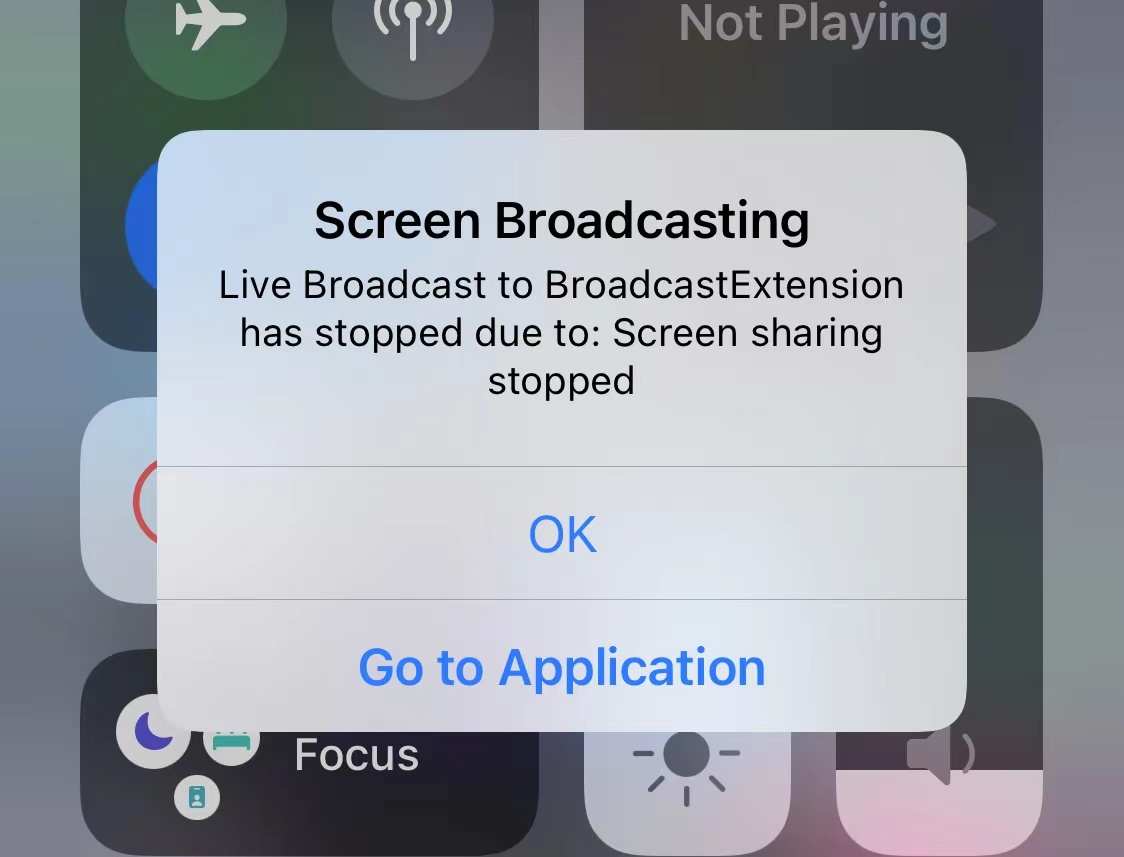
I checked the memory usage of this Extension, it is not very high, generally between 8-20M.
By running Broadcast Upload Extension, some logs are recorded when the extension stops:
2023-06-21 22:06:22.890540+0800 BroadcastExtension[6966:290838] [Broadcast] server socket closed 2023-06-21 22:06:22.890778+0800 BroadcastExtension[6966:290838] [Broadcast] client connection did close nil Program ended with exit code: 9
About this issue
- Original URL
- State: closed
- Created a year ago
- Reactions: 2
- Comments: 16 (1 by maintainers)
AH There is a property named
suspendLocalVideoTracksInBackgroundin RoomOption. It will be not triggered mark this flag tofalse. this is not bug.Thanks guys for looking into this, I think
suspendLocalVideoTracksInBackgroundshouldn’t affect screen share tracks. I’ll patch this.@elesahich
Thank you very much, problem solved.
This problem bothered me for a day and caused me to be in a bad mood, now everything is calm, thank you again