livebook: Different livebook errors between Powershell and WSL Ubuntu
Environment
- Elixir & Erlang/OTP versions (elixir --version): Powershell: Elixir 1.13.3 (compiled with Erlang/OTP 22), WSL Ubuntu: Elixir 1.13.3 (compiled with Erlang/OTP 24).
- Operating system: Windows 11
- How have you started Livebook (mix phx.server, livebook CLI, Docker, etc): Livebook CLI
- Livebook version (use
git rev-parse HEADif running with mix): Livebook 0.5.2 - Browsers that reproduce this bug (the more the merrier): N/A
- Include what is logged in the browser console: See images
- Include what is logged to the server console: N/A
Current behavior
I am having some odd behavior when trying to run Livebook on Powershell and WSL (Ubuntu). In Powershell I get the following error:

In WSL Ubuntu I am getting the following error with the same command:
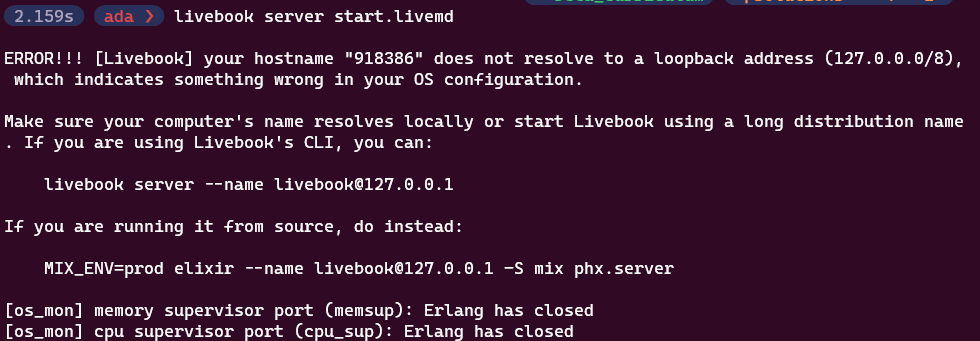
The workaround for both of these issues seem to be running “livebook server --name livebook@127.0.0.1” and opening the livebook after navigating to the directory. It does seem to work this way on both Powershell and WSL Ubuntu.
Expected behavior
Livebook should open the start.livemd file without throwing an error, or at least throw a consistent error between the two.
Any help on this would be appreciated. Thanks!
Ada
About this issue
- Original URL
- State: closed
- Created 2 years ago
- Comments: 23 (17 by maintainers)
That seemed to do it, thank you both for your help!!