SDL: Incorrect picture size on RPi4 in KMSDRM mode
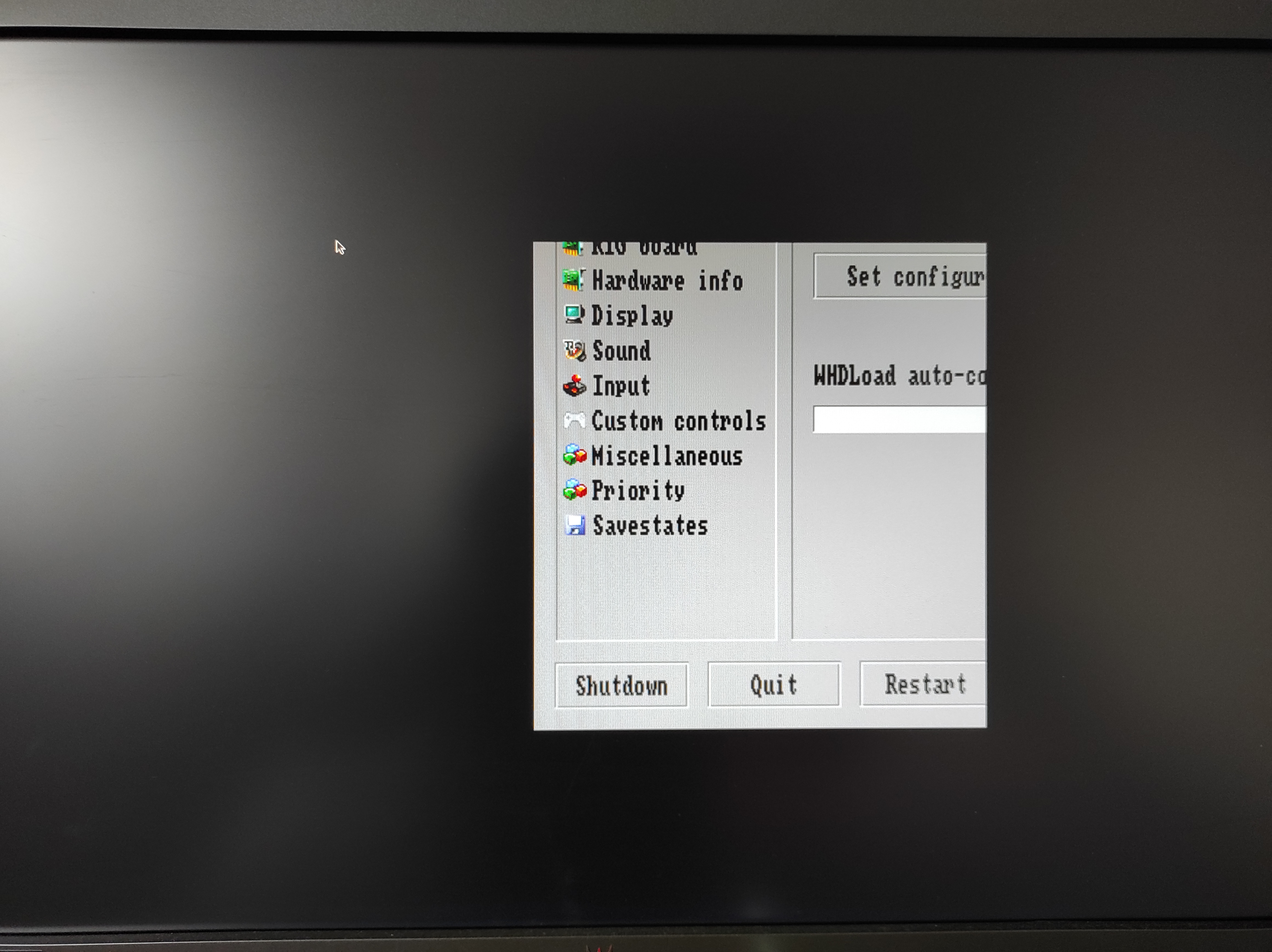
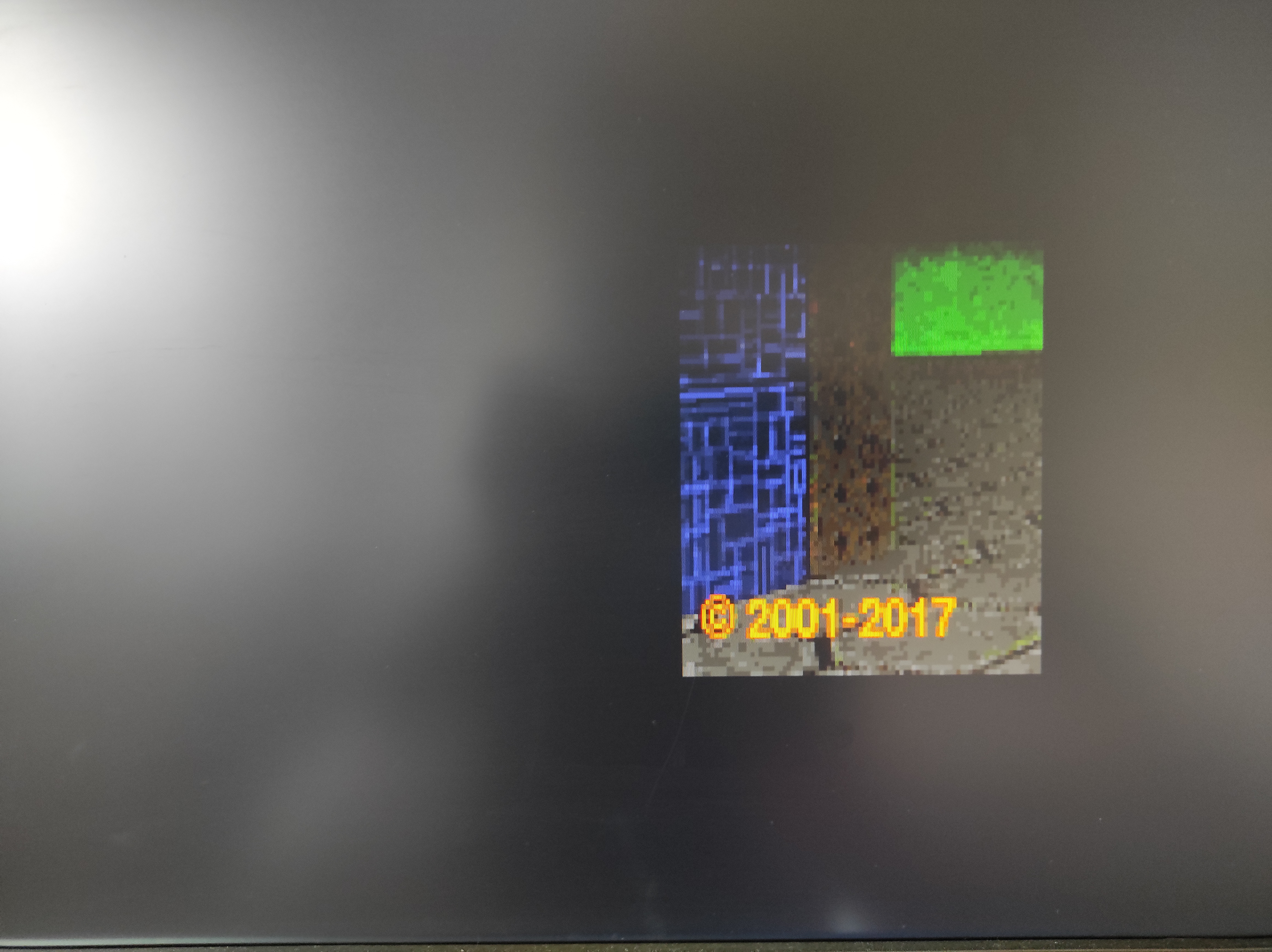
I noticed that https://github.com/libsdl-org/SDL/commit/0219928dd5416be9dfb21217c36f4d1b794e4b80 introduces a regress that causes cut and moved video on at least two projects:
- https://github.com/midwan/amiberry developed by @midwan (compiled from sources)
- chocolate-doom (installed via apt)
The latest revision behaves in the same way. As I am not a developer of any SDL2 software I can not say if they initialize video mode correctly or not. I just observe results only.
My environment:
- RaspiOS 64-bit lite for Raspberry Pi 4b (no X11, pure console) - https://downloads.raspberrypi.org/raspios_lite_arm64/images/raspios_lite_arm64-2021-05-28/2021-05-07-raspios-buster-arm64-lite.zip
- pi@raspberrypi:~/SDL $ uname -a Linux raspberrypi 5.10.17-v8+ #1421 SMP PREEMPT Thu May 27 14:01:37 BST 2021 aarch64 GNU/Linux
- SDL2 compiled manually
./configure --enable-video-kmsdrm --enable-video-opengl --enable-video-opengles --disable-video-wayland --disable-video-rpi --disable-video-x11 --disable-video-vivante --disable-video-cocoa --disable-video-directfb --disable-video-vulkan --disable-directx
About this issue
- Original URL
- State: closed
- Created 3 years ago
- Comments: 33 (23 by maintainers)
For comparison’s sake, here’s how window sizing with respect to fullscreen options works on other platforms (and therefore how I’d expect it to work when the KMSDRM backend is used) – I believe all of what I’m writing is accurate but please correct me if I’m wrong:
Creating a window without any fullscreen flags will attempt to make the window at the requested size. If it can’t do it, the closest appropriate size may be chosen instead. A windowed-mode window does not change the active display mode. A couple examples of that internal resizing behaviour are: • On macOS if the window is resizable and it would cover the dock area, the OS shrinks the size to fit. • On iOS, there’s no concept of floating app-specified window bounds, so the size request is used as an orientation (landscape/portrait) hint and SDL’s code adjusts the true size of the window to fill the screen. This is probably close to what I’d expect on other platforms that don’t support app-created floating windows (aside from the orientation part) - such as KMSDRM, I suppose. On iOS, the OS menu bar is left visible when windowed mode is used.
Creating a window with
SDL_WINDOW_FULLSCREEN_DESKTOP(or switching a window into that state viaSDL_SetWindowFullscreen) changes the window’s dimensions to fill the monitor’s dimensions based on the existing display mode that was active before SDL touched it. It’s designed to avoid using a custom display mode, although transitioning from exclusive fullscreen to fullscreen-desktop may change the active display mode if exclusive fullscreen had set a custom one. In other words, it always makes sure the display mode retrieved viaSDL_GetDesktopDisplayModeis active, and then makes sure the window fills the screen.Exclusive fullscreen (
SDL_WINDOW_FULLSCREEN) finds the closest match to the requested display mode parameters and changes the monitor’s active display mode, while also making the window cover the entire screen at that resolution.SDL_SetWindowDisplayModeonly affects windows that haveSDL_WINDOW_FULLSCREENactive (exclusive fullscreen). If that window isn’t in exclusive fullscreen mode, then it doesn’t change the display’s active mode when it’s called. But making that window exclusive fullscreen viaSDL_SetWindowFullscreenafter callingSDL_SetWindowDisplayModewill change the active display mode to the one previously set in SetWindowDisplayMode.I believe if you make a backend set the active display mode in windowed mode, it could cause a lot of apps using SDL to break because assumptions made in their code might be invalidated.