passport: Key file permissions are not correct
I am a Windows user and use Git Bash for my development terminal. I am using PHP version 7.1.7 Default Browser is Chrome Canary or Chrome.
After installing Laravel Passport, when I run php artisan route:list I get the following error.
[ErrorException]
Key file "file://C:\Users\jschaffer\Code\passport\storage\oauth-private.key" permissions are no
t correct, should be 600 or 660 instead of 666
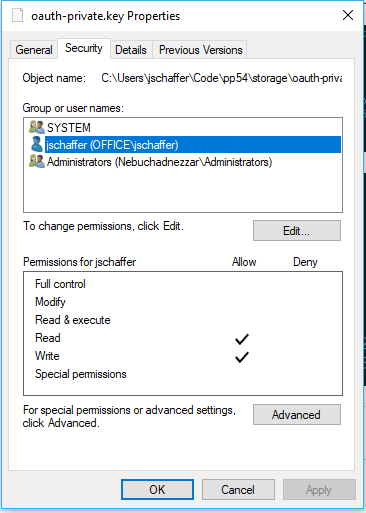
I understand what it is saying, but this is a windows machine and there is no concept of these types of permissions. I tried changing the NTFS permissions on the file but it doesn’t change this outputted error.


About this issue
- Original URL
- State: closed
- Created 7 years ago
- Comments: 17 (6 by maintainers)
@cringer if you want to get your system back up and running modify a PassportServiceProvider.php in vendor/laravel/passport/src/ around line 192 to look like this:
You will need to also add a use statement for
\League\OAuth2\Server\CryptKeyPassport doesn’t currently have any configuration so I didn’t make it optional. I just did this to get development back underway until this can be addressed.