larastan: Cannot install in a v8.62.0 Laravel project
- Laravel installer version: 4.2.8
- Laravel version: 8.62.0
- Composer version: 2.1.8
Description
I cannot install Larastan in a brand new Laravel project.
I’m getting the following error when running composer require nunomaduro/larastan --dev:
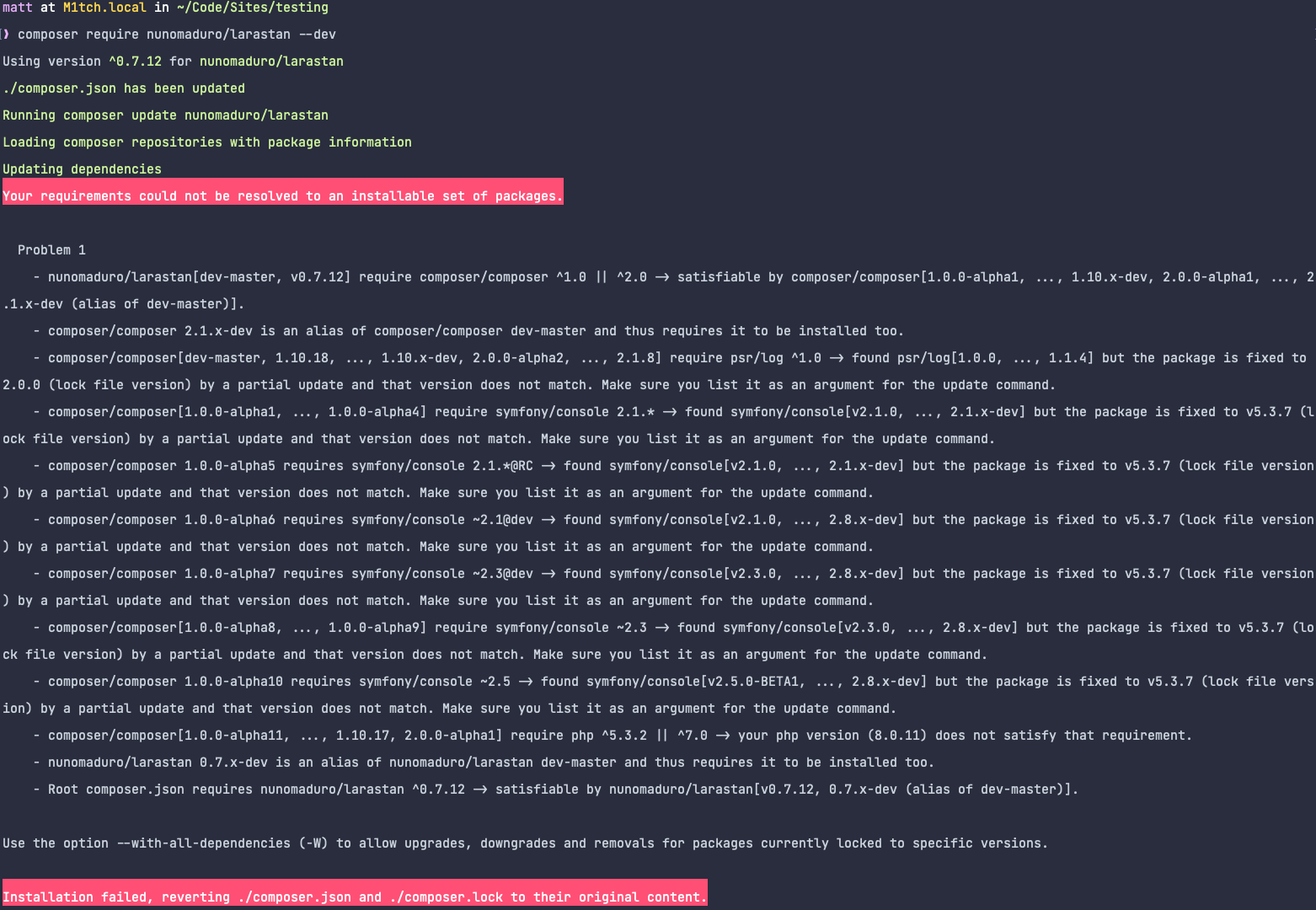
The error message suggests using the --with-all-dependencies option, but that gives the following error:
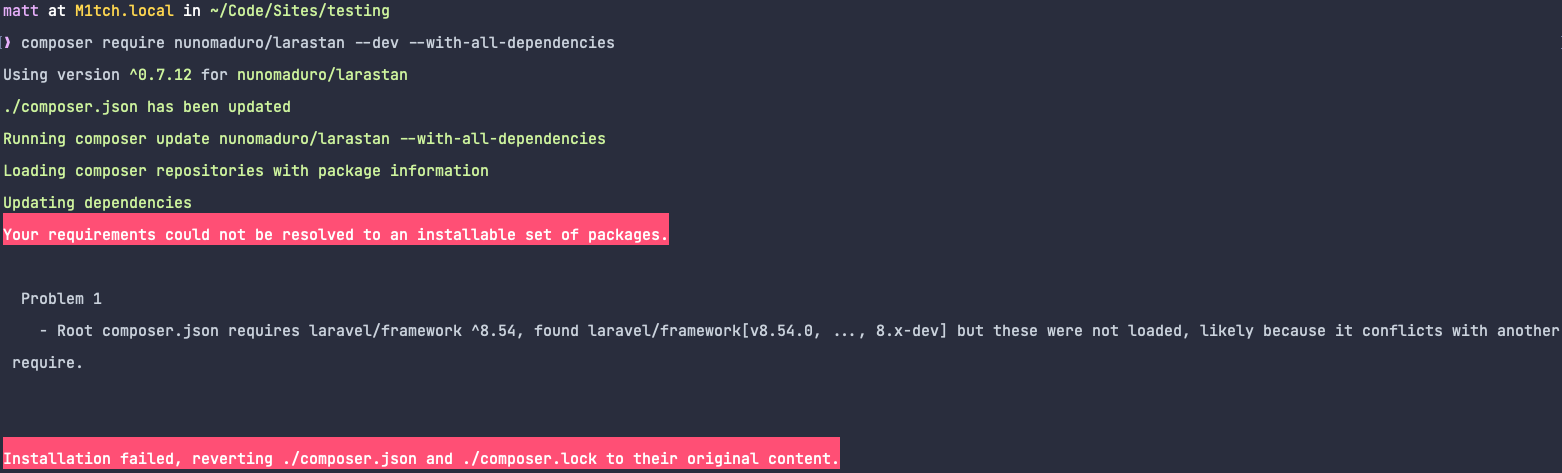
I’ve tried this on a number of machines with various PHP, Composer and Laravel installer versions.
@jbrooksuk Has also experienced this issue today.
Steps to Reproduce
laravel new testingcd testingcomposer require nunomaduro/larastan --dev
About this issue
- Original URL
- State: closed
- Created 3 years ago
- Comments: 24
I’ve now had https://github.com/composer/composer/pull/10158 merged so this issue should go away after the next composer release.
A workaround here would be running
composer require nunomaduro/larastan --dev --no-updatefollowed bycomposer update@szepeviktor I understand this isn’t a support forum.
I’m not installing ANY packages before trying this. The steps to reproduce in my original comment are all that is required to reproduce the issue.
I’ve replicated this on multiple machines and had a Laravel core team member reproduce it too.
There’s definitely something amiss somewhere.
barryvdh/laravel-debugbar is also facing the same issue.